-
Steps I took to configure Knoppix (Nvidia drivers and more)
I made some notes of the steps I took to configure my knoppix 3.8.1 install. Some of it might not be helpful, but some stuff seemed like general problems that other people are running into. Please feel free to add more input, and other solutions you might have.
*lines added to /etc/apt/sources.list
deb ftp://ftp.nerim.net/debian-marillat testing main
deb http://http.us.debian.org/debian testing main contrib non-free
then run:
#apt-get update
NVIDIA drives:
The nvidia driver install was a little confusing, and I kept on running into problems, causing the process to fail. Somehow I eventually got it to work. As far as I could piece together, these were the steps that worked for me, but maybe I've left something out, or have some extra steps?
#apt-get install kernel-source
-choose the kernel source you want. I went with 2.6.11 because thats what knoppix is currently using, and it was the most current release
#apt-get install nvidia-kernel-source
#cd /usr/src
*for me, the linux dir in /usr/scr was a symlink to linux-2.6.11. both dirs were empty
#rm -rf linux*
#tar -xvzf kernel-source-2.6.11.tar.bz2
#ln -s kernel-source-2.6.11 linux
#cp /boot/config-2.6.11 /usr/src/linux/.config
*Im not sure if this step is needed..
#cd linux
$sudo make xconfig
*again, dont think this step is needed..
#make-kpkg modules_image
#cd /usr/src
#dpkg -i nvidia-kernel-2.6.11_1.0.7174-3+10.00.Custom_i386.deb
*theres a chance your filename will be different then this, but the main parts are nvidia-kernel*.deb
#apt-get install nvidia-glx
*Last thing left to do is change the driver to "nvidia" in /etc/X11/XF86Config-4, and reboot to see if everything worked.
LILO:
edit /etc/lilo.conf
remove reference to scsi=hda etc [scsi emulation is no longer needed, but cd drives will not mount with this]
run 'lilo' to commit changes to lilo.conf
DVD playback:
#apt-get install libdvdcss2
symlink dvd player to /dev/dvd, eg:
#ln -s /dev/cdrom /dev/dvd
I think the system does this for you by default, but I have multiple dvd drives, so I changed it to my preferred drive[/code]
Similar Threads
-
By cj in forum Hardware & Booting
Replies: 5
Last Post: 01-02-2007, 03:37 AM
-
By Dioxin in forum Hardware & Booting
Replies: 2
Last Post: 05-26-2005, 03:29 PM
-
By rrfish72 in forum General Support
Replies: 1
Last Post: 12-11-2004, 08:31 AM
-
By sandman in forum Ideas
Replies: 6
Last Post: 08-26-2004, 05:59 PM
-
By slc in forum Hdd Install / Debian / Apt
Replies: 19
Last Post: 08-27-2003, 06:25 PM
 Posting Permissions
- You may not post new threads
- You may not post replies
- You may not post attachments
- You may not edit your posts
-
Forum Rules


SAMSUNG 256GB SSD PM871b
$25.00

Samsung Galaxy View Tablet 18.4 SM-T670/677A Digitizer 100% Original Oem
$169.99
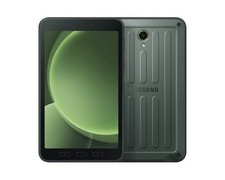
Samsung Galaxy Tab Active5 5G (X306B) GSM Unlocked International Version (New)
$449.99

Original for Samsung NP950QCG-K01US LCD Screen Touch Full Top Assembly FHD Blue
$299.00

Samsung 256GB SSD MZ-JPV256S/0A2 PCIe Solid State Drive SSD SSUBX 655-1959A
$22.02

RAM-HOL-SAM52CPU RAM USB-C Powered Dock Samsung Tab Active4 Pro & Tab Active Pro
$81.99

3 -M.2 2280 512GB SSD - Samsung MZNTE512HMJH, MZNLN512HMJP, Toshiba KSG60ZMV512G
$155.00

1 lot of 3 (2)Samsung PM951 SM961 & (1)Intel SSD 600P 256GB M.2 2280 SSD NVMe
$109.00
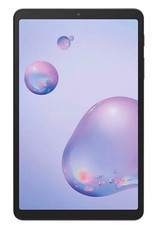
Samsung Galaxy Tab A 8.4" 2020 32GB Wi-Fi+ 4G Verizon Unlocked SM-T307U ~Grade B
$49.99
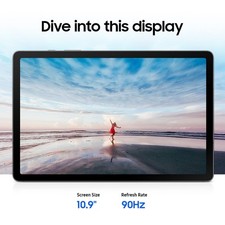
Samsung Galaxy Tab S10 Lite 10.9" 128GB Silver Wi-Fi SM-X400NZSAXAR
$230.00



 Reply With Quote