

 Reply With Quote
Click on terminal icon, then type su+Enter, then cfdisk and try to make new partition, you will see the size of hdd.


Hi,
Our company gave away all its old computers, and I came home with a Dell Pentium II with 350 MHz and 128M of Ram. The hard disc was wiped clean...no Windows system, no partitions, no Fat32, no nothing...and so I thought it would be a perfect time to set up a Windows-free Linux machine.
I am running Knoppix 3.8.1 from the CD drive right now. The knoppix-installer looks straightforward enough, BUT...I have no idea how large the hard disc is, and before trying anything I thought I'd better ask, Is there a way to find out? If it's under 2 Gigs should I attempt the Poor Man's Installation? In which case I may need someone to hold my hand, because I am a complete newbie at this.
Thanks for your advice! --Bill
Click on terminal icon, then type su+Enter, then cfdisk and try to make new partition, you will see the size of hdd.
Thanks for the reply. I did that and gotOriginally Posted by tdjokic
FATAL ERROR: Cannot open disk drive
Now what? I think Knoppix can at least see the hdd, because the installer was able to detect that there was no partition. --Bill
I don't know what to say. Can you try with some Windows boot floppy or CD to make same test?
I have a Windows 98 emergency floppy. When I boot up with it, the A:\ prompt blinks mindlessly. Maybe there's a DOS command that can communicate with the HDD and tell me its size?
The reason I haven't blundered ahead and just run the knoppix-installer is that I heard partitions can be hard to get rid of, and I didn't want to screw up the hard disc permanently.
--Bill
fdisk ?
Bill:
CHKDSK is the command line if the hard disk is formatted. fdisk will let for format the disk (and will let you erase any linux partitions later) but I don't know that it shows the hard drive size unless you partition the hard drive.
But why bother. During boot enter the Dell motherboard setup (F2 on my Dells). This should tell you the hard drive size.
Of just go for it. As I said, fdisk can be used to remove any partitions that you create, even linux partitions. And if you don't have fdisk on your emergency boot disk, you can boot using the Win98 CD, choose boot with CD support (not install) and it will put fdisk on the ram disk it creates.
chuck
boot with the w98 floppy
enter fdisk at the promt
follow the dialog to produce at least one primary partition which might be maximum 2gb of size.
if it does create it, you can make the a extended partition unig the max possible size and some logical drive in it as the dialog says.
it report you then what size the partitions became.
remamber: those parts are still not formated to anything unless you use someting like format from the w98 floppy.
otherwise: open the comp and try to take out the hd and read what it says on the top of it.
> boot with the w98 floppy
...snip...
Thank you, thanks to all.
I'm making progress, but there is always some darn thing...which I'll ask about in an new thread
--Bill
 Posting Permissions


(New) AMD Ryzen 7 5700X 8 Core 16 Thread AM4 Unlocked 3.4 GHz CPU OEM Tray
$174.99

Clear Touch Interactive Module CTI PCMOD PC55 ST i5 6core,8GB DDR4,256GB SSD NEW
$225.00

AMD Ryzen 7 PRO 8700GE 8-Core/16-Thread Up to 5.1GHz AM5 (FL1)
$175.00
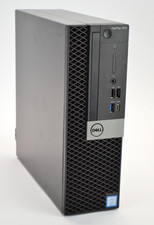
Dell Optiplex 7070 SFF i7-9700 8-Core 3.0GHz 16B Ram NO HDD NO OS
$199.99
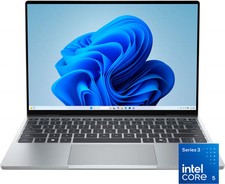
Dell - XPS 13.4" 3K Touchscreen Laptop - Intel Core 5 Series 3 320 2026 - 8GB...
$599.99

AMD Ryzen 7 9850X3D 8-Core 16-Thread 5.6GHz 120W AM5 CPU 100-100001973WOF
$435.99

AMD Ryzen Threadripper PRO 3945WX 12-Core 4.0GHz sWRX8 CPU NEW Tray Unlocked
$69.99
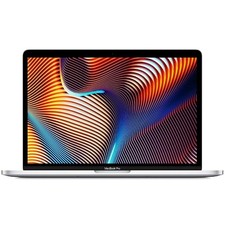
Apple 2017 MacBook Pro A1708 13.3" Core i5 2.30GHz 8GB RAM 512GB SSD Silver
$149.99
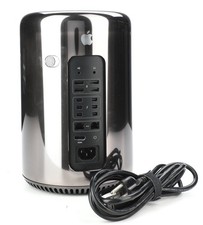
Apple Mac Pro Model A1481 Computer 8core Intel Xeon E5 64 GB Storage 500 G2U
$189.99
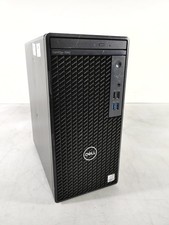
Dell OptiPlex 3080 MT Intel Core i5-10500 3.10 GHz 8 GB DDR4 Desktop No HDD
$129.99