-
Help me!
I am desperately seeking some assistance to rescue my files from my laptop.
Here's the scoop, and forgive me if I'm not providing complete info but I have very little experience with Knoppix and I'm not the smartest person when it comes to computers:
I have a Compaq Presario X1000 laptop which was until recently running Windows XP. Then for some inexplicable reason Windows XP decided it would no longer start up. A friend suggested I use a Knoppix disk he had to see if my files were still intact and they are. Now my problem is how do I get them off my computer before reinstalling Windows XP? My computer doesn't have a CDRW drive although it does have an internal SD drive. The internal SD drive does not seem to work with Knoppix so my 1Gig SD card is useless. I thought I might use my Lyra MP3 player which has a USB connection, but for some reason I can only copy onto a small portion of the space that's on it. I can't figure out why that is. Nor does the SD Card drive on the player work either.
I'm at something of a loss and my budget really doesn't allow me to buy something else right now. Can anyone help me? Is there anyway to make my internal SD drive work? Or to fix my USB drive? Or anyother suggestions???
-
At the risk of sounding stupid: what's an "SD disk"?
Sounds like you've got to options (I may not be able to give you specific answers but maybe enough for you to search and figure it out):
1. If you've already booted Knoppix and can see your Windoze files, that means you've already "mounted" your Windoze partitions. All you've got left to do is to find some media (external drive or such) that you can mount and copy the Windoze stuff onto.
2. The cause of your problem with XP could be that your MBR has been overwritten or lost. There are ways to recover this (recently Kano @ the Kanotix forum showed me how) from Linux. You might be able to recover this way. Of course, there are alot of other things that may be causing the problem too.
I don't know if I've helped you, good luck!
-
Senior Member
registered user
"Secure Digital (SD) memory drive used for transferring or storing files between multiple products such as notebooks, desktops, and select pocket PC's, printers, and digital cameras. Users insert an SD storage card into the digital drive device to customize storage capabilities, while a unique extender cable allows access to hard to reach USB ports." ? (Google is our friend)
-
... ahhhh... (n00b scratches head as brain absorbs information...) thanks, learned something today 
-
Plug the usb drive in and type dmesg in a console. It should give you a device like sda1 or uba1.
Otherwise you can have it plugged in on bootup and do cat /etc/fstab to see if it was correctly identified.
If you have a line for it in fstab it can be mounted with : sudo mount /mnt/mountpoint_from_fstab
Even if it's not in fstab you can mount it with:
sudo su
mkdir /pen
mount /dev/device_from_dmesg /pen -t vfat
 Posting Permissions
- You may not post new threads
- You may not post replies
- You may not post attachments
- You may not edit your posts
-
Forum Rules


Seagate ST6000NM0115 6TB 256MB 7200RPM 3.5" SATA 6.0Gb/s Enterprise Hard Drive
$159.99

Seagate 14TB Exos X14 7200RPM SATA 6Gb/s 256MB 3.5" Enterprise HDD ST14000NM0408
$354.99

Seagate Exos X14 10TB 7200RPM 3.5" SAS 12Gb/s Hard Drive HDD ST10000NM0528
$165.00

New Western Digital WD40EFPX 68C6CN0 4TB 3.5" SATA III Internal NAS Red Plus HDD
$137.59

Seagate Enterprise Capacity 2TB 2.5in SATA Internal HDD ST2000NX0403
$60.00

HGST HUS724040ALA640 4TB 7200 RPM SATA 3.5" Internal Desktop Drive 100% Health
$78.00

ST6000NM0034 DELL 6TB 7.2K 12G SAS 512E 3.5" ENTERPRISE HARD DRIVE 8D1V4 08D1V4
$54.99

Dell ST91000640SS 1TB 2.5" 6Gb/s 64MB 7.2K RPM SAS Hard Drive Dell P/N: 0VXTPX
$16.99
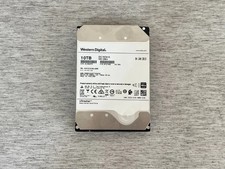
HGST HUH721010AL4200 10TB SAS 12Gb/s 4Kn 3.5 in Enterprise HDD | 0F27402
$199.99

Seagate Exos X16 ST10000NM010G 10TB 7200RPM SAS 12Gb/s 3.5" 512e/4Kn HDD
$199.00



 Reply With Quote