-
Junior Member
registered user
Copy lilo here and how to edit
I need to have 2.6.9 boot in order to have my sound work correctly.
With mcedit I have put # in front if the lines not to run. However I am not sure that I have done it correctly. SOme suggested posting the lilo.conf here for someone to look at.
I do not know how to get a copy of lilo.conf posted here.
Do I list the file and cut and paste? (Do not know how to list, can not find in linux commands)
I tried mcedit and xedit and can highlight it (only what is on the screen) but it will not paste in the forum reply box.This like a dentist visit.
Can some spell out how to do it. Like 1,2,3 for a newbee that can not seem to understand the basic stuff that appears so simple to all of you.
I think I have edited it correctly but do not want to test it and have to figure out what to do if it is not OK.
I uderstand DOS and W2000 but need some help here.
Thanks
Bob
-
Just do "cat /etc/lilo.conf" in a konsole. Then highlight it with the mouse and paste it in with the middle mousebutton. On a 2 button mouse, press both simultaneously.
-
Junior Member
registered user
My system answer
bob@linuxbox:~$ cat/etc/lilo.conf
bash: cat/etc/lilo.conf: No such file or directory
bob@linuxbox:~$ cd /etc
bob@linuxbox:/etc$ cat/lilo.conf
bash: cat/lilo.conf: No such file or directory
bob@linuxbox:/etc$
-
-
Junior Member
registered user
next
bob@linuxbox:~$ cat/etc/lilo.conf
bash: cat/etc/lilo.conf: No such file or directory
bob@linuxbox:~$ cd /etc
bob@linuxbox:/etc$ cat/lilo.conf
bash: cat/lilo.conf: No such file or directory
bob@linuxbox:/etc$ cat /etc/lilo.conf
cat: /etc/lilo.conf: Permission denied
bob@linuxbox:/etc$
-
Ok, so you need to be root to be able to cat it: sudo cat /etc/lilo.conf
Alternatively:
su enter
cat /etc/lilo.conf enter
-
Junior Member
registered user
Got please check lilo.
Is this OK????????? Or edit please I want 2.6.9 to boot. Thanks Bob
# /etc/lilo.conf - See: 'lilo( ' and 'lilo.conf(5)',
# --------------- 'install-mbr(', '/usr/share/doc/lilo/',
# and '/usr/share/doc/mbr/'.
# +---------------------------------------------------------------+
# | !! Reminder !! |
# | |
# | Don't forget to run 'lilo' after you make changes to this |
# | conffile, '/boot/bootmess.txt', or install a new kernel. The |
# | computer will most likely fail to boot if a kernel-image |
# | post-install script or you don't remember to run 'lilo'. |
# | |
# +---------------------------------------------------------------+
# Support LBA for large hard disks.
#
lba32
# Overrides the default mapping between harddisk names and the BIOS'
# harddisk order. Use with caution.
#disk=/dev/hde
# bios=0x81
#disk=/dev/sda
# bios=0x80
# Specifies the boot device. This is where Lilo installs its boot
# block. It can be either a partition, or the raw device, in which
# case it installs in the MBR, and will overwrite the current MBR.
#
boot=/dev/hda
# Specifies the device that should be mounted as root. ('/')
#
root=/dev/hda5
# Enable map compaction:
# Tries to merge read requests for adjacent sectors into a single
# read request. This drastically reduces load time and keeps the
# map smaller. Using 'compact' is especially recommended when
# booting from a floppy disk. It is disabled here by default
# because it doesn't always work.
#
# compact
# Default menu for Debian. (Using the images from debian-bootscreen)
# from Philipp Wolfer <[email protected]>.
bitmap=/usr/share/lilo/debianlilo.bmp
bmp-colors=1,,0,2,,0
bmp-table=120p,173p,1,15,17
bmp-timer=254p,432p,1,0,0
# Install the specified file as the new boot sector.
# LILO supports built in boot sectory, you only need
# to specify the type, choose one from 'text', 'menu' or 'bitmap'.
# new: install=bmp old: install=/boot/boot-bmp.b
# new: install=text old: install=/boot/boot-text.b
# new: install=menu old: install=/boot/boot-menu.b or boot.b
# default: 'menu' is default, unless you have a bitmap= line
# Note: install=bmp must be used to see the bitmap menu.
# install=menu
# install=bmp
install=bmp
# Specifies the number of _tenths_ of a second LILO should
# wait before booting the first image. LILO
# doesn't wait if DELAY is omitted or if DELAY is set to zero.
delay=100
# Prompt to use certaing image. If prompt is specified without timeout,
# boot will not take place unless you hit RETURN
prompt
timeout=50
# Specifies the location of the map file. If MAP is
# omitted, a file /boot/map is used.
map=/boot/map
# Specifies the VGA text mode that should be selected when
# booting. The following values are recognized (case is ignored):[M rE
# NORMAL select normal 80x25 text mode.
# EXTENDED select 80x50 text mode. The word EXTENDED can be
# abbreviated to EXT.
# ASK stop and ask for user input (at boot time).
# <number> use the corresponding text mode. A list of available modes
# can be obtained by booting with vga=ask and pressing [Enter].
vga=791
# You can set a password here, and uncomment the 'restricted' lines
# in the image definitions below to make it so that a password must
# be typed to boot anything but a default configuration. If a
# command line is given, other than one specified by an 'append'
# statement in 'lilo.conf', the password will be required, but a
# standard default boot will not require one.
#
# This will, for instance, prevent anyone with access to the
# console from booting with something like 'Linux init=/bin/sh',
# and thus becoming 'root' without proper authorization.
#
# Note that if you really need this type of security, you will
# likely also want to use 'install-mbr' to reconfigure the MBR
# program, as well as set up your BIOS to disallow booting from
# removable disk or CD-ROM, then put a password on getting into the
# BIOS configuration as well. Please RTFM 'install-mbr('.
#
# password=tatercounter2000
# You can put a customized boot message up if you like. If you use
# 'prompt', and this computer may need to reboot unattended, you
# must specify a 'timeout', or it will sit there forever waiting
# for a keypress. 'single-key' goes with the 'alias' lines in the
# 'image' configurations below. eg: You can press '1' to boot
# 'Linux', '2' to boot 'LinuxOLD', if you uncomment the 'alias'.
#
# message=/boot/bootmess.txt
# prompt
# single-key
# delay=20
# timeout=100
# Kernel command line options that apply to all installed images go
# here. See: The 'boot-prompt-HOWO' and 'kernel-parameters.txt' in
# the Linux kernel 'Documentation' directory.
#
#
# append=""
# Boot up Linux by default.
#
default="Linux"
image=/boot/vmlinuz
#
# append=""
# Boot up Linux by default.
#
default="Linux"
# image=/boot/vmlinuz
# label="Linux"
# initrd=/boot/initrd.img
# append="ramdisk_size=100000 init=/etc/init lang=us apm=power-off nomcequiet"
# read-only
# image=/boot/vmlinuz-2.4.27
# label="Linux(2.4)-1"
# initrd=/boot/initrd.img-2.4.27
# append="ramdisk_size=100000 init=/etc/init lang=us apm=power-off nomcequiet"
# read-only
image=/boot/vmlinuz-2.6.9
label="Linux(2.6)-2"
initrd=/boot/initrd.img-2.6.9
append="ramdisk_size=100000 init=/etc/init lang=us apm=power-off nomcequiet"
read-only
# If you have another OS on this machine to boot, you can uncomment the
# following lines, changing the device name on the 'other' line to
# where your other OS' partition is.
#
# other=/dev/hda4
# label=HURD
# restricted
# alias=3
root@linuxbox:/etc#
-
I would change this part:
Code:
#
# append=""
# Boot up Linux by default.
#
default="Linux"

image=/boot/vmlinuz
#
# append=""

# Boot up Linux by default.
#
default="Linux(2.6)-2"
To just this:
Code:
#
# Boot up Linux by default.
default="Linux(2.6)-2"
When you have edited lilo.conf you need to update it by running it as root: sudo lilo -v
It should say something like "Added Linux(2.6)-2"
BTW, you can also leave this part uncommented (remove the leading "#"):
Code:
# image=/boot/vmlinuz-2.4.27
# label="Linux(2.4)-1"
# initrd=/boot/initrd.img-2.4.27
# append="ramdisk_size=100000 init=/etc/init lang=us apm=power-off nomcequiet"
# read-only
It will give you the option to boot into 2.4.27 but the default is still 2.6.9
EDIT: Edited the default to match the kernel.
-
Junior Member
registered user
TXS
I will give it try and let you know.
The other question is where can one learn the basics other than the forum?
Bob
-
Bloody ****, I made a mistake. The default is supposed to be: default="Linux(2.6)-2"
And NOT like I said: default="Linux" unless you change the Label accordingly.
The default and Label are supposed to match and I hope you noticed this. Otherwise I'll have to tell you how to chroot 
I'm not at home right now so I don't have all my linux bookmarks, but linuxquestions.org has a lot of stuff on linux.
Similar Threads
-
By el__sid in forum Hdd Install / Debian / Apt
Replies: 7
Last Post: 04-23-2005, 12:24 AM
-
By dedinje in forum Hardware & Booting
Replies: 1
Last Post: 03-01-2005, 08:00 PM
-
By rrfish72 in forum General Support
Replies: 2
Last Post: 07-14-2004, 04:00 PM
-
By totenengle in forum General Support
Replies: 2
Last Post: 07-09-2004, 03:39 AM
-
By Jack_ in forum Hdd Install / Debian / Apt
Replies: 1
Last Post: 03-19-2004, 05:41 AM
 Posting Permissions
- You may not post new threads
- You may not post replies
- You may not post attachments
- You may not edit your posts
-
Forum Rules


Intel Xeon E5-2699 V4 2.20GHz 55M 22-CORES LGA2011-3 Server Processor 145W SR2JS
$84.49

Dell EMC PowerEdge R440 Xeon silver 4215 2.5GHz 16 GB ram 2x 550W PSU No HDD
$275.00

Lenovo ThinkStation P520 Intel Xeon W-2123 3.6GHz 900W - NO RAM/ GPU/ HDD/ OS
$189.98
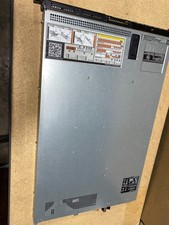
Dell PowerEdge R620 2x Xeon E5-2650 2GHz 32GB RAM 250GB SAS SERVER
$85.00

Intel Xeon Gold 6230 2.1 GHz Processor - SRF8W
$29.00

Matched Pair _ Intel Xeon E5-2698 V4 2.2GHz 20-Core Processor CPU LGA2011 SR2JW
$94.99
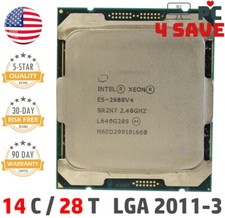
Intel Xeon E5-2680 V4 CPU 2.4~3.3GHz 14-Core 35M LGA 2011-3 R3 Server SR2N7 120W
$16.99
Intel Xeon E5-2667V4 8-Core 3.20GHz SR2P5 CPU Processor *km
$19.99

Intel Xeon Processor E5-2687W V4 SR2NA 3.00GHz Broadwell 160W LGA2011 12-Core
$36.00
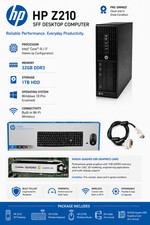
Intel(R) Xeon(R) CPU @ 3.30GHz, 4 Core(s), 32 GB RAM, 1 GB HDD Workstation 3
$145.00



 Reply With Quote