-
Junior Member
registered user
Visor Deluxe Will Not Hotsync
Hi;
I am a Knoppix and Linux newbie. Just burned my Knoppix 3.2 CD this morning. I have an MSI nforce1 Nvidia chipset MB using onboard graphics. I was impressed at how well and fast this distro installed! Most of my hardware is recocgnized and functioning. Maybe there is hope to thwart Bill after all. Using no apic got my Logitech Optical USB Wheelmouse working (although without the wheel). My USB HP printer and USB IBM camera are also working. Nvidia Graphics and scsi zip and scanner also working well.
So far my only problem is my handspring Visor Deluxe (also USB). It will not sync with KPilot. I put in the correct user name. The log says the device is ready (or something similar) but then will not hotsync.
I also cannot eject the CD to use any of the burning tools. It is mounted and readable. I'm assuming this is because the OS needs the Knoppix CD to run and the burner tools are there for use after a HD installation.
Thanks..................BB
-
Senior Member
registered user
You can use those tools without hd-install, but it requires one of three things. Copying the ISO to your harddrive and software to mount it, copying the disk files to the HDD and doing a half-a$$'d install (good if you have limited space), or haveing a second drive. Most people I know with a CD burner also have a second reader, unless it's laptop.
I almost agree about giving Bill a scare. I think it'sa step in the right direction anyway. If they'd release the kernel source a .deb and improve the hd-install script, I't would definately be a MS chaser. Mandrake is just about as easy to install, AND the kernel source is available without trying to build it yourself, but of course, I can't get it to boot, so it's knoppix Win dual boot until I can get mandrake running.
-
Re: Visor Deluxe Will Not Hotsync

Originally Posted by
binarybum
So far my only problem is my handspring Visor Deluxe (also USB). It will not sync with KPilot. I put in the correct user name. The log says the device is ready (or something similar) but then will not hotsync.
Check out the Handspring Linux How-To at http://www.linux.org/docs/ldp/howto/...dspring-Visor/. However, here's what I did with my Sony Clie and it works.
You'll need the software called coldsync and pilot-link. The URLs are http://coldsync.org/ and http://www.pilot-link.org/. Can't remember if they came with the CD because I did a hd-install 
Before syncing, make sure that you have the proper modules loaded. Do the following
Code:
/sbin/modprobe usb-uhci
/sbin/modprobe usb-ohci
/sbin/modprobe visor
Your Palm device should now be installed in either /dev/ttyUSB0 or /dev/ttyUSB1. Try them both and see. I couldn't get KPilot to work, so I used JPilot instead.
Before you hotsync, you must press the hotsync button on the DEVICE first, before starting the hotsync software. Don't ask me why, it fails if you don't do it that way.
If there are more problems, just post back.
I also cannot eject the CD to use any of the burning tools. It is mounted and readable. I'm assuming this is because the OS needs the Knoppix CD to run and the burner tools are there for use after a HD installation.
Thanks..................BB
No, you need the Knoppix CD to run, unless you've done a hd-install.
-
Junior Member
registered user
Thanks Viro. I'll try that when I get home. And thanks VeeDub. I think I will try to run the iso image from my HD. That sounds like a good way to avoid any problems with Windows due to installing dual boot.
-
Senior Member
registered user
If you're worried about dual boot problems, try GAG. It's the worlds easiest bootloder. you can't screw it up.
-
Junior Member
registered user
Originally Posted by
VeeDubb
You can use those tools without hd-install, but it requires one of three things. Copying the ISO to your harddrive and software to mount it, copying the disk files to the HDD and doing a half-a$$'d install (good if you have limited space), or haveing a second drive. Most people I know with a CD burner also have a second reader, unless it's laptop.
I almost agree about giving Bill a scare. I think it'sa step in the right direction anyway. If they'd release the kernel source a .deb and improve the hd-install script, I't would definately be a MS chaser. Mandrake is just about as easy to install, AND the kernel source is available without trying to build it yourself, but of course, I can't get it to boot, so it's knoppix Win dual boot until I can get mandrake running.
Even some laptops have dual drives as an option. 
I found that most combo DVD + CD-RW drives at the time I bought my laptop sacrificed performance of one or the other function or both, so I have a built-in DVD-ROM and a media bay CD-RW.
If I want to burn stuff from Knoppix (I don't, 3.2 comes with a broken version of mkisofs, so I reboot to my RH7.3 partition), I put the Knoppix CD in the DVD drive. If I want to watch DVDs, I stick the CD in my removable CD-RW.
If I want to play UT or UT2K3 on my Knoppix DVD Edition (home-burned), putting it in the DVD drive is my only option.
-
Senior Member
registered user
Originally Posted by
binarybum
That sounds like a good way to avoid any problems with Windows due to installing dual boot.
You will not have any "dual boot" problems if you don't install lilo to the MBR just boot from floppy made during HD install or take VeeDubb's advice and use GAG.
-
Junior Member
registered user
Thanks all this forum is very helpful.. I still haven't tried getting my Visor up, I'm still playing around and getting familiar with Linux. Think I will look for a good Linux book this weekend.
Thanks Stephen. I didn't need a boot floppy but I believe I can create one directly from the CD. Not installing LILO sounds good to me. I run XP Pro and my HD is partitioned all NTFS. If I want to install I will use Ghost to image or clone to my backup HD (I do this once a week anyway), reformat, and add a fat16 partition for Linux. would FAT 16 be the way to go? For now I'm just playing. I'm not a convert yet.
I work in a lot of different offices and Knoppix might be a good way to get on someone elses PC, set up my own environment, and not have to install anything or leave any trace. Considering how many Win modems are out there I'll probably have to carry my serial modem with me.
Right now I'm going to search the forum to see if I can find how to get my Rio 900 up in Linux. Eventually I would like to get the right nvidia detonator drivers for my nforce chipset. Also want to know why Knoppix installs drivers called i810 for the nforce audio. Isn't i810 for Intel 810 chipset?
Anyway, I'm getting long winded. Thanks again for the help. I expect I'll be posting again.
Similar Threads
-
By bcdefg in forum Hardware & Booting
Replies: 2
Last Post: 02-10-2005, 12:44 AM
-
By ses101 in forum Hardware & Booting
Replies: 4
Last Post: 12-07-2003, 10:52 PM
-
By almala in forum Hardware & Booting
Replies: 3
Last Post: 10-26-2003, 05:53 AM
-
By fourwood in forum Hardware & Booting
Replies: 0
Last Post: 09-15-2003, 06:24 AM
-
By earl92 in forum Hardware & Booting
Replies: 5
Last Post: 08-27-2003, 12:32 AM
 Posting Permissions
- You may not post new threads
- You may not post replies
- You may not post attachments
- You may not edit your posts
-
Forum Rules

Apple IIe Vintage Personal Computer A2S2064
$199.99

Vintage Apple iMac G4 15" Lamp 700MHz 512MB Mac OS X 10.4.6 W/ Pro Speakers
$300.00

Rare Vintage Macintosh Apple Wooden Disk Storage Box Dovetailed
$69.95
11 Vintage Apple 3.5" Floppy Disc Label
$10.00

Lot of 3 VIntage Apple Computer Rainbow Logo Sticker Decal Macintosh 1980s NOS
$7.00
Kineses PS/2 Keyboard to Macintosh Adapter Converter Vintage Interface Apple
$60.00
Vintage Apple Mac OS 9 Retail Box 1999 Sherlock 2 Original CD Manuals
$50.00
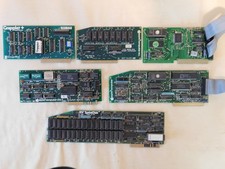
Apple Computer cards Super Serial SCSI AST -Orange Micro ++ Vintage 1980's
$169.00

VINTAGE Apple Mac OS X Computer Monitor
$250.00

Vintage Apple Macintosh M1212 Color Display Monitor *Untested*
$69.99



 Reply With Quote