

I am running Knoppix 3.8 (Debian 3.1, Linux 2.6.11 i686) and would like to install drivers for new hardware (a LinModem) but find that, when I try to install the drivers they ask for the Linux source build which aparently is expected to be in /usr/src/linux.
There were no file in the directory so I went into KPackage and downloaded the Kernal image for 2.6.11. This operation took several minutes.
This created a new directory /usr/src/linux-2.6.11 but this directory also seemed to be empty (even when I clicked 'show hidden files' in KDE). However, there seemed to be header files in other directories under /usr/src
So, why are the files not visible/available? Am I doing something wrong here? Or are the source/image files stored somewhere else? Can I do a search for a particular file name to see if they are in another location?
Once I have found the files I will need to do 'make menuconfig' and then will need to recompile the Kernel.
For the recompilation of the Kernel, a C compiler will need to be installed and so I searched KPackage for a C Compiler but there didn't seem to be an obvious one. Can anyone point me to it?
Any tips that you can give me on these topics would be a great help.
Regards,
Alan Searle.
 Posting Permissions


16GB KIT (2x8GB) DDR3 Gamer Desktop RAM PC3 MIXED BRANDS VIPER VENGEANCE FURY
$10.00

Netac DDR4 32GB 16GB DDR4 3200MHz UDIMM C16 Desktop Internal Memory RAM Kit
$99.99

A-Tech 8GB DDR3 1600 PC3-12800 Laptop SODIMM 204-Pin Memory RAM PC3L DDR3L 1x 8G
$21.68
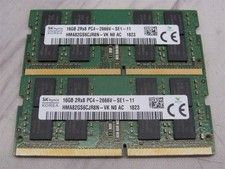
32GB KIT - 2x SK Hynix 16GB 2Rx8 PC4-2666V DDR4 SODIMM Laptop Memory RAM
$99.99

Major Brand 16GB (2x8GB) PC3-12800U DDR3-1600MHz DDR3-12800 DESKTOP RAM NON-ECC
$29.99

Samsung 32GB DDR4-2666V-2Rx4-RB2-12 RAM M393A4K40CB2-CTD6Q
$169.00

Samsung 16GB LPCAMM2 PC5 7500 DDR5 LPDDR5X CAMM2 M561K1LC4DM0-CCTGM RAM Memory
$189.00

RAMAXEL Lenovo 32GB LPDDR5X CAMM2 7500MHz Laptop RAM | UNTESTED
$445.00
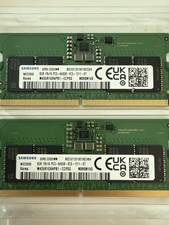
LOTS of 2 Samsung 8GB (8x2 16GB) DDR5 RAM Memory M435R1GB4PB1-CCPSG PC5-6400B
$150.99
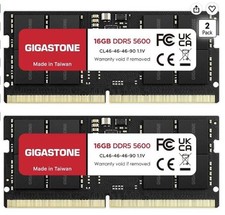
LAPTOP RAM MEMORY GIGASTONE 32GB Kit (2x16GB) DDR5 5600MHz PC5-44800 Unbuffered
$350.00


 Reply With Quote