

 Reply With Quote
Anyone? Even if it's not possible I'd like to know so I can get on finding an alternative solution.
Mark


Ok, here's the deal:
I have a persistant disk image with programs I've installed/upgraded and my music etc on.
I want to move the image to an external hard drive.
The trouble is, the external drive is too small for the image (although not the contents of the image).
So, to my question:
Is it possibly to resize a persistant disk image?
And my second question:
Is it possible to copy the contents of one image to another? I've tried creating an image on the external drive, then mounting both images and copying the contents of the old one to the new one, but it just yells at me saying it can't create folders. Is there anything I can do with permissions to make this possible?
Thanks,
Mark
Anyone? Even if it's not possible I'd like to know so I can get on finding an alternative solution.
Mark
mark.johnson,
I dont have a clue, maybe some ideas, but, only theoretical...
Can you create "another" image, this one being smaller, and then "copy" the contents of one, into the other ? ( and will the image still retain its contents properly? )
Does the system "keep" these image settings somewhere, and thus, these settings can be "tweaked" with resizing software ?
I cant imagine this not being something someone else hasnt come up against, and possibly resolved... Have you tried a "Search" for any relevant information? Possibly a google for something related, or within this site?
I've never worked with image files, not of the file system/disk type, so, I dont have any answers, mostly, more questions... But, I tried as best as I can here
Ms. Cuddles
Hi Cuddles,
I've tried to create a smaller image and copy the contents across, but it tells me it's unable to create anything in the new image.
Thanks for your help anyway, I'll try searching again
mark
I've solved the problem. So if you need to downsize a persistent image, here's how it's done:
You will need:
Your larger disk image
Enough space for the smaller disk image
Firstly, boot knoppix without any persistant images/home dir of any sort.
Create the new, smaller disk image (doesn't matter if it's on the wrong device, you can move it later)
As root (or using File Manager - Super User Mode) create mnt/oldimg and mnt/newimg
Ensure that you have read/write access to both of these directories
On the desktop, there should be icons for the devices with your 2 knoppix.img files on. Right click the icons, select Properties, and on the device tab, uncheck "Read Only". When you have done this for both devices, click the icons to mount them.
As root, ensure you have read/write access to both knoppix.img files.
Now, mount the images using
Open /mnt/newimg and /mnt/oldimg in File Manager - Super User ModeCode:mount -o loop mnt/[device]/knoppix.img mnt/oldimg mount -o loop mnt/[otherdevice]/knoppix.img mnt/newimg
Copy all the folders from /mnt/oldimg to /mnt/newimg EXCEPT FOR /dev AND /lost+found
When the copy process finishes, change the permissions of the knoppix.img files back, and you're done!
Mark
Yes. You can resize (shrink and grow) a persistent disk image (PDI) using a combination of dd, e2fsck, and resize2fs. For example, say you have a 200 MB knoppix.img file with only 100 MB of content on /dev/hda1. You want to shrink the image to 110 MB so that the image still has a little bit of room. Here's how:Originally Posted by mark.johnson
To expand by 10 MB:
- boot: knoppix -b
mkdir /mnt/hda1
mount /dev/hda1 /mnt/hda1
cd /mnt/hda1
e2fsck -pf knoppix.img
resize2fs knoppix.img 102M
dd of=knoppix.img bs=1 count=0 seek=110M
e2fsck -pf knoppix.50.img
resize2fs -f knoppix.img
e2fsck -pf knoppix.50.img
cd
umount /mnt/hda1
rmdir /mnt/hda1
exit
- boot: knoppix -b
mkdir /mnt/hda1
mount /dev/hda1 /mnt/hda1
cd /mnt/hda1
dd if=/dev/zero bs=1M count=10 >> knoppix.img
e2fsck -pf knoppix.img
resize2fs -f knoppix.img
cd
umount /mnt/hda1
rmdir /mnt/hda1
exit
The -b option to Knoppix boots linux into "emergency mode" which is before any PDI is mounted. This allows you to boot linux, make changes to the image (or anything else), and then continue booting with the new image.
For more details, see:
http://lists.firepipe.net/pipermail/...ay/002604.html
http://lists.firepipe.net/pipermail/...ay/002633.html
Note: Be very careful with the dd comand. One slip up and your data is gone. You may want to make a backup of any images just in case.
Yes. Mount both images via the loopback device and then copy. For example, say you want to copy file "foo" from knoppix.01.img to knoppix.02.img:
- boot: knoppix -b
mkdir /mnt/hda1 /mnt/img.1 /mnt/img.2
mount /dev/hda1 /mnt/hda1
cd /mnt/hda1
mount -o loop knoppix.01.img /mnt/img.1
mount -o loop knoppix.02.img /mnt/img.2
cp -a /mnt/img.1/home/knoppix/foo /mnt/img.2/home/knoppix
cd
umount /mnt/hda1 /mnt/img.1 /mnt/img.2
rmdir /mnt/hda1 /mnt/img.1 /mnt/img.2
exit
Good luck and let us know how things go.
Regards,
- Robert
http://www.cwelug.org/
 Posting Permissions

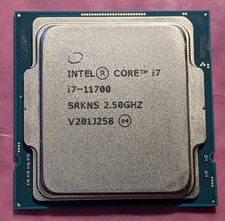
Intel Core i7-11700 SRKNS Desktop Processor 8 Cores up to 4.9 GHz LGA1200 Tested
$138.95
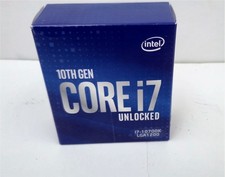
Intel® Core™ I7-10700K 3.8GHz Processor LGA1200
$125.00

Corsair RM750e 750W Fully Modular 80 Plus Gold ATX 3.1 PSU Certified Refurbished
$52.99
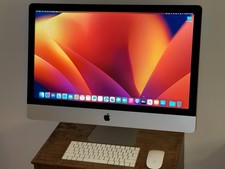
LOADED Apple iMac 27" Desktop • OS 2024 • 3 Year Warranty • Bundle Item
$798.00

Intel Core i7-7700T 2.9GHz 8MB Socket LGA1151 Quad Core Processor SR339
$39.99

Intel i7-8700 Coffee Lake 3.2GHz 6-Core Max Turbo 4.6GHz Processor
$69.99

Intel 4th Gen Core i7-4790 SR1QF 3.60GHz (Turbo 4.00GHz) 8M 4-Core LGA-1150 CPU
$39.99
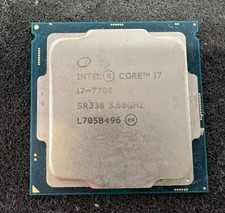
Intel 7th Gen Core i7-7700 3.6GHz 4 Core 8 Thread LGA1151 CPU SR338
$42.99

Intel Core i7-9700 3.0 GHz 8 Core Processor
$75.00
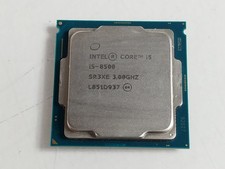
Intel Core i5-8500 3 GHz 8 GT/s LGA 1151 Desktop CPU Processor SR3XE
$38.99
