-
Senior Member
registered user
Re: Is it possible to resize/copy persistant disk image?

Originally Posted by
mark.johnson
Is it possibly to resize a persistant disk image?
Yes. You can resize (shrink and grow) a persistent disk image (PDI) using a combination of dd, e2fsck, and resize2fs. For example, say you have a 200 MB knoppix.img file with only 100 MB of content on /dev/hda1. You want to shrink the image to 110 MB so that the image still has a little bit of room. Here's how:
- boot: knoppix -b
mkdir /mnt/hda1
mount /dev/hda1 /mnt/hda1
cd /mnt/hda1
e2fsck -pf knoppix.img
resize2fs knoppix.img 102M
dd of=knoppix.img bs=1 count=0 seek=110M
e2fsck -pf knoppix.50.img
resize2fs -f knoppix.img
e2fsck -pf knoppix.50.img
cd
umount /mnt/hda1
rmdir /mnt/hda1
exit
To expand by 10 MB:
- boot: knoppix -b
mkdir /mnt/hda1
mount /dev/hda1 /mnt/hda1
cd /mnt/hda1
dd if=/dev/zero bs=1M count=10 >> knoppix.img
e2fsck -pf knoppix.img
resize2fs -f knoppix.img
cd
umount /mnt/hda1
rmdir /mnt/hda1
exit
The -b option to Knoppix boots linux into "emergency mode" which is before any PDI is mounted. This allows you to boot linux, make changes to the image (or anything else), and then continue booting with the new image.
For more details, see:
http://lists.firepipe.net/pipermail/...ay/002604.html
http://lists.firepipe.net/pipermail/...ay/002633.html
Note: Be very careful with the dd comand. One slip up and your data is gone. You may want to make a backup of any images just in case.
Originally Posted by
mark.johnson
Is it possible to copy the contents of one image to another?
Yes. Mount both images via the loopback device and then copy. For example, say you want to copy file "foo" from knoppix.01.img to knoppix.02.img:
- boot: knoppix -b
mkdir /mnt/hda1 /mnt/img.1 /mnt/img.2
mount /dev/hda1 /mnt/hda1
cd /mnt/hda1
mount -o loop knoppix.01.img /mnt/img.1
mount -o loop knoppix.02.img /mnt/img.2
cp -a /mnt/img.1/home/knoppix/foo /mnt/img.2/home/knoppix
cd
umount /mnt/hda1 /mnt/img.1 /mnt/img.2
rmdir /mnt/hda1 /mnt/img.1 /mnt/img.2
exit
Good luck and let us know how things go.
Regards,
- Robert
http://www.cwelug.org/
Similar Threads
-
By Knopperdude in forum MS Windows & New to Linux
Replies: 2
Last Post: 04-20-2009, 12:33 AM
-
By slvrldy17 in forum General Support
Replies: 1
Last Post: 01-16-2007, 03:22 PM
-
By wazlo in forum General Support
Replies: 4
Last Post: 03-23-2006, 08:04 PM
-
By Scorpaen in forum General Support
Replies: 0
Last Post: 07-08-2005, 09:31 PM
-
By mark.johnson in forum Hardware & Booting
Replies: 2
Last Post: 05-20-2005, 11:07 PM
 Posting Permissions
- You may not post new threads
- You may not post replies
- You may not post attachments
- You may not edit your posts
-
Forum Rules


Lot of 500 Cisco 10-3145-02 QSFP-100G-CWDM4-S 100G CWDM4 QSFP28 Transceiver
$1500.00

Cisco WS-C3650-12X48UR-L 48-Port Stackable Layer 3 8x10G SFP+ Port Switch
$129.99
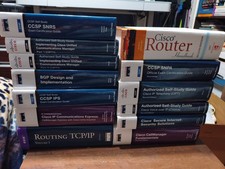
Lots Of Cisco Systems Books Self Study
$100.00
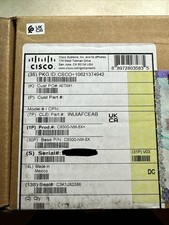
Cisco C9300NM8X Network Switch Module
$599.99

Cisco C9300-48UXM-A Switch 9300 Series 48-port UPoE Network
$874.99

Cisco | N3K-C3232C | 32-Port 100G QSFP Network Switch W/ 2x PSU, 2x Power Cords
$205.00

Cisco C3850-NM-2-10G Catalyst 3850 2 x 10GE Network Module
$30.00

Cisco Catalyst C9120AXI-B Wi-Fi 6 Access Points
$36.00
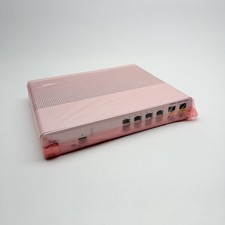
Cisco 8-Port Ethernet Catalyst Switch - WS-C2960C-8TC-L - Brand New
$50.00

Cisco C3850-NM-2-10G
$75.00



 Reply With Quote