

 Reply With Quote
alrighty thanks for bearing with me, i guess the last thing i need to do is format the swap partition is that right? how do i do that?
i have installed everything mbr and all that to the 3 gig partition so what next?


It doesn't matter unless you have (IIRC) more than 8 primary partitions on that drive. I tend to make all my partitions primary, but then, I'll only have a max of 3 or 4 on a drive.Originally Posted by Si_C
alrighty thanks for bearing with me, i guess the last thing i need to do is format the swap partition is that right? how do i do that?
i have installed everything mbr and all that to the 3 gig partition so what next?
If you did all this steps it is strange that you need to format swap partition. This is done during instalation proces. And if you did all things well, reboot, take CD out and you will have Knoppix runing from hdd.than cfdisk and make one big, bootable partition, minimum 3GB and one small, swap, 400MB. Write partition table to hdd, reboot and start installation - click on monitor icon, type su + Enter, than knx2hd, than Start installation.
maybe it isnt to do with the swap partition. here is the error msg and sequence.
starting up boot sequence. debian screen comes up...
after login error comes up, verbatim...
There was an error setting up inter-processes communications for KDE. The message returned by the system was: Could not network connection list. //.DCOPserver_computername__0
please check that the "dcop server" program is running
after hitting ok second error message
Will not save configuration.
Configuration file "//.kde/share/config/kwinrc"
configuration file "//.kde/share/config/kdeglobals" not writeable please contact system admin.
then the above message comes up again a couple of time then the wizard starts up. After wizard
The following installation problem was detected while trying to start KDE.
No write access to $HOME directory (/).
KDE is unable to start.
do i have to do something at the boot up then during the debian prompt???
anyone got any ideas on this one? ive been without a os not for a while and am contemplating getting winblows back on yeah desperate i know.
Hi! We have had some problems with understandig about installation, and now somebody helps us: http://www.irongeek.com/i.php?page=videos/knoppix1
Look at this, it will help. Usually, I reinstall Linux if there are problems like yours. There is posibility that your CD is not OK, who knows.
 Posting Permissions


SK Hynix Server Memory 32GB (1x32GB) RAM DDR4 2400MHz HMA84GR7MFR4N Lot of 12
$1599.99
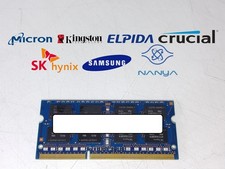
Major Brand 8 GB PC3L-12800 (DDR3-1600) 2Rx8 DDR3L Laptop Memory RAM
$10.99
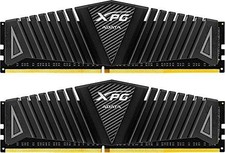
ADATA XPG Z1 32GB (2x16GB) DDR4-3200 CL16 AX4U3200716G16A-DBZ Desktop RAM Kit
$189.99
Micron MTC4C10163S1UC48BA1 8GB RAM DDR5 4800MHz
$87.00
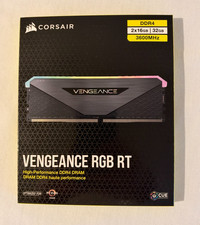
Corsair Vengeance RGB RT 32 GB (2 x 16 GB) DDR4-3600 CL16 RAM Memory
$169.00

Corsair CMK32GX4M2B3000C15 Vengeance LPX DDR4 3000mhz Memory Kit - 32GB (2x16GB)
$159.95

RAMAXEL Lenovo 32GB LPDDR5X CAMM2 7500MHz Laptop RAM | UNTESTED
$445.00
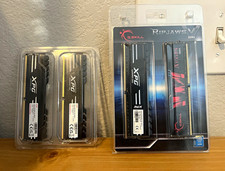
G.SKILL Ripjaws V 32GB (4x8) DDR4-3200 DIMM 288-Pin Intel XMP
$90.00

LOT OF 23 Ram Sticks-Corsair Vengeance CMZ8GX3M2A1600C9 4GB (4GBx23=92GB Total)
$129.99

Corsair Vengeance DDR3 8GB 16GB 32GB 1866MHz PC3-14900 Desktop RAM Memory DIMM
$85.00