

 Reply With Quote
That is indeed odd. What does lspci -v show, one or two NICs?Originally Posted by evan
Regards,
- Robert
http://www.cwelug.org


I've looked some through the forums but have not found a problem exactly like mine. I can get network access, but this is my annoying routine: on boot-up, I have to open a terminal, login as root, and run "ifconfig eth0 down." Then I use the "network card configuration" link in the penguin menu, double-click eth1, select DHCP, and everything works fine. Would someone please help me eliminate these steps? Why is there a 'fake' eth0 coming up at all?
Thanks.
That is indeed odd. What does lspci -v show, one or two NICs?
Regards,
- Robert
http://www.cwelug.org
Could be firewire. Does the cheatcode nofirewire remove the couble nic problem?
Hi,
Here's the lspci:
======================
0000:00:00.0 Host bridge: VIA Technologies, Inc. VT8377 [KT400/KT600 AGP] Host Bridge
Subsystem: Asustek Computer, Inc. A7V8X motherboard
Flags: bus master, 66MHz, medium devsel, latency 0
Memory at f8000000 (32-bit, prefetchable) [size=64M]
Capabilities: <available only to root>
0000:00:01.0 PCI bridge: VIA Technologies, Inc. VT8235 PCI Bridge (prog-if 00 [Normal decode])
Flags: bus master, 66MHz, medium devsel, latency 0
Bus: primary=00, secondary=01, subordinate=01, sec-latency=0
Memory behind bridge: ee000000-efdfffff
Prefetchable memory behind bridge: eff00000-f7ffffff
Capabilities: <available only to root>
0000:00:0a.0 Unknown mass storage controller: Promise Technology, Inc. 20269 (rev 02) (prog-if 85)
Subsystem: Promise Technology, Inc. Ultra133TX2
Flags: bus master, 66MHz, slow devsel, latency 32, IRQ 16
I/O ports at d800 [size=8]
I/O ports at d400 [size=4]
I/O ports at d000 [size=8]
I/O ports at b800 [size=4]
I/O ports at b400 [size=16]
Memory at ed800000 (32-bit, non-prefetchable) [size=16K]
Capabilities: <available only to root>
0000:00:0b.0 FireWire (IEEE 1394): Lucent Microelectronics FW323 (rev 04) (prog-if 10 [OHCI])
Subsystem: Lucent Microelectronics FW323
Flags: bus master, medium devsel, latency 32, IRQ 19
Memory at ed000000 (32-bit, non-prefetchable) [size=4K]
Capabilities: <available only to root>
0000:00:10.0 USB Controller: VIA Technologies, Inc. VT82xxxxx UHCI USB 1.1 Controller (rev 80) (prog-if 00 [UHCI])
Subsystem: Asustek Computer, Inc. A7V8X-X motherboard
Flags: bus master, medium devsel, latency 32, IRQ 21
I/O ports at b000 [size=32]
Capabilities: <available only to root>
0000:00:10.1 USB Controller: VIA Technologies, Inc. VT82xxxxx UHCI USB 1.1 Controller (rev 80) (prog-if 00 [UHCI])
Subsystem: Asustek Computer, Inc. A7V8X-X motherboard
Flags: bus master, medium devsel, latency 32, IRQ 21
I/O ports at a800 [size=32]
Capabilities: <available only to root>
0000:00:10.2 USB Controller: VIA Technologies, Inc. VT82xxxxx UHCI USB 1.1 Controller (rev 80) (prog-if 00 [UHCI])
Subsystem: Asustek Computer, Inc. A7V8X-X motherboard
Flags: bus master, medium devsel, latency 32, IRQ 21
I/O ports at a400 [size=32]
Capabilities: <available only to root>
0000:00:10.3 USB Controller: VIA Technologies, Inc. USB 2.0 (rev 82) (prog-if 20 [EHCI])
Subsystem: Asustek Computer, Inc. A7V8X-X motherboard rev 1.01
Flags: bus master, medium devsel, latency 32, IRQ 21
Memory at ec800000 (32-bit, non-prefetchable) [size=256]
Capabilities: <available only to root>
0000:00:11.0 ISA bridge: VIA Technologies, Inc. VT8235 ISA Bridge
Subsystem: Asustek Computer, Inc. A7V8X-X motherboard
Flags: bus master, stepping, medium devsel, latency 0
Capabilities: <available only to root>
0000:00:11.1 IDE interface: VIA Technologies, Inc. VT82C586A/B/VT82C686/A/B/VT823x/A/C PIPC Bus Master IDE (rev 06) (prog-if 8a [Master SecP PriP])
Subsystem: Asustek Computer, Inc. A7V8X-X motherboard rev. 1.01
Flags: bus master, medium devsel, latency 32, IRQ 255
I/O ports at a000 [size=16]
Capabilities: <available only to root>
0000:00:11.5 Multimedia audio controller: VIA Technologies, Inc. VT8233/A/8235/8237 AC97 Audio Controller (rev 50)
Subsystem: Asustek Computer, Inc. A7V8X-X Motherboard
Flags: medium devsel, IRQ 22
I/O ports at e000 [size=256]
Capabilities: <available only to root>
0000:00:12.0 Ethernet controller: VIA Technologies, Inc. VT6102 [Rhine-II] (rev 74)
Subsystem: Asustek Computer, Inc. A7V8X-X Motherboard
Flags: bus master, stepping, medium devsel, latency 32, IRQ 23
I/O ports at 9800 [size=256]
Memory at ec000000 (32-bit, non-prefetchable) [size=256]
Capabilities: <available only to root>
0000:01:00.0 VGA compatible controller: nVidia Corporation NV11 [GeForce2 MX/MX 400] (rev b2) (prog-if 00 [VGA])
Flags: bus master, 66MHz, medium devsel, latency 64, IRQ 11
Memory at ee000000 (32-bit, non-prefetchable) [size=16M]
Memory at f0000000 (32-bit, prefetchable) [size=128M]
Expansion ROM at efff0000 [disabled] [size=64K]
Capabilities: <available only to root>
======================
Do you need me to run this command as root?
Hope this helps.
Thanks, Markus, but, errr... I'm new to Knoppix. If it's no trouble, can you tell me how to enter a cheat code, or send me to the write manual to read? I'm having trouble finding how to pass cheat codes with hard drive installations.
For lilo: Highlight kernel, hit tab, type cheatcode, hit enter
Fro grub: Highlight kernel, type cheatcode, hit enter (you should see it on the line at the bottom of the screen)
Since you only have one Ethernet controller according to lspci I suspect the firewire is getting eth0. A quick and dirty fix would be to add to /etc/init.d/bootmisc.sh:
ifdown eth0
ifup eth1
pump -i eth1
But it's not very eloquent (probably misspelled that too). You could also have a look in /etc/network/interfaces and change eth0 to eth1.
Thanks, Markus! I'll try those out when I get home.
 Posting Permissions


IBM POWER8 8286-42A S824 16-Core 128GB RAM 4.8TB SAS Fedora Linux Server PowerVM
$750.00

KTN-STL3 EMC VNX 15-slot Disk Array Expansion, full 15 x 2tb drives 100% health
$360.00

Start9 Server Pure 32GB 4TB Intel i7 Node StartOS — Box + PSU
$599.00

Ubuntu Server 26.04.1 LTS Bootable USB Flash Drive – Latest September 2026
$12.99

OPNsense pfSense 8-Core Atom C3758 2.2GHz 8GB DDR4 64GB SSD 8x NIC QAT AES VPN
$115.00

Ubuntu 26.04 LTS – 3 DVD Set Desktop - Server - Studio Edition - Grade AAA+
$14.99

All New Ubuntu 26.04 LTS Linux Bootable USB Flash Drive
$15.95
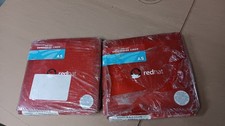
Brand New Genuine Red Hat Enterprise Linux AS (Advanced Server) Version 3
$39.99

SQL Server 2025 Enterprise 40 Core Unlimited CAL Retail License Package Per-Core
$389.00

Multi-Boot Linux & Utility 18 in 1 USB – Best of 2026 Free Same-Day Shipping
$22.99