-
Can't Customising Boot Logo
Dear aLL :
I'm try to customising knoopix boot logo.But can't success.
I try to copy logo.16 into my home directory.Using :
#lss16toppm <logo.16> logo.ppm
It is ok.No any problem.I try to edit the logo by gimp.Everything is fine.
When i try to using :
#ppmtolss16 <logo.ppm> logo.16
There will have a error message : "/usr/bin/ppmtolss16: Input format error 1"
I try to save logo.ppm to logo.png.Then using :
#pngtopnm <logo.png> logo.pnm
it is ok. But When i try to type in :
#ppmtolss16 <logo.pnm> logo.16
There will have a error message "/usr/bin/ppmtolss16: Warning: color palette truncated (159 colors ignored)
256000 pixels, 5271 bytes, (95.88% compression)"
I doesn't know why! Who can help me to slove the problem?
Thank you for you taking you times to read this post.Have your like day! 
Raymond Lam
-
Senior Member
registered user
I did this 2 weeks ago.
You might need to create a BMP as an intermediate file type. Then use ImageMagick's convert to convert it from BMP to PPM.
In gimp I create a 640x400 24bit image. I scale down the color depht to 4 bit=16 colors. Then I save it as a BMP: mylogo.bmp
At the command line:
convert -depth 16 mylogo.bmp mylogo.ppm
Which will result in a PPM: mylogo.ppm. Then I use the ppmtolss16 command:
ppmtolss16 < mylogo.ppm > mylogo.lss
Then I rename the old logo.16 to logo-old.16 and then copy mylogo.lss to logo.16
Let me know if this has helped you.
Thanks,
James
-
I was having the same problem. Your solution worked for me. Thanks
-

Originally Posted by
UnderScore
I did this 2 weeks ago.
You might need to create a BMP as an intermediate file type. Then use ImageMagick's convert to convert it from BMP to PPM.
In gimp I create a 640x400 24bit image. I scale down the color depht to 4 bit=16 colors. Then I save it as a BMP: mylogo.bmp
At the command line:
convert -depth 16 mylogo.bmp mylogo.ppm
Which will result in a PPM: mylogo.ppm. Then I use the ppmtolss16 command:
ppmtolss16 < mylogo.ppm > mylogo.lss
Then I rename the old logo.16 to logo-old.16 and then copy mylogo.lss to logo.16
Let me know if this has helped you.
Thanks,
James
To James :
I will try!Thank You very much!!
Raymond Lam
Similar Threads
-
By artik in forum Customising & Remastering
Replies: 5
Last Post: 11-26-2006, 07:52 PM
-
By Sergey.Khlutchin in forum Customising & Remastering
Replies: 4
Last Post: 06-15-2005, 05:17 PM
-
By ktheking in forum Customising & Remastering
Replies: 0
Last Post: 06-08-2004, 09:15 PM
-
By eadz in forum Customising & Remastering
Replies: 9
Last Post: 04-28-2004, 11:17 PM
-
By Arbiter in forum Customising & Remastering
Replies: 7
Last Post: 01-07-2004, 05:42 PM
 Posting Permissions
- You may not post new threads
- You may not post replies
- You may not post attachments
- You may not edit your posts
-
Forum Rules


Netac DDR4 32GB 16GB DDR4 3200MHz UDIMM C16 Desktop Internal Memory RAM Kit
$99.99
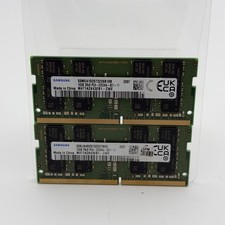
Samsung 32GB DDR4 2x16GB 2Rx8 PC4-3200A SODIMM M471A2K43EB1-CWE
$124.99

A-Tech 8GB DDR3 1600 PC3-12800 Laptop SODIMM 204-Pin Memory RAM PC3L DDR3L 1x 8G
$21.68

RAMAXEL Lenovo 32GB LPDDR5X CAMM2 7500MHz Laptop RAM | UNTESTED
$445.00

Major Brand 16GB (2x8GB) PC3-12800U DDR3-1600MHz DDR3-12800 DESKTOP RAM NON-ECC
$29.99

Samsung 8GB DDR4 SO-DIMM PC4-3200AA 260-Pin RAM M471A1G44BB0-CWE Module
$29.25

DDR4 Laptop RAM 4GB 8GB 16GB 32GB 2400 2666 3200 Samsung Hynix
$30.00

MINT Micron Cisco 32GB PC4-2400T DDR4 2Rx4 RDIMM RAM MTA36ASF4G72PZ-2G3 LOT
$159.99
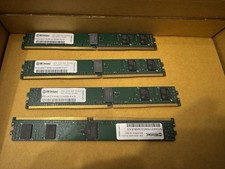
32GB Kit 4x8GB Wintec DDR4-2133 ECC RDIMM VLP Server RAM
$75.00
CORSAIR Dominator DDR3 CMP8GX3M2A 8GB (2x4GB) 1600MHz DDR3 RAM
$21.04



 Reply With Quote