

 Reply With Quote
I am hopeful that a response to this problem will occur soon!!


In re-mastering, the first step establishes /mnt/hdb3 as rw ....it is ext3 Linux with 30GB of free space.
Second step is to ....cp -Rp /KNOPPIX/ /mnt/hdb3/
When this step is executed while booted in KNOPPIXv3.8 from a DVD +RW disc , multiple errors are reported as the copy is executed.
These are input-output errors.
What defect in my reads could cause the problem? My cdrom is a SONY crx320e. I also have a SONYDRU540 which produces the same result when booting from that device.
As I understand the re-master procedure this step places the KNOPPIX/KNOPPIX file into the rw file /KNOPPIX in /mnt/hdb3 (ext3). The format for /KNOPPIX/KNOPPIX file in the iso is compressed. On the CD/DVD the file is called /KNOPPIX/KNOPPIX.sh.
No mention in the re-master procedure as to what format exists in this copy step; compressed or non-compressed. A statement of fact in this regard would aid in understanding how to utilize re-mastering technique. Since the reported size of the file being copied (copy is from the CD/DVD KNOPPIX source) is around 1.7GB, one could assume it is uncompressed and assumptions aren't good ideas. To establish the /KNOPPIX file being copied as an uncompressed file requires that the KNOPPIX LiveCD/DVD de-compress it. If this is true, it is paramount for the user to know since this step is hidden from the user and may create a defective file transfer(the subject of this post).
If it is indeed an uncompressed format of the /KNOPPIX/KNOPPIX source, it would help in understanding what is happening while re-mastering.
It is probable that the re-master procedure performs well for most users.
In this case it seems to fail the opening round.
I am hopeful that a response to this problem will occur soon!!
I cannot find a way to decompress KNOPPIX file as described in the documentation. What is missing?
I have occasionally seen similar problems. These have always been solved by burning the iso image to a new CDRW or DVDR, using a conservative speed for the burn. You should also check the md5 sum of your image to make sure that it downloaded properly.
 Posting Permissions


Dell 6P85J 4TB ST4000NM0063 7.2k 6Gb/s 3.5” SAS SED Hard Drive with Tray
$39.99

Western Digital HUS726T4TAL5204 4TB 7.2K SAS 12Gb/s 3.5" 512e HDD NetApp X375A
$64.00

20TB 7200 RPM SATA III Internal 3.5" White Label Hard drive
$349.99

HGST Ultrastar HUS726040AL5210 4TB 7200RPM SAS 12Gb/s Enterprise HDD
$41.00
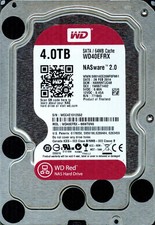
Western Digital WD Red 4TB NAS Hard Drive WD40EFRX SATA 64MB 3.5" HDD
$70.00

Dell ST6000NM0034 1HT27Z-150 NWCCG 6TB SAS 3.5 7.2K ENTERPRISE SERVER DRIVE
$68.99

Lot of 2 HP 4TB / 128MB SATA 7.2K RPM 3.5" Hard Drive MB4000GCWDC /ST4000NM0033
$125.00

Seagate Exos ST2000NX0253 HDD 2TB SATA 7.2K 2.5" 512b/s
$58.00

Toshiba DT01ACA100 1 TB 3.5" SATA III 3.5 in Desktop Hard Drive
$24.99

DELL 2TB Enterprise HDD (7200RPM, 3.5", SATA III, 128MB Cache) HUS722T2TALA600
$49.95