

 Reply With Quote
I don't have any experiences with downloading and burning CD, but here you can find many important thing about that:
http://www.knoppix.net/wiki/Downloading_FAQ


Hello everyone,
I hope I am in the right forum for this simple question, if not please give me directions.
I have never used Linux or Knoppix or anything like it, but after reading an article in PC Magazine, I thought I would try it, it seems like the article is an over simplification of how to do it.
I downloaded KNOPPIX_V3.8.1-2005-04-08-EN.iso and have it burned to 1 CD and one DVD. I have changed the boot order in my BIOS to allow booting from the other drives before the SATA HDD.
No matter what I do, I cannot boot from any of these other devices, using the files I found in the zipped version of Knoppix.
On the root of the CD or DVD I have the following files:
AUTORUN
AUTORUN.INF
AUTORUN.BAT
CDROM.ICO
INDEX.HTML
Plus two folders called "Boot" and "Knoppix" NOT on the root of the CD/DVD. The md5 checksums are OK on this file.
What mistake am I making here? I get a message that says " no boot record found " "Insert floppy disc" ( paraphrasing here! ) Am I somehow missing files on the CD?
It would be nice to at least see what Knoppix looks like, even though I may never get as indepth as the rest of you in the forum.
Thank you for your time,
J Tinsby
I don't have any experiences with downloading and burning CD, but here you can find many important thing about that:
http://www.knoppix.net/wiki/Downloading_FAQ
First take a look at this: http://www.knoppix.net/wiki/Downloading_FAQ which is a great place to begin. Then read this: http://www.knoppix.net/forum/viewtopic.php?t=17331
Well, you're at least doing some things right. I'm very glad to see that you have confirmed the md5 checksum. Too many people find they have a bad download only days or weeks and many discs after posting and asking why they can't get their download to work. And you at least seem to have a file structure on your CD, some people just copy the ISO to a CD and think it will then boot (which, of course, it will not).Originally Posted by Tinsby
So my next thought is just how did you burn the CD? You didn't mention what software tool you used or what option(s) you took. The file structure on the disk looks right, but some people have extracted files from the ISO and burnt them to the CD (which also does not work). Are you burning the ISO as an image to the CD? And are you burning at a slow speed (like 4x)? Do NOT make any choice during burning that makes the CD bootable. It wouldn't hurt to post the exact steps you took.
I don't know if burning a CD ISO to a DVD will result in a bootable disc or not. It's certainly a waste of media. Stick to burning CD's if you have a ~700 meg ISO file intended for a CD. If you have 700 meg CDRW media, use that at least until you reslove your issues.
Hello Harry,
Thank you and the others for trying to help me!
The burning program is the newest Nero, I used the "make a data CD" although there are options there for a "bootable CD" it then wants a boot file from a floppy; so I didn't choose that option.
I didn't burn the ISO as an image using Nero, I couldn't see how to do that, I just dragged and dropped the files onto Nero and let it go. It is using the ISO 9660 Joliet format. I think I burned it at the highest rate I could, I can easily slow it down for the next try!
Yes I appreciate that it's a waste of media if you use the /R all the time, but I am using the /RW (momma didn't raise no fool
Let me retry it slowing the burn down, and try to figure out how to burn it as an Image, it seems like that's what you are indicating I should try?
Again many thanks!
Tinsby
With Nero 5 there was a special item under the file menu for burning iso files, With Nero 6 (the latest), it vanished as a special item (unfortunate, since people knew where to look for it and it was documented to use it several times in this forum), but the feature is still there. Assuming that you have the full version (Not the Nero for Dummies interface), get Nero started in CD mode (not DVD mode) You can just click cancel on the wizard or select any new type, it doesn't matter. Then go to the file menu and select open from the submenu. From there open the iso file and burn it.
If you are using one of the Nero for Dummies interfaces for Nero 6 it's there too, but you have to look around for it, it's pretty well hidden.
Just burning it slower will not have helped. You likely burnt it slow anyway since you were using a CDRW. But a slow burn is wise when you switch to CDR ( for examples see http://www.knoppix.net/forum/viewtopic.php?t=17788 and http://www.knoppix.net/forum/viewtop...?p=78925#78925 ). The above should resolve things for you.
P.S. In you first post you semed to indicate that you had made a CD with multiple files on it, even a directory structure. You did not do this if you just copied the iso file onto a CD in Nero 6. That would have resulted in a CD with one file on it, the iso itself (ok as a backup of the iso but not much use for booting Knoppix).
Hi Harry,
I found the option to "burn an ISO image" in Nero and it now boots up!
It starts to load the files it needs and it looks for certain items..... then it stalls when it says " Disabling IRQ 18"
It just sits there then the process starts over again and it stalls again. I don't know how to copy the screen to show to anyone other than taking a digital photo of it and posting it!
Oh well at least I learned a lot, even though it wasn't a total success.
On a reboot minus the CD I get an NTFS error and SCANDISK runs. I can't afford to lose any data on the 250GB SATA drive. Maybe that's why it stalls? It doesn't like the SATA?
Thanks Harry!
Tinsby
Glad you got past the ISO problem, but not sure what your new problem is. You certainly shouldn't be seeing any scandisk or NTFS problems, Knoppix should never write to the hard drive without your knowing it and certainly never to a NTFS partition. Hopefully someone can join in here with insight to this. Knoppix can run with no hard disk at all, so I don't see why SATA would be an issue, even if it didn't have a driver for the SATA disks, but I don't have SATA or experience with Knoppix under same.
There may be a clue there. Try selecting "non plug & play OS" in the bios -- I think there's a cheatcode which will do that. too.It starts to load the files it needs and it looks for certain items..... then it stalls when it says " Disabling IRQ 18"
 Posting Permissions


WAVLINK RAID 2 Bay Hard Drive Docking Station SATA 2.5/3.5'' SSD HDD Enclosure
$68.39

Broadcom 9600-24i Tri-Mode RAID Controller 4.0 NVMe SAS SATA NEW 05-50111-01003
$639.69

G-Technology G-SPEED Studio XL 48TB Thunderbolt 2 Storage
$200.00

Intel VROC Premium RAID Controller Card PCIe Add-On Module VROCPREMMOD
$265.00
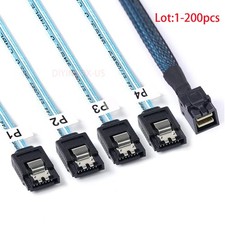
Lot Mini SAS SFF-8643 To 4 SATA 7pin Hard Disk 6Gbps Data Server Raid Cable 1M
$1150.00

2-Bay/4-Bay Hard Drive Enclosure for 3.5"/2.5'' SATA HDD/SSD 10Gbps USB-C 3.2
$75.99

Broadcom LSI 9305-16i 12Gbps SAS-3 PCIe x8 HBA 16-Ports Raid Controller
$64.99

Dell 3KDWX PERC H755 12G 8GB Cache Front RAID Controller
$999.99
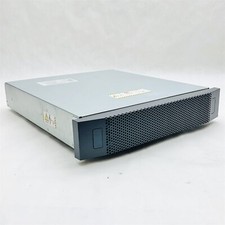
EMC VNXe3100 EPE 12-LFF 3.5" NAS Storage Array 12*3TB SAS HDD 2*303-137-000D
$224.99

Broadcom 9600-24i RAID Controller PCIe Gen 4.1 Tri-Mode NEW 05-50111-01004
$649.99