-
Administrator
Site Admin-
Re: CD after boot problem

Originally Posted by
gabriele
I have not checked either of the two Knoppix CDs I tried to use on a different computer, but I did try to run two Windows XP Pro installation CDs on another computer after two failed attempts at running them on my computer, and they had been turned into coasters. Again, the installation CDs for Windows XP were perfectly legal (the license holder had burned them for me as part of their license agreement).
I'll try the Smart Boot Manager to boot Knoppix. I appreciate your help.
I guess that there could be a problem where a CD drive destroys writeable media if it somehow writes when it should read. Never heard of a real case of it though. You seem to have done some of the steps that would prove that something is happening to CD with your above tests, but hardly enough. I would burn CD's on a different system (or get some burnt CDs) and see if I could read them on the "different computer" above, then and only then try them in the suspect computer. Then, if the suspect computer fails, see if they can still be read in the "different computer" or if they are now bad. And if bad a tool like ISOBUSTER might give you some insight on what is now wrong with the CD. Of course, I would look at the CD closely to be sure it wasn't becoming extremely scratched, but I would expect you have already done that.
There is also a chance that you are writing the CD too fast; I always recommend 4x or as slow as the drive will go (a few new drives seem to burn no slower than 8x). Higher burn speeds do cause problems. See http://www.knoppix.net/forum/viewtopic.php?t=17788
and
http://www.knoppix.net/forum/viewtop...?p=78925#78925
for examples, search the forums for the words burn and speed for many more. And, of course, try SBM. You might not even need it once you resolve the other issues, but it will not hurn and will avoid any BIOS CD boot problems.
Similar Threads
-
By pau1knopp in forum General Support
Replies: 42
Last Post: 03-08-2005, 09:26 AM
-
By Mustang64 in forum Hdd Install / Debian / Apt
Replies: 3
Last Post: 06-23-2004, 04:53 AM
-
By keava in forum General Support
Replies: 3
Last Post: 10-20-2003, 05:24 PM
-
By outlaw in forum General Support
Replies: 4
Last Post: 06-04-2003, 10:37 PM
-
By Guest in forum Hdd Install / Debian / Apt
Replies: 3
Last Post: 11-23-2002, 08:07 PM
 Posting Permissions
- You may not post new threads
- You may not post replies
- You may not post attachments
- You may not edit your posts
-
Forum Rules


Dell EMC PowerEdge R740 8 Bay Server w/ 32GB RAM 2x GOLD 6132 2x 1600W PSU H730p
$499.88

Dell EMC PowerEdge R440 Xeon silver 4215 2.5GHz 16 GB ram 2x 550W PSU No HDD
$275.00

Dell Poweredge C4130 2x LGA2011-3 1U 4x GPU Rackmount Server CTO (NO CPU/NO RAM)
$299.95

Dell Poweredge R620 10x 2.5" bay with 256GB (16x16gb) DDR3, 2x E5-2690v2, H710
$349.99

Dell PowerEdge R730XD 28 Core Server 2X Xeon E5-2680 V4 H730 32GB RAM No HDD
$378.93

Dell Poweredge R630 2x Xeon E5-2680 v3 2.5ghz 24-Cores / 64gb / Raid / 2x 1Tb
$374.99

Dell PowerEdge C4130 1U AI GPU Server | 2x E5-2680 v3 | 32gb Ram | 2x 1600W
$409.99
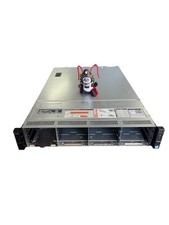
Dell Poweredge R730xd 12LFF + 2SFF 2x10/1Gbe H730 Mini 2x 750W Server
$348.00
Dell PowerEdge R740 E38S001 Server E38S
$660.00

Dell Poweredge R810 4x Xeon X7560 2.26ghz 32-Cores | 256GB | 3x Trays | H700
$289.99



 Reply With Quote