

 Reply With Quote
I haven't used apt-get with knoppix in a while but the usual way to fix these things is:
sudo dpkg -i --force-all /var/cache/apt/archives/alsa-utils_1.0.8-4_i386.deb
and after that:
sudo dpkg --configure -a


Hiya. Only 2 months new to Knoppix and rather unconfident in general but I'm slowly learning. It all started when I was trying to install mplayer so I can watch streaming wmv stuff. A guy on another board said I need mplayer and alsa so I set about getting them but it didn't work. I tried using apt-get and by manually downloading .deb files and all sorts of stuff which I probably should have learnt up on a bit before attemptingNow when I run "apt-get -f install" (which has helped me in the past) I get:
Basically I am not interested enough to keep trying to install mplayer or any alsa stuff which isn't needed, I can live without it and the general learning curve of Linux is such that I'd rather concentrate on more important issues but I'd suspect the above is not exactly a desirable way to have my system. By all means if you can suggest things to try out, please do, but I'm also wondering what the general course of action that I'm supposed to take is? Should I be trying to uninstall knx-alsa or am I completely off-track? And that Broken Pipe thing doesn't sound too promising. If you suggest any codes, it would be fantastic if you could tell me what they're actually doing, but I'm not fussy.Code:# apt-get -f install Reading Package Lists... Done Building Dependency Tree... Done Correcting dependencies... Done The following extra packages will be installed: alsa-utils Suggested packages: alsadriver The following NEW packages will be installed: alsa-utils 0 upgraded, 1 newly installed, 0 to remove and 665 not upgraded. 1 not fully installed or removed. Need to get 0B/146kB of archives. After unpacking 422kB of additional disk space will be used. Do you want to continue? [Y/n] y (Reading database ... 115568 files and directories currently installed.) Unpacking alsa-utils (from .../alsa-utils_1.0.8-4_i386.deb) ... dpkg: error processing /var/cache/apt/archives/alsa-utils_1.0.8-4_i386.deb (--unpack): trying to overwrite `/usr/bin/alsamixer', which is also in package knx-alsa dpkg-deb: subprocess paste killed by signal (Broken pipe) Errors were encountered while processing: /var/cache/apt/archives/alsa-utils_1.0.8-4_i386.deb E: Sub-process /usr/bin/dpkg returned an error code (1)Oh well, thanks for any help.
I haven't used apt-get with knoppix in a while but the usual way to fix these things is:
sudo dpkg -i --force-all /var/cache/apt/archives/alsa-utils_1.0.8-4_i386.deb
and after that:
sudo dpkg --configure -a
Markus, I wish I could thank you enough - It worked perfectly. Can't believe it was so simple. I hope you have a fantastic day, oh what the heck, I hope you have a fantastic year!
You're welcome.
If you want to take a look at options for dpkg type: man dpkg
type q to quit.
thank yooooooooooooooooooo, helped me out too
 Posting Permissions


Netac DDR4 32GB 16GB DDR4 3200MHz UDIMM C16 Desktop Internal Memory RAM Kit
$99.99

Major Brand 16GB (2x8GB) PC3-12800U DDR3-1600MHz DDR3-12800 DESKTOP RAM NON-ECC
$29.99

Samsung 8GB DDR4 SO-DIMM PC4-3200AA 260-Pin RAM M471A1G44BB0-CWE Module
$29.25

RAMAXEL Lenovo 32GB LPDDR5X CAMM2 7500MHz Laptop RAM | UNTESTED
$445.00

A-Tech 8GB DDR3 1600 PC3-12800 Laptop SODIMM 204-Pin Memory RAM PC3L DDR3L 1x 8G
$21.68
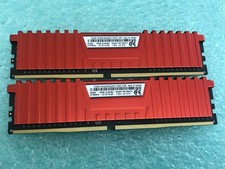
Corsair Vengeance LPX 16GB(2 x 8GB) CMK16GX4M2A2133C13R DDR4 2133MHz RAM - C1729
$59.95

DDR4 Laptop RAM 4GB 8GB 16GB 32GB 2400 2666 3200 Samsung Hynix
$30.00

MINT Micron Cisco 32GB PC4-2400T DDR4 2Rx4 RDIMM RAM MTA36ASF4G72PZ-2G3 LOT
$159.99
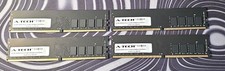
A-Tech RAM 16GB DDR4 PC4-21300 DIMM/2666MHz
$50.00

Corsair Vengeance DDR3 8GB 16GB 32GB 1866MHz PC3-14900 Desktop RAM Memory DIMM
$85.00