

 Reply With Quote
can someone corroborate or test like me with an usb cdrom drive ?


Hi,
by trying to run knoppix from an usb cdrom drive i get a message telling me knoppix filesystem was not found, and a simple prompt with only basic module tools; i tried on different computers and the message is always the same and comes after firewire/usb detection
i also tried failsafe or expert but no way to make it work !
hope there is a workaround or something !
help much appreciated
can someone corroborate or test like me with an usb cdrom drive ?
I would really like to know if there are some commands i could type to bypass the bug ?
help would be appreciated
The only way i know is to boot from expert mode, when it ask insert a floppy with all usb modules (usbcore.o, usb-ohci, usb-storage.o, etc....) and it should work, at least it did for my Iomega drive
ok I could manage to correct the bug.
it is a minirt.gz bug, so you have to mount as cloop your cdrom, then go to /boot/ and get minirt.gz, copy it somewhere and gunzip it. then, in the line that adds startable devices, the line containing
/dev/ub?[0-9]
is not good anymore, because on new kernels (dont know which version, maybe somewhere on >= 2.6.11 ) usb devices are named now /dev/ubx
the problem with that line you see above, is it implies that ubx device has partitions ! BUT ! and usb stick doesnt have (maybe it does), but certainly not cdrom usb devices ! so you MUST add
/dev/ub?
before the /dev/ub?[0-9] in order to take into account that if you boot with a usb cdrom drive, it will get a name like /dev/uba and not /dev/uba1 !
That's why Knoppix was bugging !
so, next steps from where we were are: mount minirt (uncompressed miniroot) somewhere, go there and find the linuxrc startup script, then add what i previously said, then unmount, gzip, then rebuild the iso image and you are ready to go !
have nice day
Two things seem to help:
1. turn everything off and unplug the USB drive. By OFF, I mean unplug from wall (or turn off power strip).
Wait 20-30 seconds, power oon, wait 10-15 seconds, plug USB drive in, power up. Most times this works.
2. if #1 did not work, reboot. Wait until BIOS is mostly finished and hit the reset button. let the next reboot complete.
Keep repeating. Eventually KNOPPIX will boot.
 Posting Permissions


IBM System X3850-X5 Server w/4x Intel Xeon E7-4870 CPU , 512 GB DDR3 RAM,NO HDD
$1299.99

IBM QRadar xx29 2x Xeon E5-2650v4 2x 900W PSU M5120 12x 3.5" Bay Server No RAM
$179.99

Unused IBM 09P0037 MAINBOARD For RS/6000 7044-170 P-Series
$375.00

Rare Vintage IBM 93ZZ PowerPC Server Board - MCM Ceramic CPU - 40N1844 - 1.1 lbs
$49.99

IBM 02YC027 Seagate ST2400MM0129 2.4TB 10K SAS 12Gb/s 2.5" Server Hard Drive
$200.00

IBM SYSTEM X3500 M3 SERVER 7380AC1 TOWER Server XEON E5620 8GB RAID SEE NOTES
$110.30
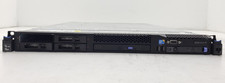
IBM System x3550 M3 1U Server Intel Xeon E5630 4GB DDR3 No HDD
$279.99

IBM Power 8 S822L Server 8247-22L POWER8 Enterprise 256GB RAM 2x 00KV626 CPU
$999.99

IBM ADP Server Type 7870 AC1 NO HDD | 128GB RAM PC3L | 2 x Xeon E5620
$199.99
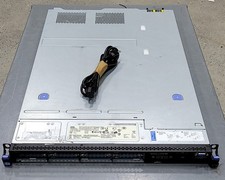
DEFECTIVE IBM SYSTEM X3530 M4 7160AC1 Server 2INTEL XEON E52430L 0 80GB G3D
$142.50