

 Reply With Quote
See if there's an actions tab generated by a right mouse click on the usb icon. If there is, click on it, select read/write.


My thumbdrive was detected just fine (as usb1) and I can read all the files on it (it's a FAT32 format with a bunch of windows files on it) but I cannot WRITE anything to it. I've gone to permissions and granted anyone and everyone full permissions and still no love. I've also unchecked 'read only', which also did nothing at all.
Anyone have a hint for me? Keep in mind that I know a LITTLE Linux, but not a lot about hardware.
See if there's an actions tab generated by a right mouse click on the usb icon. If there is, click on it, select read/write.
 Posting Permissions


Yealink T48S VoIP/SIP Phone, 2 x Gigabit Ports PoE 7" Color SIP-T48S | TESTED
$34.95

VoIP IP Phone with Power Adapters - 1 Year Warranty - Unlocked for Any Provider
$165.99
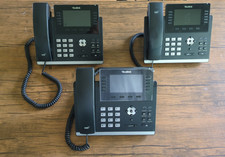
Used Yealink SIP-T46U IP Phones - Black - Bundle of 3
$69.99

Grandstream VoIP Phone Adapter ATA 1-Line Black Ethernet (RJ-45) Micro USB
$27.07

Yealink SIP-T33G IP Phone 4-LineSpeakerphone VoIP Desk Phone Black w/ Power Sply
$25.00

Grandstream HT701 1-Port FXS Analog Telephone Adapter ATA VoIP Gateway -Free S/H
$19.99

Cisco / Linksys SPA2102 VoIP 2FXS Phone Adapter with Router (unlocked)
$18.99

Grandstream WP810 Portable Cordless Wi-Fi IP Phone
$49.28

Poly CCX 400 Desktop Business Media Phone VoIP 2200-49700-019
$49.99

Yealink MP54 - VoIP Phone - Black Teams phone Android POE WIFI Bluetooth
$49.95