-
The way I do it is very easy. Use knx-hdinstall. Then copy what you want to the other partitions. All you have to do then is a quick edit to the text file /etc/fstab. For example add a line like:
/dev/hda5 /home defaults 0 0
After rebooting this will make partition 5 be the /home directory. By the way I am not sure that it is exactly right because I am not on a Linux box right now; but it is really easy to figure out once you take a look at fstab.
Similar Threads
-
By LRutker in forum Networking
Replies: 5
Last Post: 01-08-2004, 12:50 AM
-
By ramu_i in forum Hdd Install / Debian / Apt
Replies: 3
Last Post: 01-02-2004, 08:26 AM
-
By nimuex in forum General Support
Replies: 1
Last Post: 12-09-2003, 07:39 AM
-
By takamine in forum Hdd Install / Debian / Apt
Replies: 1
Last Post: 11-20-2003, 11:41 PM
-
By probono in forum General Support
Replies: 0
Last Post: 04-03-2003, 05:31 AM
 Posting Permissions
- You may not post new threads
- You may not post replies
- You may not post attachments
- You may not edit your posts
-
Forum Rules

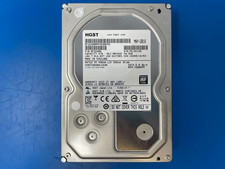
HGST 4TB 7200RPM 3.5" SATA 6Gb/s Internal HDD | HDN724040ALE640 0F22408
$75.00

Seagate Exos X14 10TB 7200RPM 3.5" SAS 12Gb/s Hard Drive HDD ST10000NM0528
$165.00

Seagate 14TB Exos X14 7200RPM SATA 6Gb/s 256MB 3.5" Enterprise HDD ST14000NM0408
$354.99

Seagate Exos X16 ST10000NM010G 10TB 7200RPM SAS 12Gb/s 3.5" 512e/4Kn HDD
$199.00

Seagate ST6000NM0115 6TB 256MB 7200RPM 3.5" SATA 6.0Gb/s Enterprise Hard Drive
$159.99
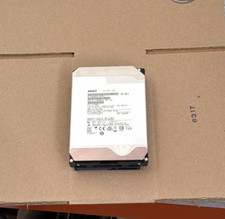
HGST - 6TB - 7200RPM 3.5" SATA 6Gb/s Enterprise Hard Drive | HUS726060ALA640
$84.99

HGST HUS724040ALA640 4TB 7200 RPM SATA 3.5" Internal Desktop Drive 100% Health
$78.00
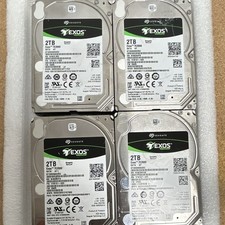
Seagate Exos 7E2000 2TB 2.5 SATA Internal HDD 7200RPM 256MB SED ST2000NX0253
$60.00

MG08SCA16TE Toshiba 16TB 7.2K SAS 12gb/s 512e 3.5inch HDD HDEPN10GEA51 NEW
$454.44

HDD 3.5" SATA Hard Drive with Windows 10/Win 11 64x Installed Legacy
$35.00



 Reply With Quote