-
The way I do it is very easy. Use knx-hdinstall. Then copy what you want to the other partitions. All you have to do then is a quick edit to the text file /etc/fstab. For example add a line like:
/dev/hda5 /home defaults 0 0
After rebooting this will make partition 5 be the /home directory. By the way I am not sure that it is exactly right because I am not on a Linux box right now; but it is really easy to figure out once you take a look at fstab.
Similar Threads
-
By LRutker in forum Networking
Replies: 5
Last Post: 01-08-2004, 12:50 AM
-
By ramu_i in forum Hdd Install / Debian / Apt
Replies: 3
Last Post: 01-02-2004, 08:26 AM
-
By nimuex in forum General Support
Replies: 1
Last Post: 12-09-2003, 07:39 AM
-
By takamine in forum Hdd Install / Debian / Apt
Replies: 1
Last Post: 11-20-2003, 11:41 PM
-
By probono in forum General Support
Replies: 0
Last Post: 04-03-2003, 05:31 AM
 Posting Permissions
- You may not post new threads
- You may not post replies
- You may not post attachments
- You may not edit your posts
-
Forum Rules

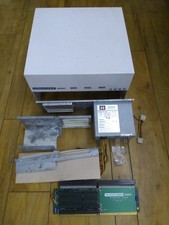
HighFlyer Amiga 4000 Tower & Bus Extender, Expansion Systems A4000T Kit
$888.50

Microbotics Starboard 2MB + SCSI Sidecar for Amiga 1000 Vintage Computer READ
$329.00
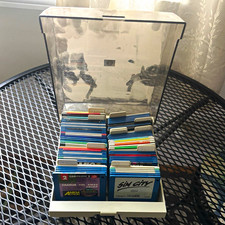
ALS Storage Box with Assorted Amiga Format 3.5" Floppy Disks
$199.00

Amiga Model 1080 RGB color CRT monitor - Parts Or Repair - Doesn’t Power On
$100.00

Amiga 1000 Computer w/ Monitor Keyboard Mouse Disc Drive Sidecar Expansion Discs
$895.00

Amiga Emplant Emulator Card For Commodore Amiga 2000 4000 3000
$249.00

Commodore Amiga 4000 Motherboard Rev B - untested
$225.00
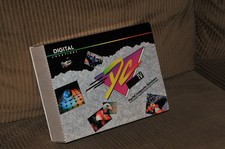
DCTV Digital Creations Composite Television Commodore Amiga Converter Software.
$185.00

RGB2HDMI Amiga 500 UltraLong (Accelerator Friendly) HDMI Games, non-RTG A500
$50.00
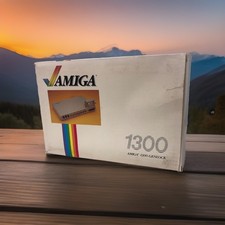
OPEN BOX - AMIGA Genlock Interface Vintage Video Adapter 1300- GREAT
$329.95



 Reply With Quote