

 Reply With Quote
boot your XP CD and reinstall windows, but not fresh/new installation, you must choose repair installation.
you will not lose anything. no need to back first.


After getting the dreaded Blue Screen of Death in Windows XP, I have tried several programs including the Windows Repair Console (completely useless as expected).
Several websites suggested using Knoppix, which detects the partition with no problems.
However, I'm a Linux noob and am trying to work out how to use the repair facilities in Knoppix.
Lots of sites talk about backing up files and reinstalling Windows, but I'd rather try and determine the problem first.
P.S. My Windows boot partition is FAT32 not NTFS
boot your XP CD and reinstall windows, but not fresh/new installation, you must choose repair installation.
you will not lose anything. no need to back first.
I believe Oscar is right. The Ms-Dos Command Box will pop up after you hit Repair and you'll just have a "C:>" I think you just type WINDOWS and it should recover your lost data. I know that Knoppix has recovery tools, some of which you have to download, but from what I understand their not for noobs, I'm one too. But the Windoze Recovery Disc should do the job.
 Posting Permissions

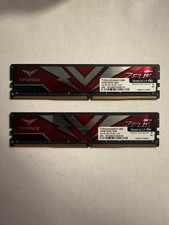
TEAMGROUP T-Force Zeus 64GB (2x32GB) DDR4 2666MHz PC4-21300 Desktop RAM Kit
$199.99

Netac DDR4 32GB 16GB DDR4 3200MHz UDIMM C16 Desktop Internal Memory RAM Kit
$99.99

A-Tech 8GB DDR3 1600 PC3-12800 Laptop SODIMM 204-Pin Memory RAM PC3L DDR3L 1x 8G
$21.68

Major Brand 16GB (2x8GB) PC3-12800U DDR3-1600MHz DDR3-12800 DESKTOP RAM NON-ECC
$29.99
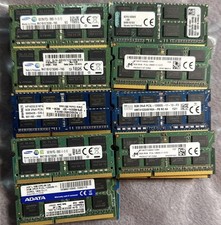
Lot 43 Mixed Brands Micron MT16KTF1G64HZ-1G6N1 8GB 2Rx8 PC3L-12800S-11-13-F3 RAM
$649.99

Crucial DDR3L 16GB 2 x 8GB 1600 MHz PC3L-12800 Laptop RAM Sodimm Memory 1.35V
$41.00

Samsung 16GB LPCAMM2 PC5 7500 DDR5 LPDDR5X CAMM2 M561K1LC4DM0-CCTGM RAM Memory
$189.00

RAMAXEL Lenovo 32GB LPDDR5X CAMM2 7500MHz Laptop RAM | UNTESTED
$445.00

Micron 32GB 1x32GB DDR5 5600 CL46 ECC Unbuffered SO-DIMM MTC20C2085S1TC56BD1
$399.00
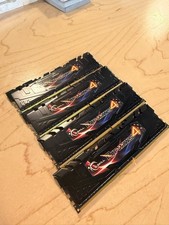
G. SKILL 32GB UDIMM 2400 MHz PC4-19200 DDR4 SDRAM Memory (F42400C15Q32GRK)
$150.00