-
Administrator
Site Admin-
Re: Success!

Originally Posted by
Mattr35

First I went to lunch at a BBQ place I was meaning to try (never try to solve computer stuff on empty stomach, right?).
Then I went off to my local Best Buy. Ended up buying a Linksys WRT54G for $39. Don't need wireless atm but in the future I will.
Got it up and running on the windows box no problem. So then I hooked up a cable from my linux box to the router and turned it on. Once up I opened a root terminal and ifconfig and saw my old settings from setting it up manually. So I ran netcardconfig and it worked!
So now I'm typing this on my linux box.
That is so weird that I could not connect straight through, but had to go through a router. Oh well, mission accomplished.
Matt
How was the BBQ?
Gald to hear that the router did indeed resolve your problem. I posted back in 2003 "Overall I think half of all network problems posted here would go away or at least be resolved much faster if the posters were using routers" and that's still an opnion I hold strongly.
I expect you'll be pretty happy with the WRT54G. It's not the cheapest router out there, but there are a wealth of great enhancements that have been produced by the Open Source community for it (yes, it runs Linux), something (the enhancements) I don't know of for any other commercial home router. The growing number of features and enhancements would be, at least to me, a valuable feature. You got yours at the best price I've seen for that particular router.
If you do learn what the issue with connecting directly to your ISP is, please post back. Since you have multiple systems, if you have a hub you might even be able to "sniff the wire" with a packet sniffer like ethereal and watch the DHCP handshake take place (yup, it is in Knoppix, at least was the last time I looked).
Good luck with your deployment.
Similar Threads
-
By Drunx in forum Networking
Replies: 2
Last Post: 08-30-2006, 07:25 PM
-
By zzapper in forum Networking
Replies: 5
Last Post: 06-22-2006, 07:10 PM
-
By J0hnP1pe in forum Hdd Install / Debian / Apt
Replies: 3
Last Post: 04-22-2005, 08:08 AM
-
By fabry6210 in forum Networking
Replies: 10
Last Post: 05-27-2004, 09:25 PM
-
By Anssi in forum Networking
Replies: 2
Last Post: 04-29-2003, 06:38 AM
 Posting Permissions
- You may not post new threads
- You may not post replies
- You may not post attachments
- You may not edit your posts
-
Forum Rules

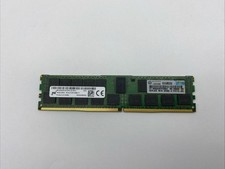
Micron MTA36ASF2G72PZ-2G1B1 16GB DDR4 2RX4 PC4-2133P-RBB-11 Server Memory RAM
$70.00
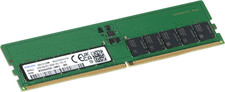
Dell 32GB 2Rx8 DDR5 ECC UDIMM 5600 MT/s
$1199.99
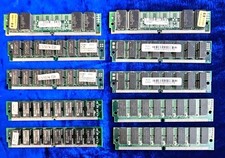
Lot of 10 EDO 72pin Memory 2-8mb 6-16mb 2-32mb Various Brands
$42.98
RDIMM MICRON DDR5 SERVER MEMORY 1x16 Sticks 5600 RAM
$449.00

Kingston 32GB 64GB 128GB 256GB USB 3.0 Flash Drive Thumb Memory Stick Pen lot
$285.90
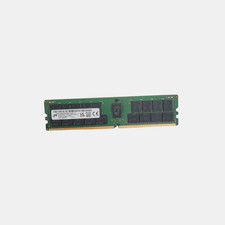
Micron MTA36ASF8G72PZ-3G2E1VI 64GB 3200AA DDR4 ECC Server Memory
$450.00

USB 3.0 Flash Drive 32GB 64GB 128GB Memory Stick Thumb Stick Lot Pack
$826.09
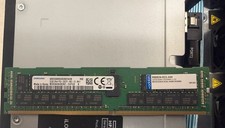
2x SAMSUNG 32GB DDR4 2RX4 PC4-2933Y SERVER MEMORY M393A4K40CB2-CVFC0 64GB TOTAL
$300.00

TF/SD Card Adapter Camera Reader Android Type-c For iPhone17 Pro Max Plusm lot
$573.98

Dell Latitude 14" Laptop Computer Intel i7 Up To 32GB RAM 1TB SSD Windows 11 Pro
$427.48



 Reply With Quote