-
Problem with library.
One of my programs is useing libncurses.so.4.
In my KNX3.2 I have a libncurses.so.5 , but I can`t find *.4.
Whre can I find this lib and how to install it?
Is there any way to run my program with libncurses.so.5?
Krs
-
Senior Member
registered user
Usually there is backward support in newer libraries, what I've had to do is make a link to the new library with the old name, like this:
ln -s libncurses.so.5 libncurses.so.4
Note you'll either have to be in the proper directory or use the full pathname.
HTH
rock
-
Thank you 
Krs
-
I have another problem to solve
When I`m trying to make a link as You suggest, an error occure:
"Ln: creating symbolic link ..... : Read-only file system.
I run my Knoppix from CD. After boot,the library directroy is on ram disk.
Then I login as root : su root.
And do the following :
cd /lib
ln -s libncurse.so.5 libncurse.so.4 > an error message occures.
I cheked mount - ramdisk is in read/write mode.
What I do wrong?
Krs
-
Senior Member
registered user
try this:
ln -s /lib/libncurses.so.5 /var/lib/libncurses.so.4
then:
ldconfig
/lib is a link to /KNOPPIX which is your cd, but /var is a link to /ramdisk/var so you can write there.
HTH
rock
-
Thank you again, but...
After applaying all of yours advices, my program givs me this:
error while loading shared libraries: libncourse.so.4: cannot open shared object file: No such file or directory.
I checked link/file exists.
Krs
Similar Threads
-
By humi001 in forum Hdd Install / Debian / Apt
Replies: 1
Last Post: 04-27-2005, 09:24 PM
-
By bongski55 in forum Hardware & Booting
Replies: 4
Last Post: 11-15-2003, 10:19 AM
-
By Triple Six in forum Hardware & Booting
Replies: 2
Last Post: 04-15-2003, 04:23 AM
 Posting Permissions
- You may not post new threads
- You may not post replies
- You may not post attachments
- You may not edit your posts
-
Forum Rules


Netac DDR4 32GB 16GB DDR4 3200MHz UDIMM C16 Desktop Internal Memory RAM Kit
$105.99
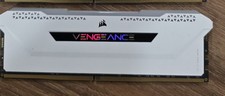
Corsair Vengeance RGB Pro SL DDR4 16GB 3200MHz 288-Pin DIMM
$80.00

Corsair CMK32GX4M2B3000C15 Vengeance LPX DDR4 3000mhz Memory Kit - 32GB (2x16GB)
$164.95
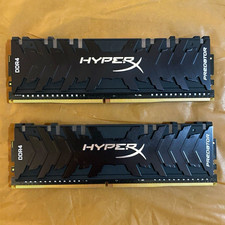
HyperX Predator 16GB (2x8GB) DDR4-3200 PC4-25600 DIMM RAM Model HX432C16
$70.00
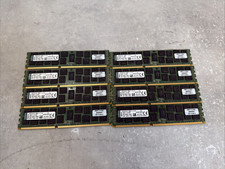
Lot of 8 - Kingston 16GB - 2Rx4 - PC3-12800R ECC Registered Server Memory RAM
$109.00

Corsair Vengeance DDR3 8GB 16GB 32GB 1866MHz PC3-14900 Desktop RAM Memory DIMM
$85.00
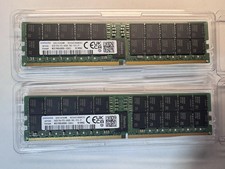
SAMSUNG 64GB 2RX4 PC5-38400 DDR5-4800 SERVER MEMORY (M321R8GA0BB0-CQKZJ)
$2249.00
TEAMGROUP T-Force Delta RGB DDR5 Ram 16GB sticks 6000MHz-White
$220.00

Crucial 16GB (2x 8GB) Kit DDR3 1600MHz PC3-12800 UDIMM Desktop 240-Pin CL11 RAM
$41.00

(LOT OF 4) Apple iMac16,2 (A1418) | i5 5th Gen | 8 GB RAM | 1 TB HDD | OS X^
$120.00



 Reply With Quote