-
Writting to a vfat HD
I am running Knoppix 3.2 from the CD on a pentium III system, with Windows millenium.
I am having problems saving stuff to my HD on /dev/hda2 mounted on /mnt/hda2. I get messages stating that the filesystem is read only.
I tried as root to change the file permission of the location I was trying to save to with chmod 777 SOMEFOLDER and I got the same message, that the filesystem is read only.
I looked at /etc/fstab, but I really do not know how or where it is specified that my HD has to be mounted as a read only filesystem; here it is:
proc /proc proc defaults 0 0
pts /dev/pts devpts mode=0622 0 0
/dev/fd0 /mnt/auto/floppy auto user,noauto,exec,umask=000 0 0
/dev/cdrom /mnt/auto/cdrom auto user,noauto,exec,ro 0 0
/dev/cdrom1 /mnt/auto/cdrom1 auto users,noauto,exec,ro 0 0
# Added by KNOPPIX
/dev/hda1 /mnt/hda1 auto noauto,users,exec 0 0
# Added by KNOPPIX
/dev/hda2 /mnt/hda2 vfat noauto,users,exec,umask=000,uid=knoppix,gid=knoppi x 0 0
Any ideas. Thank you.
-
Senior Member
registered user
I'm not in the habit of using Knoppix from the CD but I do believe it is possible to right click the icon representing your particular partition and select "read/write".
edit
You may need to 'umount' first before you can change read only to read/write.
-
Senior Member
registered user
Re: Writting to a vfat HD
' mount /mnt/hda2 -oremount,rw ' as root. chmod won't work with a non-*NIX filesystem like fat32 or ntfs.

Originally Posted by
mangancha
I am running Knoppix 3.2 from the CD on a pentium III system, with Windows millenium.
I am having problems saving stuff to my HD on /dev/hda2 mounted on /mnt/hda2. I get messages stating that the filesystem is read only.
I tried as root to change the file permission of the location I was trying to save to with chmod 777 SOMEFOLDER and I got the same message, that the filesystem is read only.
-
Senior Member
registered user
http://www.libranet.com/support/view...item=0155.html
the libranet link shows you how they set up a windows partition so it is writable;
they use:
defaults,umask=002,...
HTH
rock
-
Thank you.
I tried right clicking the hda2 icon, then properties... and then unchecking the READ ONLY box.... duuuuuh!
Thank you again. 
Similar Threads
-
By cld in forum Customising & Remastering
Replies: 2
Last Post: 07-26-2004, 05:33 PM
-
By Alexxx in forum Customising & Remastering
Replies: 7
Last Post: 03-09-2004, 02:08 PM
-
By wrangler007 in forum General Support
Replies: 4
Last Post: 10-10-2003, 05:12 AM
-
By garyng in forum General Support
Replies: 0
Last Post: 03-24-2003, 10:57 AM
-
By pc_dev in forum General Support
Replies: 1
Last Post: 02-21-2003, 04:08 PM
 Posting Permissions
- You may not post new threads
- You may not post replies
- You may not post attachments
- You may not edit your posts
-
Forum Rules

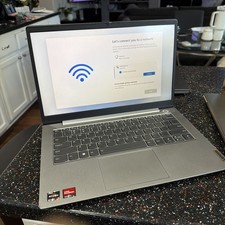
Lenovo ThinkBook 14 Gen 3 AMD Ryzen 7 5700U 2.0GHz 24GB RAM 14 inch 512GB SSD
$250.00

Lenovo ThinkPad L15 Gen 3 15.6" 16GB, Thunder Black
$259.00

Windows 11 PRO Laptop Notebook PC Computer, 8GB Ram, Webcam, Wifi, and HDMI
$144.00
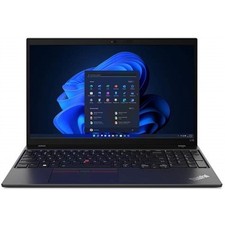
Lenovo ThinkPad L15 Gen 3 15.6" 32GB, Thunder Black
$266.00
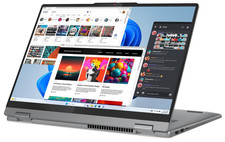
Lenovo IdeaPad 5 2-in-1 16" WUXGA Touch Ryzen 7 8845HS 16GB 512GB SSD FPReader
$571.00
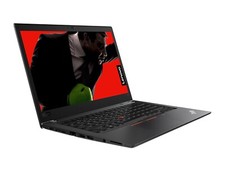
Lenovo ThinkPad T480 14" HD i5 8250u 16GB 256gb NVME WIFI CAM WIN 11 PRO laptop
$299.99

LENOVO THINKPAD T14s GEN 2a Ryzen 7 PRO 5850U 1.9GHz 16GB 256GB WIN 11 - TOUCH
$299.95
Lenovo ThinkCentre M920q Tiny i5-8600T 16GB RAM Mini PC w/ AC Adapter
$149.99
Lenovo THINKPAD L15 GEN 4 15.6" 16GB, Thunder Black
$327.00
Lenovo ThinkPad laptop T490 14" i5 8365U 16GB NEW 256gb SSD WIN 11 pro CAM WIFI
$259.99



 Reply With Quote