

I am asia language user, and I have remastering a Knoppix Live CD using the script from here, and everything goes ok but the removable media mounted by automount daemon doesnot show the bi-bit character right. I checked the system, and edit the /etc/automount.sh add the codepage and iocharset options. Also the /etc/init.d/autofs /etc/auto.misc /etc/auto.mnt /usr/sbin/rebuildfstab /usr/bin/mkdesktophdicons, and now thing become when i insert a removable media such as a USB flash memory, a icons automaticly appear on the desktop and already mounted. If I open the device, shows massive question mark. And then if I umount it and remount it again, it become OK! so it is a little bug, that mean the automounter's codepage and iocharset is not fit to my system(I have check it looks like codepage=847,iocharset=iso8859-1 etc),but the system can write the right desktop entry.
My question is how can i change the codepage and iocharset option before the automounter mount the removable media?
Many thanks!!
 Posting Permissions


Intel Core i7-3770K 3.5 GHz Processor
$39.00

Intel Core i7-9700 3.0 GHz Octo-Core (SRG13) Processor
$79.00
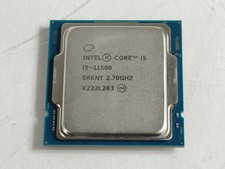
Intel Core i5-11500 2.70 GHz LGA 1200 Desktop CPU Processor SRKNY
$94.99

Corsair RM750e 750W Fully Modular 80 Plus Gold ATX 3.1 PSU Certified Refurbished
$44.99

Intel 4th Gen Core i7-4790 SR1QF 3.60GHz (Turbo 4.00GHz) 8M 4-Core LGA-1150 CPU
$39.99

Intel i7-8700 Coffee Lake 3.2GHz 6-Core Max Turbo 4.6GHz Processor
$69.99

Intel Core i7-7700T 2.9GHz 8MB Socket LGA1151 Quad Core Processor SR339
$39.99
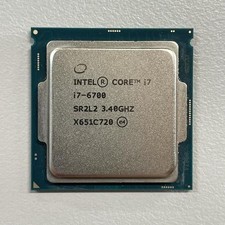
Intel Core i7-6700 3.40 GHz QUAD Core (4 Core) Desktop Processor 8MB LGA 1151
$29.99
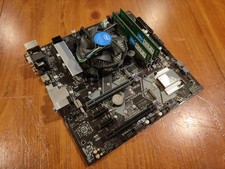
COMBO: ASUS Prime H370M-PLUS MOTHERBOARD + i5-9400F CPU /w Heatsink + 16GB DDR4
$169.95

GAMING COMBO: ASUS Prime H470M-PLUS MOTHERBOARD + i5-10600KF CPU + 16GB DDR4
$229.95


 Reply With Quote