

I am asia language user, and I have remastering a Knoppix Live CD using the script from here, and everything goes ok but the removable media mounted by automount daemon doesnot show the bi-bit character right. I checked the system, and edit the /etc/automount.sh add the codepage and iocharset options. Also the /etc/init.d/autofs /etc/auto.misc /etc/auto.mnt /usr/sbin/rebuildfstab /usr/bin/mkdesktophdicons, and now thing become when i insert a removable media such as a USB flash memory, a icons automaticly appear on the desktop and already mounted. If I open the device, shows massive question mark. And then if I umount it and remount it again, it become OK! so it is a little bug, that mean the automounter's codepage and iocharset is not fit to my system(I have check it looks like codepage=847,iocharset=iso8859-1 etc),but the system can write the right desktop entry.
My question is how can i change the codepage and iocharset option before the automounter mount the removable media?
Many thanks!!
 Posting Permissions


Yealink T48S VoIP/SIP Phone, 2 x Gigabit Ports PoE 7" Color SIP-T48S | TESTED
$34.95
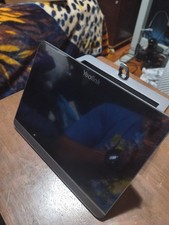
$99.00

Poly CCX 400 Desktop Business Media Phone VoIP 2200-49700-019
$49.99

Grandstream WP810 Portable Cordless Wi-Fi IP Phone
$49.28

Cisco/Linksys SPA2102 VoIP Phone Adapter Router 2FXS (Unlocked)
$17.99

Cisco / Linksys SPA2102 VoIP 2FXS Phone Adapter with Router (unlocked)
$18.99
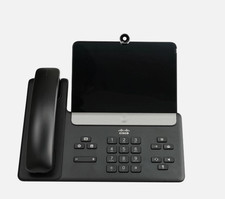
Cisco CP-8875-K9 Video Phone 8875 IP Desk Phone Bluetooth Wi-Fi - Brand NEW
$399.99
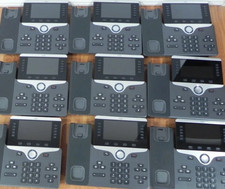
Lot of 10 Cisco CP-8841-K9 IP VoIP Phones w/ Handsets & Stands
$199.00

Yealink MP54 - VoIP Phone - Black Teams phone Android POE WIFI Bluetooth
$49.95

Cisco CP-8841 IP Phone Charcoal Handset And Stand Included
$27.99


 Reply With Quote