-
K3B cd recording software not working
I saved many files and wanted to burn them with the built in recording software and it failswwhether I used a cd-rw or cdr disc. Is this a problem in Knoppix 3.8.1 ?
Thanks
-
K3b recording
I am having the same problem with Knoppix 3.8.2. I have tried several variations of settings with no success.
The software lists during the "record phase" (these are not verbatim):
i Size 5600 blocks (only trying to record a small amount)
i Using cdrecord 2.1.1a01
i Starting tao @ 8x (mine is an 8x recorder)
X cdrecord returned an unknown error (code 12)
X cannot allocate memory
X Please send me an e-mail ...
Occasionally, with some setting change, I get an error about "Probabbly a buffer underrun, choose a lower speed". Lower speeds do not help, and even with no additional changes, the original error returns.
Any suggestions. This utility would be very useful to recover data from an unbootable Windows system!
-
cdrecord DOES work with CDRW - Knoppix 3.9
I had the same problem and found out what was up. The Linux kernel v2.6 doesn't need the old SCSI emulation cdrecord used to use. For instance, if you want to see what your CD device is, use:
cdrecord dev=ATAPI: -scanbus
Then use that device to work with your CDR or CDRW. For mine, it found my CDRW on ATAPI:0,0,0 and to quickly BLANK a CDRW I used this:
cdrecord dev=ATAPIi:0,0,0 blank=fast
Another thing you can do is to put the following lines to your /etc/default/cdrecord file( my CDRW is on dev 0,0,0 ):
CDR_DEVICE=cdrw
# name = ATAPI:yourdev speed(-1 for default) fifosize(-1 for default )
cdrw=ATAPI:0,0,0 24 30m
Now, you won't have to specify the device each time you use cdrecord, it'll use the device specified in your /etc/default/cdrecord file.
note: K3b still doesn't work unless you start it from a commandline as ROOT. I tried "dpkg-reconfigure cdrecord" to set the SUID bit on cdrecord but that still didn't work.
-
Senior Member
registered user
Re: cdrecord DOES work with CDRW - Knoppix 3.9 and 3.8.2

Originally Posted by
locutus
Now, you won't have to specify the device each time you use cdrecord, it'll use the device specified in your /etc/default/cdrecord file.
Thanks. The above worked for me using cdrecord. For example, I was able to burn a copy of the /home/knoppix directory to a CD with this command pipeline:
Code:
mkisofs /home/knoppix | sudo cdrecord -
Originally Posted by
locutus
note: K3b still doesn't work unless you start it from a commandline as ROOT. I tried "dpkg-reconfigure cdrecord" to set the SUID bit on cdrecord but that still didn't work.
Unfortunately, same here. I too was unable to get cdrecord to work as user Knoppix and had to use sudo even though cdrecord is SUID. Is there a way for k3b to use "sudo cdrecord" instead of just cdrecord?
Regards,
- Robert
http://www.cwelug.org
Similar Threads
-
By manish_m in forum Hardware & Booting
Replies: 0
Last Post: 09-08-2005, 06:20 AM
-
By a_hic in forum General Support
Replies: 0
Last Post: 04-20-2005, 01:08 PM
-
By MrT in forum Hdd Install / Debian / Apt
Replies: 0
Last Post: 09-07-2004, 07:43 AM
-
By pau1knopp in forum General Support
Replies: 1
Last Post: 02-06-2004, 06:31 PM
-
By amin_heydarpour in forum Hardware & Booting
Replies: 0
Last Post: 11-30-2003, 04:01 PM
 Posting Permissions
- You may not post new threads
- You may not post replies
- You may not post attachments
- You may not edit your posts
-
Forum Rules


Atari 1200 XL home computer with original owners guide and power supply power on
$255.00

Atari 400 / 800 Computer Memory Module 16K RAM PCB CX853 - Works Perfectly
$18.95
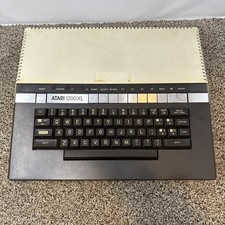
Atari 1200XL Computer Game Console Vintage Rare FOR PARTS OR REPAIR READ
$270.00
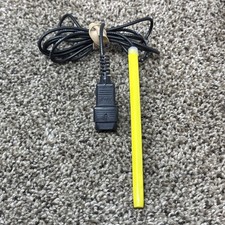
Atari Light Pen Untested For Atari 400 800 Xe Vintage Computer
$70.00
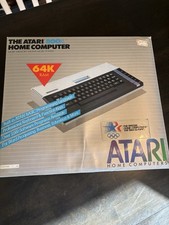
Atari 800XL Home Computer 64K RAM in Original Box 1984 Olympic Edition Untested
$149.99
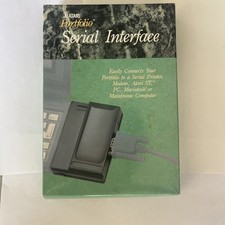
Atari Portfolio PARALLEL PRINTER INTERFACE NOS New Open Box
$29.88

Fujinet 1.7.1 Atari 400 800 800XL 130XE 65XE XEGS Assembled, Tested, Working
$99.99
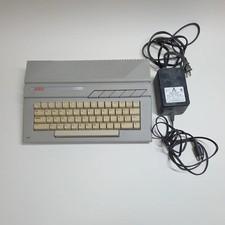
Broken Atari 130XE Console System 130XE No Power
$129.99
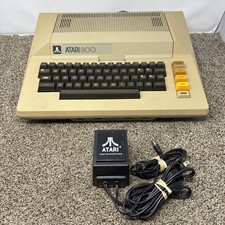
Atari 800 8-bit Computer System Fully Tested 48k READ
$370.00
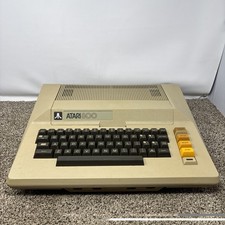
Atari 800 8-bit Computer System Only Tested READ
$300.00



 Reply With Quote