


 Reply With Quote
Well I adjusted a bunch of stuff (too much to remember) and I now have Samba up and running and I can see the linux box from my windows machine.


Well now that I'm networked and both computers can access the internet, I moved onto file sharing.
I was able to get it so I could see my WinXP box from my Linux box and I can see and access the shared files on my WinXP box using http://www.knoppix.net/wiki/Smb_Client_HowTo.
But when I'm stuck when I try to share files on my Linux box now. I start the Samba server and enter the root PW but then nothing happens (I believe the problem lies in here since I should be asked at this point if I want to share my hardrive, correct?).
I right click on a folder in my home folder, select the Share tab, select the Shared radio button, click ok and I get failed.
Make sure that the Perl script 'fileshareset' is set to suid root.
I click on Configure File Sharing button on that same tab, enter my root PW, and nothing happens. Any ideas how I can get my windows box to see my linux box?
Thanks in advance for putting up with my newbiness
Matt
Well I adjusted a bunch of stuff (too much to remember) and I now have Samba up and running and I can see the linux box from my windows machine.
i've just managed to get mine to do that - it wasn't easy.
First, you need to configure /etc/samba/smb.conf correctly. It may already be right.
Then, you create users on your system for the "names" of the machines you want to be able to access the Linux box.
You do it this way: assume you want machines called fred and ernie to access hte Linx machine,
open a root terminal, and type
sudo adduser --force-badname fred
sudo adduser --force-badname ernie
smbpasswd -a fred
smbpasswd -a ernie
and enter the password(s) you choose at each stage.
That creates a directory on the Linux box for each; that way, they can access it. There may be a better way, but I've not found it.
Then you go to K - Control Center - Internet and Network - Local Network Browsing and set up the details under Windows Shares and Lisa Daemon to match your system.
Then, you copy smb.conf to YOUR home directory (you can leave the original in /etc/samba/). Make sure the owner is YOU.
Then, you start Samba Server, which will ask you for the root password, then disappear again.
Then (and this is the bit I had trouble to find) you open a root terminal and type the following two lines:
smbd -D -s /home/<username>/smb.conf
nmbd -D -s /home/<username>/smb.conf
It's the last bit that tells Samba server that others can see your system.
It worked for me. A bit kludgy, but I have access from my two Windows machines.
Thanks Keith, I'll give all this a try.
Matt
Thanks, this was helpful for me too.
Thanks!, helped me too!
 Posting Permissions


GIGABYTE A520M DS3H AC AMD AM4 Motherboard mATX
$59.99

Corsair RMe RM850e 850W 80 Plus Gold Fully Modular Low Noise Certified Refurb
$58.99

Gigabyte GA-B85M-D3H Motherboard
$54.99

ASUS PRIME Z890-P WIFI Z890 LGA 1851 ATX motherboard, Intel® Core™ Ultra Series
$235.99

Asus Prime B660M-A AC D4 Motherboard Intel LGA 1700 14th 13th 12th Gen DDR4
$79.99

GIGABYTE B365 HD3 LGA1151 Intel 9th Gen motherboard
$59.99

Intel H81 Motherboard M.2 NVMe LGA 1150 mATX w/ IO Shield (Random Slot Color)
$29.90

ASUS PRIME H410M-K LGA 1200 Intel 10th Gen H410 DDR4 USB3.2 Motherboard M-ATX
$59.99
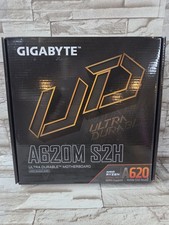
GIGABYTE - A620M S2H AM5 DDR5 M-ATX Motherboard
$65.00

HP Z440 WorkStation LGA 2011-3 DDR4 Desktop Motherboard 710324-002
$39.99