

I've spent the last several days trying to figure out why I lost USB and network after installing to hard disk. I had read every single english-language Google hit (many hundreds) I could find which pertained to my problem, and no one had ever reported this, so I'm writing up a quick summary of what I found in hopes that others won't have the same frustrations. If the problem is obvious or old news, I apologize in advance.
ENVIRONMENT:
Knoppix 3.8.2 (Debian Sid - you all know this, I'm sure, but I'm trying to put in keywords for Google)
AMD K6
Linux 2.6.11
Linux 2.4.18
SYMPTOMS:
After installing to hard drive (using knoppix-installer-latest-web), over an existing Debian (Sarge) install (without reformatting), and then updating from apt sources, I noticed I had no USB or network. It turned out I had no modules at all. I tried custom initrd and kernels, but could neither load modules nor get working things which the CD autoconfigured. Everything still worked when booting off the CD again. When booting from 2.6.11, either custom or stock-from-Kanotix, I noticed that insmod and modprobe always gave an odd error: "ERROR: Module foo does not exist in /proc/modules". /proc is information about the currently running system; of course it doesn't exist there! Why is that a problem? I also noticed that 2.4.18 did not give the same error, and 2.6.11 didn't give the error when booting from CD.
Back to 2.6.11. Running insmod or modprobe without any arguments produced more weirdness:
Usage: insmod [-fhswvV] modulename
Usage: modprobe [-fhswvV] modulename
This is the usage message for rmmod, not insmod. 2.4.18 and booting from CD, on the other hand, produced the correct usage messages.
SOLUTION:
It turned out there was a version of modutils which was an all-in-one binary. Its behavior is supposed to depend on the name by which it is called. For some reason, it was not correctly using modprobe or insmod functions when booting from 2.6.11 on hard disk - in those cases, it was always defaulting to rmmod behavior - yet it was clearly recognizing the name by which it was called, as we can see by the usage messages above.
It had the same version number as the separate-binaries version on the Knoppix CD:
module-init-tools version 3.2-pre1
Anyway, I moved insmod to rmmod, and copied a new insmod and modprobe from the CD, and now my modules are correctly loaded.
NOTES:
Perhaps this should be reported to modutils; it does seem to be, first and foremost, inconsistent modutils behavior. Alternately, Debian might be a good place to report it, in case the issue was my update after installation. But I'm too lazy; hopefully Google will pick up this post and my effort won't be wasted. Besides, it might, in fact, be a Knoppix issue (or Kanotix?) - but now I'm too sick of this problem even to finish this sentence properly.
 Posting Permissions


Lenovo ThinkStation P520c Intel Xeon W-2133 6-Core 3.60GHz -NO RAM/ HDD/ GPU/ OS
$127.54

Intel Xeon Phi 5110P 60-Core 1.053GHz Coprocessor
$50.00

Dell Precision Tower 7810 Xeon E5-2630 v3 @ 2.40GHz , 32GB Ram, NO HDD, NO OS
$239.99

Dell EMC PowerEdge R440 Xeon silver 4215 2.5GHz 16 GB ram 2x 550W PSU No HDD
$275.00

Dell Precision T5820 Workstation 3.70GHz W-2135 No RAM/ GPU/ HDD/ OS
$179.98

Intel Xeon E5-2699 V4 2.20GHz 55M 22-CORES LGA2011-3 Server Processor 145W SR2JS
$84.49

Intel Xeon E5-2680 V2 2.8GHz 10-Core 25MB 8GT/s SR1A6 LGA2011 B Grade Server CPU
$7.95
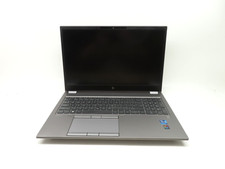
HP ZBook Fury G8 15.6'' Intel Xeon W-11955M 2.6GHz 64GB RAM 1TB SSD RTX A2000
$599.99

Lenovo ThinkServer TS460 Part Number: 70TS-S01U00
$279.00

Dell Precision T1700 Workstation Intel Xeon 16G Ram 256GG SSD Nvidia 600 Win 10
$109.99


 Reply With Quote