

 Reply With Quote
NO.
Here's a thread on this issues that you might want to read: http://www.knoppix.net/forum/viewtop...er=asc&start=0


So can I safely download files in Knoppix, to that hard drive "partition" without corrupting Windows XP data?
NO.
Here's a thread on this issues that you might want to read: http://www.knoppix.net/forum/viewtop...er=asc&start=0
Lol.
If you have more space on you hard drive you can certainly make a FAT partition. The problem is that most people fill their hard drive (or the vendor that sold them the computer filled it) with one big NTFS partition. If you had two partitions then you might delete one and remake a FAT partition, but since you said above that you only had hda1 then I don't think this will work for you. There is nothing that comes in Windows that lets you shrink your NTFS partition to make space for a FAT partition. There are third party commercial products that will try to do it. Partition Magic worked for me, although other have reported that they lost all of their data trying it. I know of no free Windows program (but you're free to search). I've heard talk that the Linux program qparted might be able to do it. It is included in Knoppix. But I would urge a lot of searching the forums and reading everything with the word qparted in it before you try that. And have a good backup of your data.Originally Posted by vikramkr
Putting another hard drive in would be a simple solution (far less expensive than buying a copy of Partition Magic.) You could get a small size drive dirt cheap or even find an old computer with a drive you could salvage. It doesn't have to be very big and lots of computers with "small" drives and the "small" drive themselves are thrown away every day. And by "small" I mean drives larger that the hard drive I paid $1000.00 for 10 years ago.
By the way, you don't have to format it for Knoppix, I would strongly suggest that you do not. It will already have a FAT partition on it. Knoppix can write to a FAT partition just fine. And that way XP will still be able to read and write it too.
It's only fair to say that while I've had great luck with falsh drives some people have reported that Knoppix just doesn't seem to find them on their computer, and there may be some issues with different versions of Knoppix too. So if you have a flash drive give it a try (I suggest having it plugged in before you boot). If you don't I would recommend spending money on one before you can run a test. And by default when you click on the flash drive partition icon (named something like sba1), it will likely still default to opening in read only mode. You have to right click on the icon and use the actions .... submenu that pops up to make it read/write. Do not do this for your NTFS hda1 partotion.
I am probably going to just throw in another hard drive and format the whole thing so it's just FAT. Or, I might just take an old computer of mine that I don't use, and convert it to a Linux machine.
Yes, it's too bad, Knoppix didn't recognize my USB flash drive.
By the way, Knoppix vs. Linspire: who wins?
> By the way, Knoppix vs. Linspire: who wins?
competition? OK. What categories? Ease of use? Price? Target audience/user? Types of support?
Both have their + & their -. Linspire is designed for the non-geek. Support & access to their package repositories is a small yearly fee but for those folks who don't want to be forced to become sysadmins, it is a good tradeoff. If I had to setup a PC for my Grandma or non-geeky uncle, I would choose Linspire over plain Debian, Mandrake, Fedora, slackware, suse, etc.
Oh, I see.
Personally, I've tried them both, and I like both of them.
hard drives are known as hd <- hard drive... the "a", means the first hard drive (kinda like in widnows the 3.5 is drive a, the first drive, and then b, then c being the third, etc)... and the "1" means the first partion on that hard drive a...
if any of that made sence (because i never do)
 Posting Permissions


Dell PowerEdge FX2s + 8x FC430 Blades 16x E5-2630v4 160 Cores Rails No PSU/RAM
$699.00

Dell PowerEdge FC430 Blade Server 2x Xeon E5-2630v4 20 Cores FX2 FX2s No RAM/HDD
$119.99

Dell PowerEdge M630 Blade Server 2x Xeon E5-2680 v4, 2F3MP , 4GDP5 ,R10KJ ,JVFVR
$95.20

Dell PowerEdge M640 Blade Barebone Server Dell P/N: HHB006 Tested Working
$149.99

NETAPP HCI NAF-1701 SuperMicro Server 4X BLADE H410C 8X GOLD 5120 4 NODE SERVER
$1499.97

Dell PowerEdge M620 Blade Server 2x Xeon E5-2680v2 2.8ghz 20-Cores | 128GB
$149.99

Dell Poweredge C6400 24x 2.5’’ 2x 2400W 4x C6420 Nodes H330 | 2x SFP | 8x Trays
$799.99

Dell PowerEdge VRTX 2.5"x25 Bay Blade Enclosure 4x1600W + 4X M640 (4X Blades)
$1599.99

Dell Poweredge VRTX 25Bay 2.5" 2x PERC 8, 2xCMC, I/O 1GB Pass Through, 4x PS
$578.08
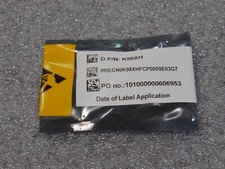
NEW DELL TRUSTED PLATFORM MODULE TPM 2.0 POWEREDGE T430 T630 G13 SERVERS K98XH
$199.00