-
to install udev, must remove mount-aes -- is this safe?
I want to use the "udev" package on the Knoppix3.8 hdd install. However, udev depends on initscripts which depends on the "mount" package. But, when I try to install "mount", I get this scary interaction:
# apt-get install mount
...
The following packages will be REMOVED:
mount-aes
...
You are about to do something potentially harmful
To continue type in the phrase 'Yes, do as I say!'
?]
Is this operation safe?
Why does the hdd install use this "mount-aes" package rather than just "mount" package?
-
Senior Member
registered user
mount-aes appears to be a modified mount so that it can mount encrypted paritions and/or encryoted loopback devices. Google for more info. In my opinion, it should be fine to remove mount-aes and replace it with normal mount.
I hope this helps.
James
-
Someone wants to know how I installed udev (which I did 3 months ago and mostly have forgotten). My memory is hazy and I did this (if I recall correctly) on a Knoppix3.8 harddrive install. I'm no expert but I kept lots of notes when asking on #debian (the IRC channel for Debian). I was worried about trashing my machine.
Anyway, for a puny Debian/Knoppix user like myself, these are big-and-scary APT operations. No money refund if this totally trashes your machine. Warning: Debian packages may have changed in the meantime and parts of these "instructions" may have to be changed.
Here is the relevant part of the "apt-get" man page:
--force-things | --no-force-things | --refuse-things
Force or refuse (no-force and refuse mean the same thing)
to do some things. things is a comma separated list of
things specified below. --force-help displays a message
describing them. Things marked with (*) are forced by
default.
Warning: These options are mostly intended to be used by
experts only. Using them without fully understanding
their effects may break your whole system.
Then I did all these (you just have to enter the stuff on the # lines).
Use at your own risk:
# dpkg --force-overwrite -i initscripts_2.86.ds1
dpkg - warning, overriding problem because --force enabled:
trying to overwrite `/etc/init.d/checkroot.sh',
which is also in package sysvinit
--also overwrite:
/etc/init.d/halt
/etc/init.d/mountnfs.sh
/etc/init.d/reboot
/etc/init.d/single
/etc/init.d/skeleton
/etc/init.d/mountall.sh
/etc/init.d/rmnologin
/etc/init.d/urandom
/etc/init.d/umountnfs.sh
/etc/init.d/bootmisc.sh
/etc/init.d/checkfs.sh
/etc/init.d/hostname.sh
/etc/init.d/sendsigs
/etc/init.d/umountfs
/usr/share/man/man5/rcS.5.gz
/sbin/fsck.nfs
Setting up initscripts (2.86.ds1-1) ...
...
The default action is to keep your current version.
+++ bootmisc.sh (Y/I/N/O/D/Z) [default=N] ?
+++ umountnfs.sh (Y/I/N/O/D/Z) [default=N] ?
+++ tmpfs (Y/I/N/O/D/Z) [default=N] ?
# apt-get -f install
Reading Package Lists... Done
Building Dependency Tree... Done
0 upgraded, 0 newly installed, 0 to remove and 429 not upgraded.
1 not fully installed or removed.
Need to get 0B of archives.
After unpacking 0B of additional disk space will be used.
Setting up udev (0.056-3) ...
Populating the new /dev filesystem temporarily mounted on /tmp/udev.z2YfEV/...
# apt-get -f install <--- just a sanity test
Reading Package Lists... Done
Building Dependency Tree... Done
0 upgraded, 0 newly installed, 0 to remove and 429 not upgraded.
------the following is for your amusement only------
Here I was going down the wrong road:
# apt-get install flashplayer-mozilla
The following packages have unmet dependencies:
udev: Depends: initscripts (>= 2.85-16) but it is not going to be installed
E: Unmet dependencies. Try 'apt-get -f install' with no packages
(or specify a solution).
# apt-get -f install
dpkg: error processing
/var/cache/apt/archives/initscripts_2.86.ds1-1_i386.deb (--unpack):
trying to overwrite `/etc/init.d/checkroot.sh',
which is also in package sysvinit
# apt-get install sysvinit
sysvinit is already the newest version.
All these were wrong and useless:
# apt-get -f install sysvinit initscripts
# apt-get remove --purge initscripts
# apt-get remove --purge sysvinit
# apt-get remove --purge initscripts
# apt-get -f install sysvinit initscripts
# dpkg -i initscripts_2.86.ds1-1_i386.deb
# apt-get -f install sysvinit
# apt-get install --reinstall sysvinit
Reading Package Lists... Done
Building Dependency Tree... Done
Reinstallation of sysvinit is not possible, it cannot be downloaded.
# apt-get -f install --force-yes
---close but wrong "--force" subargument then get #debian help---
Similar Threads
-
By Frattimonde in forum Hardware & Booting
Replies: 0
Last Post: 08-09-2009, 08:57 PM
-
By Vetrivela in forum Hardware & Booting
Replies: 9
Last Post: 02-12-2009, 04:46 PM
-
By pid1982 in forum General Support
Replies: 1
Last Post: 06-16-2005, 04:21 PM
-
By adamherb in forum Hdd Install / Debian / Apt
Replies: 6
Last Post: 01-04-2005, 12:29 AM
-
By arkaine23 in forum Customising & Remastering
Replies: 0
Last Post: 07-07-2003, 04:22 PM
 Posting Permissions
- You may not post new threads
- You may not post replies
- You may not post attachments
- You may not edit your posts
-
Forum Rules


Dell Poweredge R630 2x Xeon E5-2680 v3 2.5ghz 24-Cores / 64gb / Raid / 2x 1Tb
$374.99

Dell EMC PowerEdge R440 Xeon silver 4215 2.5GHz 16 GB ram 2x 550W PSU No HDD
$275.00

Dell PowerEdge R730 Server 2x Xeon E5-2630 V4 64GB DDR4 2TB HDD Rackmount
$489.99

Dell Poweredge R630 2x Xeon E5-2680 v3 2.5ghz 24-Cores | 32gb | HBA330 | 2x 1...
$324.99
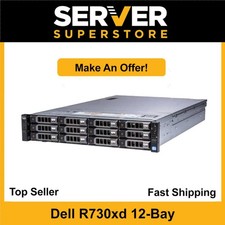
Dell PowerEdge R730XD 2x E5-2650 V4=24 Cores H730P 64GB 2x 960 SSD + 4x 4TB SAS
$2797.99

Dell Poweredge R630 2x Xeon E5-2680 v3 2.5ghz 24-Core | HBA330 | No RAM or HDD
$149.99

Dell PowerEdge C4130 1U AI GPU Server | 2x E5-2690 v3 | 64gb Ram | 2x 1600W
$524.99

Dell PowerEdge C4130 1U AI GPU Server | 2x E5-2680 v3 | 32gb Ram | 2x 1600W
$409.99

Dell PowerEdge R530 2x E5-2630v4 H330 iDRAC8 Port Card Riser No PSU/RAM/HDD
$99.99

Dell PowerEdge FC430 Blade Server 2x Xeon E5-2630v4 20 Cores FX2 FX2s No RAM/HDD
$119.99



 Reply With Quote