-
Junior Member
registered user
You have to patch it
Go here to download the patch and read the command to put the card into monitor mode. Btw, it is monitor mode, not promiscuos mode.
http://airsnort.shmoo.com/orinocoinfo.html
from kismet wireless forum:
"Posted by: mrdquick
Subject: orinoco patch kernel ver 2.4.20
Date: 04:21:00 28/02/2003
> Hello all. I had previously used the orinoco patch, ver.09b-packet1, successfully on kernel ver 2.4.18. However, after upgrading to 2.4.20 and attempting to repatch I recieve errors on orinoco.c. I have also tried ver. 11b-patch, and received the same errors. Is there an updated patch to use?
>
> Thanks In Advance,
> itallushrt
I just install the latest pcmcia-cs package. Download the orinoco drivers provided by the orinoco website for linux. Untar the drivers in any directory. In the orinoco directory make a directory called wireless. Copy the entire contents of the orinoco directory you must untared to the wireless directory which you just created. copy the patch (pcmcia-cs-3.2.1-orinoco-patch.diff) to the orinoco directory (parent to wireless). in the orinoco directory run the patch like "patch -p0 < pcmcia-cs-3.2.1-orinoco-patch.diff"
it will patch the wireless drivers for the orinoco. run "make" in the wireless directory. then run make install. It will install the drivers over the kernel drivers or whichever is being used, go figure and restart your pcmcia card services "service pcmcia restart" It should work. do a iwpriv eth0 and it should show monitor at the bottom. Hope this helps "
You would have to remaster your knoppix version in order to get it working. 
Similar Threads
-
By Gobitron in forum Hardware & Booting
Replies: 2
Last Post: 06-01-2005, 08:57 AM
-
By karloss in forum Hardware & Booting
Replies: 0
Last Post: 12-10-2004, 08:59 PM
-
By bob58 in forum Hardware & Booting
Replies: 3
Last Post: 10-16-2004, 06:40 AM
-
By Leomania in forum Networking
Replies: 5
Last Post: 12-14-2003, 03:03 AM
-
By amirante in forum General Support
Replies: 6
Last Post: 05-14-2003, 04:11 PM
 Posting Permissions
- You may not post new threads
- You may not post replies
- You may not post attachments
- You may not edit your posts
-
Forum Rules


Intel Xeon E5-2680 V2 2.8GHz 10-Core 25MB 8GT/s SR1A6 LGA2011 B Grade Server CPU
$7.95

NEW HP Z4 G4 Workstation Xeon W-2123 16GB ECC 256GB NVMe NVIDIA T400 750W Win11
$450.00

Intel Xeon Phi 5110P 60-Core 1.053GHz Coprocessor
$50.00

Dell Precision Tower 7810 Xeon E5-2630 v3 @ 2.40GHz , 32GB Ram, NO HDD, NO OS
$239.99

Dell Precision T5820 Workstation 3.70GHz W-2135 No RAM/ GPU/ HDD/ OS
$179.98

Intel Xeon E5-2699 V4 2.20GHz 55M 22-CORES LGA2011-3 Server Processor 145W SR2JS
$84.49

Dell T7910 Workstation Tower Homelab AI Server PC - Xeon CPU - NO HDD/RAM/GPU
$279.99

Lenovo ThinkStation P520c Intel Xeon W-2133 6-Core 3.60GHz -NO RAM/ HDD/ GPU/ OS
$127.54
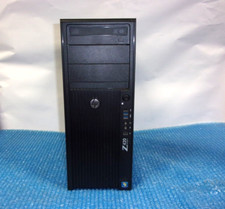
HP Z420 Tower Workstation Xeon E5-1620 3.60GHz, 4GB Ram, NO HDD, NO OS
$140.00

For Parts - Lenovo ThinkServer TS460 Part Number: 70TT-0020UX
$149.99



 Reply With Quote