-
Knoppix HD autoconfiguration (timezone)
Dear All,
I would like to discuss a feature, which is looking as a minor bug for me. This is work of autoconfiguration script knoppix-autoconfig, which change timezone on every boot depending on selected language. This is, indeed, very inconvinient and confusing for HDD installation. And, at the moment, could not be turned OFF except editing this script.
Recently I was helping one of my Dutch (timezone Europe/Amsterdam) friends who wanted language to be EN and was upset with timezone setting not saved between booting resulting with time being incorrect.
Possible solutions:
1) Modify knoppix-autoconfig to allow such autoconfigurations to be switched OFF and add a new option for booting.
2) Make a new script knoppix-hdd-autoconfig which would avoid doing a lot of staff which is constant for HDD installation (including changing fstab!).
3) Use Configuration save mode also for HDD installations so all customisations are re-applied every boot like for CDROM version.
Note: I'm a long time Debian user but spent too much time to fight against broken dependencies and missing modules, so migrated most of my installations from Debian Sarge to Knoppix 3.[7|8].
Pavel.
-
Senior Member
registered user
two things...
Control center... see if there is anything under there.. make sure you as root, just incase... does that help??
-
It is better in 3.9
This is exactly my point: saved configuration got overwritten by one of startup scripts!
May be I should be installing in Debian mode not in Knoppix. But it is too late anyway (3 PC migrated).
One good news: in 3.9 this script changed in such way that 'tz' setting, when provided as kernel boot option,would overwrite the language default. But not for other ones (keyboard and etc).
So this posting is just for other people to know.
-
Senior Member
registered user
Re: It is better in 3.9

Originally Posted by
pavel7nl
May be I should be installing in Debian mode not in Knoppix.
I can't say I have experienced a TZ issue as I am in the US and I use EN. I think that Debian mode is more stable than knoppix mode. I think Knoppix mode keeps the knoppix-autoconfig & knoppix-* scripts on the PC where as in the Debian mode, those scripts are not run.
As for Debian sarge, I installed a plain sarge box from CD1. Then I installed KDE. I added a line to the sources.list & then installed KDE 3.4.1. Quite simple & gives me the benefits of Debian stable plus brand new KDE.
Similar Threads
-
By onemyndseye in forum Hdd Install / Debian / Apt
Replies: 1
Last Post: 12-08-2007, 05:48 PM
-
By refusedRfukinDead in forum Customising & Remastering
Replies: 0
Last Post: 04-11-2006, 11:36 PM
-
By tr in forum Customising & Remastering
Replies: 1
Last Post: 10-10-2005, 11:25 AM
-
By olivers in forum Hdd Install / Debian / Apt
Replies: 2
Last Post: 10-24-2004, 10:07 PM
-
By Rajaat in forum Hardware & Booting
Replies: 1
Last Post: 05-09-2004, 05:06 AM
 Posting Permissions
- You may not post new threads
- You may not post replies
- You may not post attachments
- You may not edit your posts
-
Forum Rules


185--Sonnet Crescendo G3 PPCG3-375-5-K-06 G3 Add-On Card for Vintage Mac
$90.00

VINTAGE Apple Mac OS X Computer Monitor
$250.00

Vintage 1998 iMac G3 M4984 Mac OS + Keyboard Working but Needs Some Repair Read
$295.00
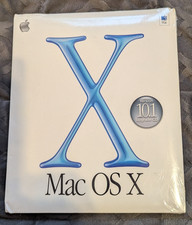
Vintage Apple Mac OS X 10.1 Puma Upgrade CD Box M8621LL/A (2001) Factory Sealed
$22.00
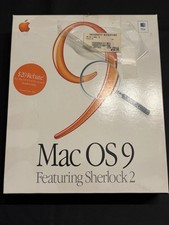
Vintage Apple Mac OS 9 Retail Box 1999 Sherlock 2 Original CD Manuals
$50.00

Apple Macintosh Plus 1MB M0001A Vintage Computer **TURNS ON **
$99.99
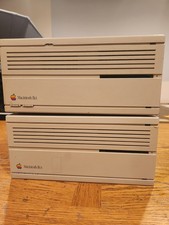
2X Vintage Apple Macintosh Desktop Computers - IIcx/IIci - Parts Repair Untested
$129.00

Rare Vintage Macintosh Apple Wooden Disk Storage Box Dovetailed
$69.95
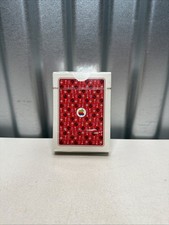
NEW Vintage Apple Mac OS System 7 Icons Poker Hoyle Playing Cards SEALED
$189.95
Vintage MCE Lucid Portable FireWire CDRW Drive Clear Case FWRW161024 Mac OS X
$39.98



 Reply With Quote