-
Junior Member
registered user
Unable to browse the internet with Knoppix version 3.9
Can browse with Knoppix 3.8.1 with both Firefox and Konqouor. Installed Knoppix 3.9 error messages "can not find www.knoppix.net" or any other web site. On network card configuration this is what the Terminal message reads from Netcardconfig: "Sending DHCP broadcast from local device eth0failed to connect to local host:bootpc: Network is ureachable". Using Knoppix 3.9 as a "live" OS it connects fine. Is there some kind of bug when installing Knoppix 3.9 to my HDD? 
-
Senior Member
registered user
Yes. To quote Martin Kranzkowski in this thread:
cause of this problem is, that interface "lo" is not properly deconfigured on system shutdown. Thus, "lo" won't be properly configured on system bootup. /etc/network/run/ifstate has to be deleted on system shutdown by /etc/init.d/ifupdown-clean. The link from /etc/rcS.d/S18ifupdown-clean to /etc/init.d/ifupdown-clean is missing.
You can add this link for proper function, or - if You dont know how to do this - just reinstall ifupdown via apt (--reinstall). This will fix it, too.
Klaus Knopper is already informed of this problem and will fix it in the next installer.
Please post your results back, as I installed Kanotix over Knoppix before trying this fix.
-
Junior Member
registered user

Originally Posted by
eco2geek
Yes. To quote Martin Kranzkowski in
this thread:
cause of this problem is, that interface "lo" is not properly deconfigured on system shutdown. Thus, "lo" won't be properly configured on system bootup. /etc/network/run/ifstate has to be deleted on system shutdown by /etc/init.d/ifupdown-clean. The link from /etc/rcS.d/S18ifupdown-clean to /etc/init.d/ifupdown-clean is missing.
You can add this link for proper function, or - if You dont know how to do this - just reinstall ifupdown via apt (--reinstall). This will fix it, too.
Klaus Knopper is already informed of this problem and will fix it in the next installer.
Please post your results back, as I installed Kanotix over Knoppix before trying this fix.
Reinstalled the whole release 3.9, but this time I used the beginer, multi-user and detect hardware install method and that took care of my lost internet connection. 
-
Seems to be working
I had the same problem as described before.
The solution creating a symbolic link /etc/rcS.d/S18ifupdown-clean seems to be working. .... 
Thanks for help.
-
Oh great, and I just posted in the other thread about this 
Can anyone here tell me how to do this step by step?
Thanks
Radix
-
Senior Member
registered user
As root:
ln -s /etc/init.d/ifupdown-clean /etc/rcS.d/S18ifupdown-clean
Similar Threads
-
By uncleelvis in forum Networking
Replies: 3
Last Post: 01-30-2010, 09:05 AM
-
By YareDaze in forum Networking
Replies: 1
Last Post: 02-04-2007, 09:51 PM
-
By siggy in forum Hdd Install / Debian / Apt
Replies: 2
Last Post: 08-23-2005, 11:02 PM
-
By bluemoon in forum Networking
Replies: 3
Last Post: 08-12-2005, 02:13 PM
-
By Teccart1 in forum Networking
Replies: 0
Last Post: 10-15-2004, 03:39 PM
 Posting Permissions
- You may not post new threads
- You may not post replies
- You may not post attachments
- You may not edit your posts
-
Forum Rules


Cisco WS-C3650-12X48UR-L 48-Port Stackable Layer 3 8x10G SFP+ Port Switch
$129.99

Cisco Catalyst C9130AXI-B WiFi 6 802.11ax Wireless Access Point Brand New
$101.99

Cisco Acacia DP04QSDD-E25-840 400G QSFP-DD Coherent DCO Transceiver Module
$699.99
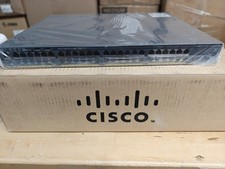
Cisco Catalyst 2960x (WS-C2960X-48FPD-L) 48 Port POE Rack Mount Switch Brand New
$399.99

CISCO Services Router C891F-K9, Grade B, SKU 16188
$24.94

Genuine Cisco SFP-10G-SR 0-2415-03 10 Gigabit Transceiver
$5.40
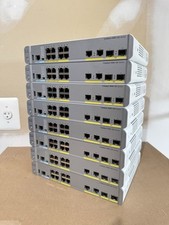
Cisco Catalyst WS-C3560CX-8PC-S Managed Switch 8 PoE+ Port | Quantity Available
$97.49

Cisco Nexus N9K-C92160YC-X 48P 25GbE SFP28 6P QSFP+/QSFP28 PE Switch
$439.00

Cisco Catalyst WS-C2960+24TC-S 24-Port Gigabit Managed SFP Switch
$39.99
Cisco 8-Port Ethernet Catalyst Switch - WS-C2960C-8TC-L - Brand New
$50.00



 Reply With Quote