-
Klik - It downloads & installs but I need help please
I am using Klik with Linsire five-0, the Klik client downloaded fine and my first Klit was "wget". It gave me a message that it was downloaded and installed, but that was the good news for me. The bad news is I can not get wget to run.
This is my first experience with Klik, I have Klik set up with a desktop icon that works, I have looked over the documentation and the forums post but they are over my head or I missed something.
The path to my download of wget is: file:/root/My Computer/Storage Device (hdb1)/tmp/klik/wget
Some documentation that I don't understand:
1.Install to $HOME/klik instead to $HOME
2.Option to create .cmg (will become default soon)............ first of all, what is a “cmg” file ?
3.cmg images are used by default now (klik installs to /tmp and then converts app to cmg)
Could someone explain to me slowly how to run the programs downloaded and installed with Klik please ? If I have left out some info let me know. Also, what would the command be for running wget ? Does anyone know of any books that would help me learn commands for running programs in Linux ? I type in "program"--help but the command isn't listed for running or I don't understand it if it is. Is this making any sense ?
It looks like I am really going to like Klik.....once I figure it out !!!!!
-
Senior Member
registered user
wget is a commandline tool and therefore not a good example. Let me give you another example:
klik://xvier - you click on the link, and then klik puts a file called "xvier.cmg" right on your desktop. You can simply click on that in order to run the application, and the whole application is inside this single file. You can move and copy it anywhere you like, including a CD-RW, and it will still run.
(In order to make the cmg file, klik puts some stuff into /tmp/klik wich you can safely delete afterwards.)
cmg stands for "Compressed Image", it is a file that contains an application along with all libraries, documentation etc. it needs.
As for wget, you can't simply run wget since it is a command line tool that requires a URL. Hence, you have to call it from the command line:
~/.zAppRun ~/Desktop/wget.cmg wget klik.atekon.de
-> this should work.
Greetings,
probono
-
reply to "probono"
Thank you for your reply probono
When it gets done installing I get this message:
“wget: missing URL Usage: wget [OPTION]... [URL]...
Try `wget --help' for more options.”
From the command line I get this:
“Emachines:~# ~/.zAppRun ~/Desktop/wget.cmg wget klik.atekon.de
--20:21:34-- http://klik.atekon.de/
=> `index.html'
Resolving klik.atekon.de... 134.169.172.48
Connecting to klik.atekon.de[134.169.172.48]:80... connected.
HTTP request sent, awaiting response... 200 OK
Length: 3,116 [text/html]
index.html: Read-only file system
Cannot write to `index.html' (Read-only file system).”
I have the permission set as show entries and write entries or Exec in all files except “AppRun” which shows this file is a link and does not have permissions. I don't know if this is a problem or not. Wget is set up as user root, group root .
This is pretty much the info that I know of when I ran the command Konsole. Is there anything useful there for you to help me ?
-
Senior Member
registered user
This is because wget tries to save to the current working directory, which is the read-only cmg file in this case.
You can specify another output location with the -O option of wget, and then it should work.
Overall, klik is suitable best for GUI apps.
Greetings,
probono
-

Originally Posted by
probono
This is because wget tries to save to the current working directory, which is the read-only cmg file in this case. You can specify another output location with the -O option of wget, and then it should work.
Overall, klik is suitable best for GUI apps.
I'm sorry probobo, I have no idea what you are talking about. I am not a very advanced user. Is there a way you can guide me through this, or is it to complicated.....thanks
-
Senior Member
registered user
wget is not a grephical tool, if you are not an advanced user you will probably prefer graphical tools, which klik is optimized for.
Greetings,
probono
Similar Threads
-
By RHCA in forum Hdd Install / Debian / Apt
Replies: 1
Last Post: 01-11-2007, 09:41 AM
-
By bigkahuna in forum Networking
Replies: 4
Last Post: 07-20-2005, 01:46 AM
-
Replies: 1
Last Post: 05-29-2005, 06:32 PM
-
By ZeroKun in forum General Support
Replies: 0
Last Post: 05-22-2004, 10:56 PM
-
By jdong in forum The Lounge
Replies: 2
Last Post: 08-28-2003, 06:16 AM
 Posting Permissions
- You may not post new threads
- You may not post replies
- You may not post attachments
- You may not edit your posts
-
Forum Rules


USB 3.0 Flash Drive 32GB 64GB 128GB Memory Stick Thumb Stick Lot Pack
$826.09

1/ 10/ 100pcs USB 2.0 2GB, 4GB ,8GB ,16GB ,32GB ,64GB 128GB USB Flash Drives Lot
$448.20

x4 Intel 128GB NMB1XXD128GPS Optane Memory 200 Series PMEM Module 3200 DDR4 RAM
$329.99

MICRON MTA36ASF4G72PZ-2G6E1 | 32GB PC4-2666V ECC RDIMM Server RAM
$184.95

SK Hynix Server Memory 32GB (1x32GB) RAM DDR4 2400MHz HMA84GR7MFR4N Lot of 12
$1599.99
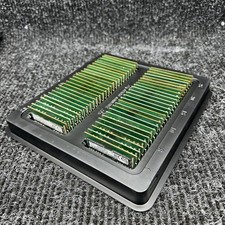
Lot Of 50 8GB DDR4 2400T 2666V 3200AA RAM SODIMM Laptop Memory TESTED*READ*
$1599.99

Kingston 32GB 64GB 128GB 256GB USB 3.0 Flash Drive Thumb Memory Stick Pen lot
$285.90
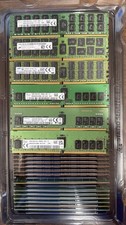
Lot of 50 16GB DDR4 Mixed Server Memory Module - ** Please Read**
$3795.95

SMART(Micron)SafeStor 32GB(1X32GB) 1RX4 NN4-3200AA(DDR4) HPE Server Memory
$159.98
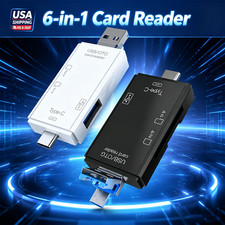
6 in 1 USB 3.0 Type C Card Reader SD Micro SD TF OTG Memory Adapter Laptop PC US
$3.95



 Reply With Quote