

I have a Dell Optiplex GX270 computer with an Intel(R) 82865G Graphics Controller graphic card, where I installed the Knoppix distribution of Linux. However, I had problems with the screen resolutions, given that I couldn't change the 800x600 resolution.
This is a very general problem for what I have seen in other request in this same forum.
In my case I have finally found the solution, which consists in increase the video memory buffer in the computer BIOS. Here I explain it in detail for Dell Optiplex GX270 and I hope for others computers also:
1º. Get into the BIOS.
2º. Access the "Integrated Devices (Legacy Select Options)" menu.
3º Choose "Onboard Video Buffer".
4º. Choose 8 MB.
5º. Save these changes in the BIOS.
6º. Install the Linux distribution.
That's all. From that moment on, you can set the resolution without problems.
If this worked for someone else, please let know to make sure whether this is an isolated case in my computer or it can really considered a general solution. Please include en your posts what model of computer and graphic card you are using.
I hope this message is a good help for many of the users.
www.pic16f84a.com
 Posting Permissions


Dell EMC PowerEdge R740 8 Bay Server w/ 32GB RAM 2x GOLD 6132 2x 1600W PSU H730p
$499.88

Dell PowerEdge R740xd Dual Intel Silver 4116 @2.1GHz 32GB HBA330 24Bay Server
$525.00

Windows Server 2025 Standard Edition - 24 Core License
$238.00

DELL POWEREDGE R340 Server | Xeon E-2126G 64GB RAM PERC H330 (Onboard)
$399.95

Dell PowerEdge C4130 1U AI GPU Server | 2x E5-2680 v3 | 32gb Ram | 2x 1600W
$484.99
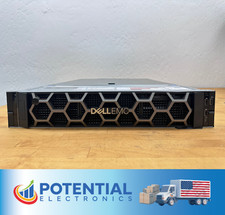
USED Dell EMC PowerEdge R740 BAREBONES Server NO RAM HDD or CPU, 2x 750w PSU 🚚
$170.00

Dell Poweredge R630 2x Xeon E5-2680 v3 2.5ghz 24-Cores / 64gb / Raid / 2x 1Tb
$374.99

Dell PowerEdge R640 1U 8SFF Server Barebones 2x Gold 5120 64GB H330 2x 750w
$538.88

VMware vCenter Server 8 STANDARD Perpetual License Key VC-STD-C (Legacy Pack)
$1599.95

Dell EMC PowerEdge R440 Xeon silver 4215 2.5GHz 16 GB ram 2x 550W PSU No HDD
$275.00


 Reply With Quote