

 Reply With Quote
See my post here http://www.knoppix.net/forum/viewtop...?p=86139#86139. Follow the advice & post the results in this thread.


It happend that I ran an utility and it proposed me several options - working environments.
I chose one and restarted - now comp boots in command line only.
I was used only with KDE - coz I passed from XP to Linux - so KDE looked more familiar to me.
Now I don't know what to do to go back to KDE desktop - I see just a black screen with a command line and no ideea what to type in. I dont even remember what utility I ran - I'm new so I was just experimenting. The line says:
login:
password:
I introduced my root name and the pass.
Than I tried help and... nothing - I simply do not understand the help.
I was happy with KDE... and I don't want to go back to XP.
Can someone help me - it seems stupid, but I don't want to reinstall.
THX in advance.
My Knoppix is 3.8
See my post here http://www.knoppix.net/forum/viewtop...?p=86139#86139. Follow the advice & post the results in this thread.
Ok I'll do it and post the result. THX for your help.
Did it - nothing . Absolutely nothing - no output.
The last lines until it asks for login are:
Starting K display Manager: kdm.
Not starting X display manager (xdm); it is not the default display manager.
Do u need more info?
Nice!!!
Reading this forum - found a lot of things - made a distribution upgrade in command line.
Anyway still can't figure out how to start kde.
Never thought this forum was so complete. Wanted to try linux - now it's more than a try - I forgot about XP.
But kde was more familiar... I'll keep experimenting. Pls post if u know how can I start to kde.
Does anyone know what was the utility I could have ran - maybe I try to run it from command line and choose the option KDE - I do remember it was the first in the list. So I can go back to KDE.
I also have 2 bootable cds - 3.4 and 3.8 - right now I have 3.4 and 3.8 at home. maybe I can do something with the 3.4 knoppix cd? I'll boot from it and try to see if there is the same utility - at least to remember the name - than run it from command line - in case it is the same as in 3.8.
Ok - found - it is called Knoppix X-restart. I chose an option under KDE - The K Desktop Environment - don't remember which one exactly. I'll try to start it from command line.
Can't figure out how to do it - any ideea? Tried a lot of things - nothing.
 Posting Permissions


IBM System X3850-X5 Server w/4x Intel Xeon E7-4870 CPU , 512 GB DDR3 RAM,NO HDD
$1299.99

Unused IBM 09P0037 MAINBOARD For RS/6000 7044-170 P-Series
$375.00

IBM QRadar xx29 2x Xeon E5-2650v4 2x 900W PSU M5120 12x 3.5" Bay Server No RAM
$179.99

Rare Vintage IBM 93ZZ PowerPC Server Board - MCM Ceramic CPU - 40N1844 - 1.1 lbs
$49.99
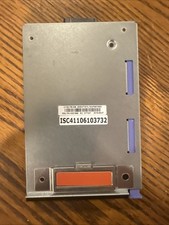
IBM Power8 Server Control Panel Assembly FRU PN: 00E1966 Tested Working
$19.99

IBM SYSTEM X3500 M3 SERVER 7380AC1 TOWER Server XEON E5620 8GB RAID SEE NOTES
$110.30

IBM 02YC027 Seagate ST2400MM0129 2.4TB 10K SAS 12Gb/s 2.5" Server Hard Drive
$200.00

IBM Power 8 S822L Server 8247-22L POWER8 Enterprise 256GB RAM 2x 00KV626 CPU
$999.99
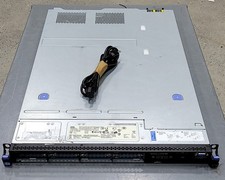
DEFECTIVE IBM SYSTEM X3530 M4 7160AC1 Server 2INTEL XEON E52430L 0 80GB G3D
$142.50

IBM ADP Server Type 7870 AC1 NO HDD | 128GB RAM PC3L | 2 x Xeon E5620
$199.99