

 Reply With Quote
Install "unrar". Since you're posting on knoppix.net that will probably be
<code>
apt-get update
apt-get install unrar
</code>


Hi all,
how can I unzip a file named name.rar with a Linux distro ?
thanks for your help
Install "unrar". Since you're posting on knoppix.net that will probably be
<code>
apt-get update
apt-get install unrar
</code>
...And then of course, ' man unrar '
Originally Posted by angor
How can i extract this rar file called files.rar ?Code:root@box:/mnt/hda12# cd files root@box:/mnt/hda12/files# unrar e files.rar unrar: error while loading shared libraries: libstdc++.so.6: cannot open shared object file: No such file or directory
I have already converted rpm to deb and installed it.
My unrar is present in /usr/bin/unrar
Clarify ...
Try "apt-get install libstdc++6", as your (un)rar seems to need it. There may be further problems if your (originally RPM)
package detects other dependencies not met by your system. "ldd /usr/bin/unrar" will show you what libraries unrar expects
to find.
' apt-get update '
' apt-cache search unrar ' == Reveals unrar and unrar-free.
--You'll have less problems with strange dependencies if you install "native" debs:
' apt-get install unrar '
What must I do now ??Code:root@box:/home/kish# ldd /usr/bin/unrar libstdc++.so.6 => not found libm.so.6 => /lib/libm.so.6 (0x40027000) libgcc_s.so.1 => /lib/libgcc_s.so.1 (0x40049000) libc.so.6 => /lib/libc.so.6 (0x40053000) /lib/ld-linux.so.2 => /lib/ld-linux.so.2 (0x40000000)
Also gimme some links for downloading native deb packages.
> What must I do now ??
You only need to get the libstdc++.so.6 ... but:
> Also gimme some links for downloading native deb packages.
You may not have noticed, but Dave Bechtel already supplied the answer. Perhaps I should expand on that...
You have a file /etc/apt/sources that tells "apt-get update" where to look for new versions of packages. A consequent
"apt-get install <packagename>" will fetch that package, store it in /var/cache/apt/archives, and install it on your system.
To search for package(name)s, use "apt-cache search <string>", in this particular case <string>==unrar .
Shown above is what I get for install command.root@box:/# apt-get install unrar
Reading Package Lists... Done
Building Dependency Tree... Done
unrar is already the newest version.
0 upgraded, 0 newly installed, 0 to remove and 0 not upgraded.
root@box:/# apt-get -f install
Reading Package Lists... Done
Building Dependency Tree... Done
0 upgraded, 0 newly installed, 0 to remove and 0 not upgraded.
root@box:/#
Shown above is what I get for apt-cache search <pkgname> command.root@box:/$ apt-cache search unrar
unrar - Extract, test and view RAR archives
What now ?? Still the same error because I dont know the place to get libstdc++.so.6 :-s
try:
unrar e <filename>
what happens?
ibrewale
 Posting Permissions


Lenovo ThinkPad T14 Gen 1 14" AMD Ryzen 5 16GB 256GB SSD
$219.99

Lenovo ThinkPad T495 14” Laptop AMD Ryzen 5 PRO 16GB RAM 256GB SSD Windows 11
$229.99

Lenovo ThinkPad L15 Gen 3 15.6" 16GB, Thunder Black
$241.50

Lenovo THINKPAD L15 GEN 4 15.6" 16GB, Thunder Black
$258.00

Lenovo ThinkPad T14 G2 14-Inch AMD Ryzen R5 5650U 16GB, 512GB SSD Win 11 Pro
$398.99

Lenovo - IdeaPad Slim 3i 15.6" Full HD Laptop - Intel Processor N355 2025- 8G...
$349.99

Lenovo - Yoga 7a 2-in-1 16" 2K LCD Touchscreen Laptop - AMD Ryzen AI 7 445 20...
$849.99

Lenovo - Yoga 7i 2-in-1 16" 2K Touchscreen Laptop - Intel Core Ultra 5 Proces...
$749.99
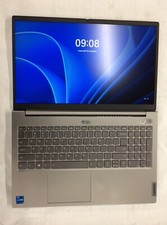
Lenovo Thinkbook 15 G2, i5 1135G7, 256GB, 8GB, 20VE003GUS no OS, Iris Xe, 15.6"
$200.00
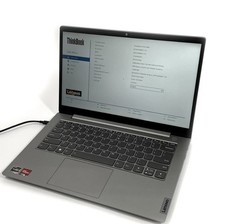
Lenovo ThinkBook 14 Gen 4 Laptop ABA Ryzen 5 5625U 256GB SSD 24gb RAM - Linux-os
$250.00
