

 Reply With Quote
Try "umount /dev/cdrom" or "umount /dev/cdrom1"

I run Knoppix from my dvd/cd player. I put another cd in my cd burner; read what I was looking for, and then tried to unmount/eject. On the desktop I right clicked on the icon and then "eject". Nothing hapened.
In the K menu there was, under system, a Kdisk program with mount/unmount options. Nothing happened.
All the linux books warn that one must unmount before trying to eject a cd.
How?
Thanks
(I logged out and shut the whole OS down. It still didn't eject on its own)

Try "umount /dev/cdrom" or "umount /dev/cdrom1"
--Don't forget, you should be Root for ALL sys-admin stuff, such as this...
--Also try:
' eject /dev/scd1 ' or
' eject /dev/hdc ' or hdd (hdc is 2nd IDE Master, hdd is 2nd IDE Slave.)
--If that fails, try:
' lsof | grep /dev/cdrom | less ' == You may have to kill the process that is holding the device, and then eject it.
--NOTE: Any process that has an active "cd" to a directory on the mounted filesystem should either cd back to their home dir or root, or they will have to be killed before you can umount the filesystem.
--If for example you have the knoppix user or root cd'ed to /mnt/cdrom/blah, you have to have them ' cd ' or ' cd / ' which will take them to "~" (/home/userID) or to root, respectively.
Originally Posted by Tech2k
I tried that, and I still get the "device is busy" error message. Is there anyway to force the media out? (Without using a paper clip?)
 Posting Permissions


Cisco WS-C3650-12X48UR-L 48-Port Stackable Layer 3 8x10G SFP+ Port Switch
$129.99

Cisco Catalyst C9130AXI-B WiFi 6 802.11ax Wireless Access Point Brand New
$101.99

Cisco Acacia DP04QSDD-E25-840 400G QSFP-DD Coherent DCO Transceiver Module
$699.99
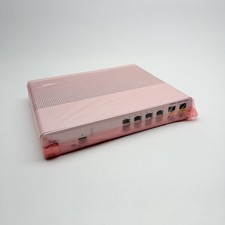
Cisco 8-Port Ethernet Catalyst Switch - WS-C2960C-8TC-L - Brand New
$50.00

CISCO Services Router C891F-K9, Grade B, SKU 16188
$24.94
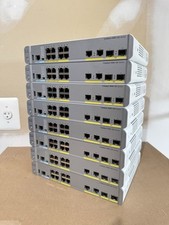
Cisco Catalyst WS-C3560CX-8PC-S Managed Switch 8 PoE+ Port | Quantity Available
$97.49

Cisco Nexus N9K-C92160YC-X 48P 25GbE SFP28 6P QSFP+/QSFP28 PE Switch
$439.00

Genuine Cisco SFP-10G-SR 0-2415-03 10 Gigabit Transceiver
$5.40
Cisco WS-X6904-40G-2T 4-Port 40 Gigabit Ethernet Fiber Module
$299.00
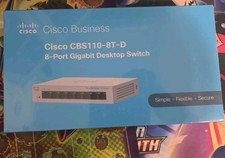
Cisco Business CBS110-8T-D Unmanaged Switch, 8 Port GE, Desktop
$44.99