

 Reply With Quote
Try under /var/log/


Hello,
can somebody tell me where to find the log files for my adsl connection? Sometimes I can't connect and I want to know what went wrong. Locating the logs with find was not really successful
regards,
Arthur
Try under /var/log/
I think the logs should be saved to /var/log/syslog but the syslogs are disabled by default. To start them, go to the Knoppix penguin menu, then Services, Then Start SYSLOG.
pon dsl-provider = starts ADSL
poff -a = shut down ADSL (pppX)
plog = shows to you whats hapend during start (not sure, chek ADSL setup, there are massage on the end of setup)
My syslog works and become huge file. Can I delete it?
> My syslog works and become huge file. Can I delete it?
Sure. It is only a history of events that took place. As a sysadmin, we gzip compress the logs & save them, but if you have no reason to hold on to those events then there should be no problem deleting it.
I usually delete & recreate the file so that the syslog service will continue to function normal. I have seen it misbehave if the syslog is missing.
rm /var/log/syslog
cat /dev/null > /var/log/syslog
Thanks for your help, with starting the syslog demon it works fine
Good. Now that you have that resolved, let me suggest that if you are using an ADSL connection without a router you are going to be making your life needlessly hard. Home DSL/cable routers are dirt cheap and take care of a lot of issues for you. They will log into your DSL provider and take care of all PPPoE and account issues, with one you just boot, automatically get your settings by DHCP from the router,a nd are on the Internet as soon as the boot completes. Considering these devices are often now $10 or less after rebate, I really can't understand anyone who doesn't already have one built into their modem not getting one.Originally Posted by ArthurAnderson
@Harry
Ok here is a reason for you or at least for me.
The benefit I see is enhanced security (build in firewall etc.), but as I have just a single laptop connected to the internet and don't have a flat rate so far (poor student) it is just not worthy the effort and the price (routers over here start at 25$ - don't nail me down to that).
I also do not think that there is a great loss of comfort by typing just one command in linux or klicking an icon in windows.
regards,
Arthur
 Posting Permissions

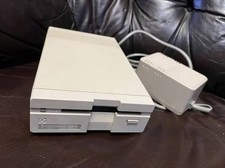
Commodore 1581 3.5" Floppy Disk Drive + PSU Cable Manual Vintage Untested
$309.99

TeensyROM+ TR+ v0.4 Cartridge for C64/128 - w/ Case & 32GB SD Preloaded
$89.50

Commodore OS USB | Bootable LIVE + Install | The Ultimate Gaming Linux OS | NEW
$11.99

Commodore VIC-20 Diagnostic Cartridge & Test Harness Set - USA seller
$39.99
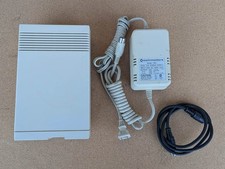
COMMODORE 1581 3-1/2" FLOPPY DRIVE WITH JIFFYDOS. TESTED AND WORKING
$325.00
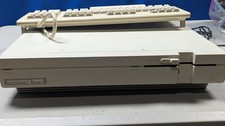
Commodore 128D System works great Comes with Keyboard which works great
$700.00
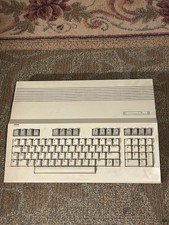
Commodore 128 Vintage Computer Untested Good Physical Condition Oct 1985 No PS
$210.00

Commodore 64 Serial Cable 6PIN DIN 1541 1571 C64 128 C128 Disk Drive Printer USA
$10.49

Commodore 64 Dead Test & Diagnostic Cartridge & Test Harness Set - USA seller
$39.99
COMMODORE 1541-II FLOPPY DRIVE FOR C64 64C 128 TESTED AND WORKING LX56 💾
$159.99