

 Reply With Quote
Be sure your version of bittorent is 4.1.2-1...................


2961b0ae20be43b242702e4afa57347c *KNOPPIX_V4.0-2005-06-08-LINUXTAG2005-DVD-DE.ISO
Be sure your version of bittorent is 4.1.2-1...................
how i can check my version of bittorrent? or where i can download this version?
i use a kanotix-2005-03 pc to download the knoppix4.0-dvd-image.
my azureus client is version 2.3.0.4
can i download with this ?
all sorts of checksums like md5, sha1 and many more come with the torrent you download. just get the checksum files and check your download with them.Originally Posted by chiefdome
I'm having terrible troubles trying to install to HD from the DVD. Booting using knoppix lang=us in a VMWare virtual machine. The machine is set with a 6gig IDE virtual drive, mem at 256M, CDROM is the ISO image. So it looks a lot like your sample images.
Running sudo knoppix-installer brings up the partitioning, and I set a 5.5gig EXT3 Primary Partition, and a 0.5 gig swap partition. I mark the EXT3 partition as Active. Save and then quit. And it recycles back to "Not ready to install..." and brings up the partitioning option. Nothing I do can make it get past that. I've tried formatting the partitions etc, and nothing works. Also tried it as SCSI virtual drive.
Everything looks the same as yours, but it just wont move past the partitioning.
FYI: I'm a computer programmer, have installed many versions of Linux, but VMWare and on actual machines. Have install Knoppix into VMware before as well.
Any ideas?
I used VMWare Workstation 4.5 & the latest 4.5 binary build from vmware.com on Windows XP Pro SP2.
If I recall correctly ... I set the new VM to use Linux (other Linux 2.6 kernel). Approx 256 MB of RAM for the VM. IDE not SCSI. I set the IDE HD to 15GB but instead of a dynamic growing virtual disk I chose to made it make pre-write out all 15GB & this took a couple mintues to write out all 15GB. Bridged networking. Everything else set as normal defaults. Before booting the the VM, I set the virtual DVD drive to use the Knoppix 4.0 DVD ISO file itself instead of using a real physical burned DVD-R. The only boot time cheat codes used was lang=us.
I hope this helps.
James
Since unionfs is used to generate the additional 2GB file in the "maxi" DVD 4.0, does this make the Unionfs-related file r/w as well as cloop compatible?
[quote="UnderScore"]I used VMWare Workstation 4.5 & the latest 4.5 binary build from vmware.com on Windows XP Pro SP2.
</quote]
Hmm....XP Pro SP2 here as well, but using VMWare 5 Perhaps that's the issue....?
Hmm....everything else the same here. Other 2.6 Kernal, 256 (tried 384 as well), IDE and SCSI tries, 6 gig (trying 8 gig now), pre-created disk, booting from ISO.
Oh well...I'll keep trying
Update....did 2 things different....1st, increased the virtual disc size to 8 gig (from 6), and 2nd, ran qtparted and set up partitions, prior to running the installer. Installer jumped straight to the Choose an action list (config, start install etc)
Thanks for the help
Hello UnderScore,
> I hexedited the ISO file and created a fully default US English version.
> the process for hexediting the ISO is described here http://www.knoppix.net/forum/viewtop...?p=78397#78397.
> I searched & then replaced every entry of lang=de to lang=us.
very nice, but the boot-menus (when pressing <F2> or <F3>) are still in german aren't they?
Bye
Karl
 Posting Permissions


SFP TO RJ45 TRANSCEIVER SFP MODULE COPPER SFP OPTICAL PORT TO RJ45 ETHERNET PORT
$7.99

Cisco Meraki MA-SFP-1GB-SX Network Tranceiver Module
$89.00

NEW Sealed Cisco SFP-10G-LR 10GBASE-LR SFP+ 1310nm 10km *US Shipping*
$24.00

HPE 560SFP 2x 10Gb SFP+ PCIe Both Profile Network Card 669279-001 665247-001
$14.90

Genuine Cisco SFP-10G-SR 0-2415-03 10 Gigabit Transceiver
$5.40
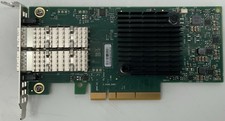
Dell Mellanox ConnectX-4 Lx CX4121C Dual 25GbE SFP28 LP | 20NJD
$25.00

HP 560SFP+ 10GB 2-port PCIe NIC Ethernet ADAPTER 669279-001 w/ (2) 10GB SFP+
$16.99

Dell Intel X710-DA2 5N7Y5 Dual-Port 10GbE SFP+ PCIe 3.0 x8 Network Adapter
$27.50
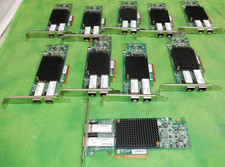
HP 557SFP+ ETHERNET 10GB 2 PORT 792834-001 788991-001 HIGH LOT OF 10
$70.00

Extreme Networks 10GE X440-G2-24P-10GE4 16533 24Plus-Ports POE+ Switch UP
$127.00