

 Reply With Quote
Some suggestions:Originally Posted by segway
- verify the CD is good by booting on the Vaio and running boot: knoppix testcd
- on the Acer, boot with boot: failsafe debug -b 1. At what stage does it fail?
Regards,
- Robert
http://www.cwelug.org/


Another raw newbie with a problem. My system is an Acer(AOpen),
AMD processor at 350nhz. Running ME. Typical 2-HD and 1 CDRW setup,
192mb RAM.
Downloaded and burned Knoppix 3.9 live cd, then tried to boot.
I get the following message:
"ISOLINUX 2.04 (Debian, 2003-06-06) isolinux: Disk Error 01422F9F"
(same with my friend's v3.8 CD on my machine)
Followed by a totally locked system.
Further...this CD boots up in my Vaio, with the slight problem that
my USB Keyboard is ignored, and the USB mouse pointer looks like
an arrow from hell!
Any help on these problems would be appreciated.
TIA.
BTW, a FLAX live cd boots normally.
Some suggestions:
- verify the CD is good by booting on the Vaio and running boot: knoppix testcd
- on the Acer, boot with boot: failsafe debug -b 1. At what stage does it fail?
Regards,
- Robert
http://www.cwelug.org/
Robert:
The last thing on the monitor is:
"Boot from ATAPI CD-ROM:"
then a blank line, followed by the error message
in my first post.
There's no time for a keyboard entry.
As for the laptop, both the external keyboard and mouse are PS2
and I use a Y connector to the USB port - my only option at this time.
At what point can I enter the boot: parm?
So on the Acer (desktop), you can't even get to a boot prompt. Whereas on the Vaio (laptop), you can't enter anything at the boot prompt because the USB keyboard doesn't work. These symptoms sound like a bad burn or something wrong in hardware/BIOS.
Can you 1) test on another machine which can run testcd, and/or 2) burn a new copy (slower is better)?
Regards,
- Robert
http://www.cwelug.org/
Wait. We know why the keyboard doesn't work. He clearly stated it was USB and he understood the USB drivers were not installed at that point in the process (It's less clear why he doesn't plug in a standard keyboard, but that's a different issue).
So while yes, bad burns are all too common, I don't know that we have enough information to say that this is a bad burn.
And yes, slower is better, and checking the md5 sum (particularly when a bad burn is suspected) is extremely important.
Your right. The cause could be something else. All I'm saying is that the symptoms are consistent with a bad burn, which seems to be the single most common cause for non-booting systems (i.e. not even a boot prompt). Luckily, there is a very simple solution: check the MD5 of the ISO and burn slower. If the MD5 differs from what it should be, download a new ISO and burn a new CD (slowly). If the MD5 matches what it should be, use the ISO to burn a new CD (slowly).
Other things to try:
- test the CD on another machine (e.g. go to a local, large-scale retailer)
- use an earlier version of Knoppix, perhaps one with the 2.4 kernel, e.g. 3.7, 3.6, or earlier
- use a PS/2 keyboard or perhaps even the keyboard that's built-in to the laptop.
Regards,
- Robert
http://www.cwelug.org/
OK, one issue at a time.
My cd runs on another machine...not only my laptop, but a buddy's desktop.
Haven't checked the checksum, but can download and burn at 2x not 4x...NBD.
Laptop keyboard IS live.
Laptop mouse-pad is live, as is "the pointer from hell".
A v3.8 live cd yields the SAME message on my desktop machine.
SLAX loads on my machine!
The error code appears to be a hex number...memory address perhaps?
Time to ask the penguin.
The checksum will be a waste of time...it runs on other machines.
But just for the hell of it, I'll do another d/l and slow burn, then
check it.
Back Weds., thanks guys.
That's a very strong indication that it's a good download. All of the times I've seen corruption on a download it had been bad enough to cause the CD not to boot properly and fully on any system. Not 100% proof, but I'm convinced. Of course, it's not me who has the problem...
Burning at 2x is even better than 4x. Some new DVD/CD burners are insisting on burning some CDR media no slower than 8x (although they will still burn CDRW at 4x). The best advice we can give is 4x or as slow as your drive will allow but 2x is great.
Not sure what NBD is. Maybe some form of Nero Burning Something, but that just a guess. If it is Nero it's better to spell out Nero 5, Nero 6, Nero Express, Nero for Dummies, or whatever, but maye it's not Nero at all. Whatever it is, that you CD boots on the friend's system confirms that the burning procedure was good, and the speed of the burn leaves me to think that is not the reason it's not booting for you.
Yup, all of this was clear. Makes it most likely that your problem will turn out needing to find the right codes that you can enter on the system where you have a working keyboard. If you need cheat codes on the other system you'll have to find a way to type them at the boot prompt.
If you can decode it, great. It's amazing sometimes what Google will tell you with just a number to search on.
I think it will be a waste of time too. But if you still have the ISO don't download it again, just get the md5 file and run the check with a md5 program like md5summer. And if you do download it again, don't burn and then check, the proper steps are download, check the iso against the md5 file to confirm a good download, then burn slowly as an image.
Or Google on some other portion of the error, such as "isolinux: Disk Error," which turned up an entry suggesting a media problem and an entry suggesting that ISOLINUX is having an issue with some CD-ROM controllers.
Let us know what you discover, segway.
Regards,
- Robert
http://www.cwelug.org/
I thank you for all the great tips. You have to remember that
there are two machines we are talking about, my desktop and
my laptop.
The laptop probably has USB driver issues, but those can be
resolved. The desktop has boot problems, and they do not
involve the integrity of the d/l, burn, or reading of the cd.
The desktop WILL boot and run some other live cd's.
Knoppix will not boot from either of my 2 cd-roms, one of which
is a cd-rw. (separate tests...each set up as secondary master.)
The real question is, what is issuing this message, and what
does it mean? Where is the penguin when you need him?
Eratta: I used DeepBurner to burn the CD at 4x,
and NBD means "No Big Deal".
 Posting Permissions


Vintage Apple II Avant-Garde Creations Super Shape Draw And Animate 1981
$295.00
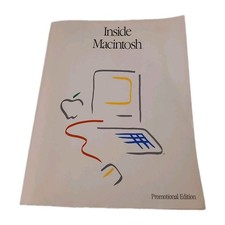
Inside Macintosh Promotional Edition Vintage Apple Developer Book 1985
$32.00
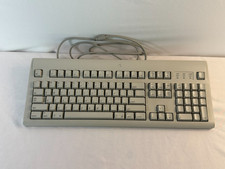
AppleDesign Keyboard M2980 ADB Vintage Macintosh Apple IIgs Full Size Tested
$54.99
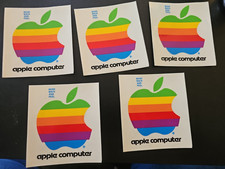
Lot of 5 4" Original Vintage Apple Computer Stickers 1980's style lower case
$44.99

Rare Vintage Macintosh Apple Wooden Disk Storage Box Dovetailed
$69.95

Retro Vintage Apple M0110A Compact Wired Mechanical keyboard for Macintosh Plus
$64.95

LARGE LOT Vintage Apple Macintosh Mouse Cables Accessories SCSI etc - UNTESTED
$80.00

Vintage Apple Macintosh 128K 512K Carrying Case Rainbow Logo Excellent Cond
$140.00

Vintage Apple Monitor IIc 9" Green Monochrome 06/1985 A2M4090 October 1984 Stand
$275.00
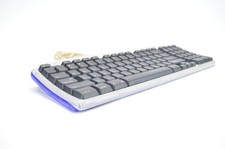
Apple USB Keyboard Purple Grape Vintage iMac 1998 Translucent M2452 Tested
$59.99