Results 1 to 5 of 5

Thread: can't locate module char - major - 188

  1. #1
    Junior Member
    Join Date
    Apr 2003
    Posts
    5

    can't locate module char - major - 188

    After creating a configuration file, upon reboot I received the following message during setup:

    cupsysdmodeprobe
    can't locate module char - major - 188

    The config file did not load at all.

    Anyone know what went wrong and how to fix it? Before doing the configuration, I could not access my printer and to get the CUPS running, I did a command to start it in root shell. It worked, but somehow it seems that the configuration is not complete.

  2. #2
    Junior Member registered user
    Join Date
    Apr 2003
    Location
    slovenia
    Posts
    15
    I have exactly the same problem. :\

  3. #3
    Junior Member
    Join Date
    Apr 2003
    Location
    Salt Lake City, UT 84116 USA
    Posts
    4
    Without knowing what module is needed, you may find more help in /usr/src/linux-2.4.20-xfs/Documentation/devices.txt - all devices for linux are described here.

  4. #4
    Junior Member
    Join Date
    Apr 2003
    Posts
    5
    I found that "188" referred to USB,so I tried booting with nousb but that didn't work. So I solved the boot problem and configuration problem by installing Debian on my 2nd hard disk . I installed LILO and a boot loader (GAG) but the loader can't find the Linux setup unless I boot from the Linux rescue disk created during the Knoppix setup process. Now when I boot to windows, the disk on which I have Linux installed is completely ignored. Is this normal?

  5. #5
    Senior Member registered user
    Join Date
    Nov 2002
    Location
    USA, IL
    Posts
    1,041
    --Post results of ' fdisk -l '; if you have no fat/ntfs partitions on hdb, yes it will be ignored unless you run something like partition magic.

    Quote Originally Posted by bluejay
    I found that "188" referred to USB,so I tried booting with nousb but that didn't work. So I solved the boot problem and configuration problem by installing Debian on my 2nd hard disk . I installed LILO and a boot loader (GAG) but the loader can't find the Linux setup unless I boot from the Linux rescue disk created during the Knoppix setup process. Now when I boot to windows, the disk on which I have Linux installed is completely ignored. Is this normal?

Similar Threads

  1. modprobe: can't locate module xfs
    By muddled_rosella in forum General Support
    Replies: 1
    Last Post: 03-11-2004, 06:05 AM
  2. can't locate modem
    By Max_Var in forum Networking
    Replies: 0
    Last Post: 02-01-2004, 02:01 PM
  3. Replies: 0
    Last Post: 11-16-2003, 06:01 PM
  4. module block-major-2 &cardmgr(56) help please
    By ls_linux in forum Laptops
    Replies: 6
    Last Post: 05-11-2003, 09:23 PM
  5. Can't locate module server: XF86_SVGA
    By hammy in forum Hardware & Booting
    Replies: 0
    Last Post: 02-10-2003, 02:57 AM

Posting Permissions

  • You may not post new threads
  • You may not post replies
  • You may not post attachments
  • You may not edit your posts
  •  


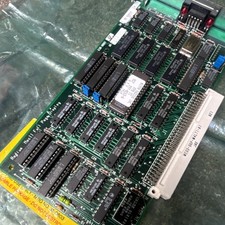
RARE Vintage Radius Apple MAC II Full Page Display board NOS Andy Hertzfeld picture

RARE Vintage Radius Apple MAC II Full Page Display board NOS Andy Hertzfeld

$500.00
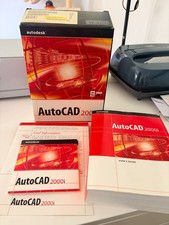


Vintage AutoCAD  2000i Upgrade Boxed CD & Key Code picture

Vintage AutoCAD 2000i Upgrade Boxed CD & Key Code

$144.45


Vintage IBM ThinkPad T21 Laptop Type 2647 Pentium III Windows XP + PCMCIA WiFi picture

Vintage IBM ThinkPad T21 Laptop Type 2647 Pentium III Windows XP + PCMCIA WiFi

$169.00
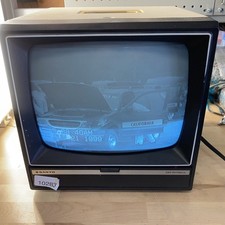


Sanyo DM 5012CM Solid State Data Display Monitor Working Vintage 1980s 80s picture

Sanyo DM 5012CM Solid State Data Display Monitor Working Vintage 1980s 80s

$169.99
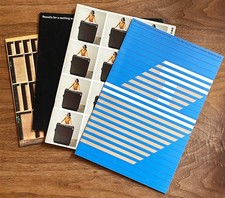


IBM Collection (4) Vintage Brochures Booklets Papers 1960s/70s Computer History picture

IBM Collection (4) Vintage Brochures Booklets Papers 1960s/70s Computer History

$125.00
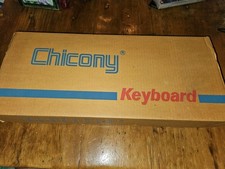


VINTAGE CHICONY KB-5311 MECHANICAL AT KEYBOARD 5 PIN PLUG PC UNUSED IN BOX picture

VINTAGE CHICONY KB-5311 MECHANICAL AT KEYBOARD 5 PIN PLUG PC UNUSED IN BOX

$49.99
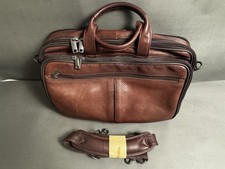


Vintage Y2K Heritage Brown Leather 17” Laptop Briefcase Business Bag With Strap picture

Vintage Y2K Heritage Brown Leather 17” Laptop Briefcase Business Bag With Strap

$49.95
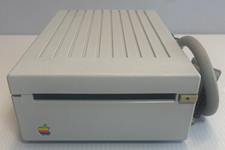


VINTAGE Apple 3.5 Drive External 3½

VINTAGE Apple 3.5 Drive External 3½" Floppy Drive DB-19 Beige | P/N A9M0106

$159.00
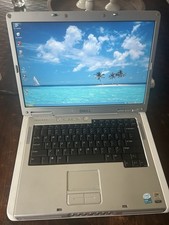


Dell Inspiron E1505 Vintage Laptop – Windows XP – Working picture

Dell Inspiron E1505 Vintage Laptop – Windows XP – Working

$50.00


Vintage Ampex Chip Boards Memory Processor  Other picture

Vintage Ampex Chip Boards Memory Processor Other

$299.99