

 Reply With Quote
I have exactly the same problem. :\


After creating a configuration file, upon reboot I received the following message during setup:
cupsysdmodeprobe
can't locate module char - major - 188
The config file did not load at all.
Anyone know what went wrong and how to fix it? Before doing the configuration, I could not access my printer and to get the CUPS running, I did a command to start it in root shell. It worked, but somehow it seems that the configuration is not complete.
I have exactly the same problem. :\
Without knowing what module is needed, you may find more help in /usr/src/linux-2.4.20-xfs/Documentation/devices.txt - all devices for linux are described here.
I found that "188" referred to USB,so I tried booting with nousb but that didn't work. So I solved the boot problem and configuration problem by installing Debian on my 2nd hard disk. I installed LILO and a boot loader (GAG) but the loader can't find the Linux setup unless I boot from the Linux rescue disk created during the Knoppix setup process. Now when I boot to windows, the disk on which I have Linux installed is completely ignored. Is this normal?
--Post results of ' fdisk -l '; if you have no fat/ntfs partitions on hdb, yes it will be ignored unless you run something like partition magic.
Originally Posted by bluejay
 Posting Permissions


Intel Core i7-3770K 3.5 GHz Processor
$39.00

Intel Core i7-9700 3.0 GHz Octo-Core (SRG13) Processor
$79.00
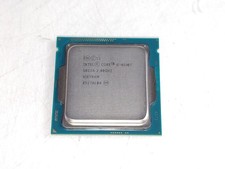
Intel Core i5-4590T 2 GHz 5 GT/s LGA 1150 Desktop CPU Processor SR1S6
$14.99
$18.00

Intel SRG17 Core i7-9700T Desktop Processor CPU
$79.99

Intel Core i7-9700 SRG13 3.0 GHz Desktop CPU
$80.00

Matched Pair _ Intel Xeon E5-2698 V4 2.2GHz 20-Core Processor CPU LGA2011 SR2JW
$94.99
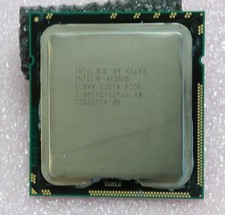
Intel Xeon X5690 3.46GHz 6.4GT/s 12MB 6-core 1333MHz SLBVX processor
$28.00

AMD Ryzen 7 PRO 8700GE 8-Core/16-Thread Up to 5.1GHz AM5 (FL1)
$189.00
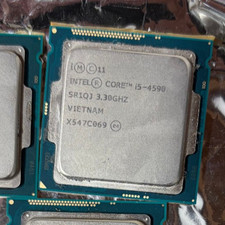
Intel Core i5-4590 Processor (3.3 GHz, 4 Cores, LGA 1150) - SR1QJ
$12.90