-
Junior Member
registered user
Explanation of software
I will gladly explain the difference and uses of the programs.
Photoshop: This is a pixel based image editing program, basically I use Photoshop to scan and correct any images that are needed for the publication, a very high end image editor.
Gimp: Basically the same as photoshop, it lacks cmyk support (that is cyan, magenta, yellow and black) this is the color method used for most printing but that said more and more of the places I deal with prefer a RGB pdf and they do the conversion, so it's split right now. Gimps abilities are a bit behind Photoshop but again, Gimp is much newer and catching up really, really fast. Plus it's not bloated with 20 years of code.
I use Kooka to scan, I know Gimp plug ins exist but I prefer some of the options Kooka offers, also I like Xsane to scan, it's good too. Scanning software is really dependent on the end user, the more you know, the more you can make it do for you. A decent scanner can be had fairly cheaply, no need for high end as most color work is scanned at 300dpi.
OK next: Illustrator: this is a vector drawing program, instead of pixels it draws the images based on mathematical formulas. Much more efficient, but not all the capabilities of a pixel editor. I use this program for book covers and logos as font control is much superior in a vector program, you can scale and adjust the fonts more freely, also you can convert them to vector objects which means no lost fonts in the file when sent to press. A good trick is to manipulate your font as a black and white vector then import it into your pixel program (gimp etc) and apply the filters and effects available there.
IN the GNU/Linux camp we have: Sketch, Karbon14 (part of Koffice) and Scribus. All of these are vector programs.
Sketch is closest to Illustrator, again a few versions behind, but I can use it, so it must be ok, if you are new and have never used Illustrator or Freehand, this program should do fine.
Karbon14, this program has really nice vector font control, so it is good for doing logos.
Scribus has the best of vector shape editing of the 3 programs, meaning you can take a shape and tinker with it by moving points.
OK onto page layout:
Quark has been the leader for a number of years, with that said just try and get tech support, their answer will be something along the lines of "it's your fault. not our software" which is bull.
InDesign (and pagemaker too) is Adobes answer to quark.
Basically you import your images and lay them out and type set them for printing in these programs. The reason you use these programs instead of office and other word proccesing type programs is the pre-press output capabilities. Basically how well they handle a file to output to your printer. Most of these programs have some flightcheck ability (the ability to check for errors in out put that will come back to haunt you when you print) also they have very strong CMYK support, again made for press work.
A NOTE OF WARNING! be very careful when making pdf's with the print to pdf option, this does not always make a correct pdf and can cause so much trouble it is beyond belief, pages can print in the wrong order, color control..look out..a blue image can print like a rainbow of colors etc.
OK on to Scribus: This program was a joy to find, why? because I was terrified I would not find a real pre-press layout program in the GNU/Linux world, whew thanks for Scribus. Now for using it, just like Gimp, it's a bit behind but not that far, I predict it will overtake Quark with the next release and then one or two later catch up with InDesign.
It's pdf output already beats Quarks, the pdf's are cmyk and you have control over your compression etc and font inclusion which is very important.
As far as a new user to these programs, well all I can say is you may have less of a learning curve than me as I have to unlearn some stuff from the Mac programs etc. Most of these programs have excellent on line tutorials and once again the GNU/Linux community seems eager to help people so it's worth the effort. Also the price. The photoshop, Illustrator, InDesign package if you bought them bundled together is close to 1000 dollars, Quark about 600 to 900 by itself.
The cost for the GNU/Linux, free plus free upgrades and endless support.
The commercial stuff, 200 dollar upgrades and poor support, they outsource most of it to companies outside the US and the people just read manuals, they really don't know the software.
I hope this helps and my appologies to all for being long winded.
Similar Threads
-
By jr0d82 in forum Hdd Install / Debian / Apt
Replies: 6
Last Post: 01-19-2005, 12:14 PM
-
By Guider in forum Hdd Install / Debian / Apt
Replies: 6
Last Post: 01-18-2005, 09:33 PM
-
By jon267 in forum Hdd Install / Debian / Apt
Replies: 2
Last Post: 12-12-2004, 09:44 PM
-
By softgun in forum Ideas
Replies: 0
Last Post: 10-21-2004, 03:21 PM
-
By spc in forum General Support
Replies: 1
Last Post: 09-28-2004, 06:43 AM
 Posting Permissions
- You may not post new threads
- You may not post replies
- You may not post attachments
- You may not edit your posts
-
Forum Rules

Vintage original digital equipment corporation blue and white bumper sticker
$250.00

Vintage GTE XT300 Action Station Terminal 1984 - Tested Works Orig. Box & Foam
$889.00
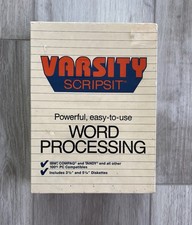
Vintage Tandy Computer Varsity Scripsit Word Processing 3.5 & 5.25 Disks SEALED
$29.95
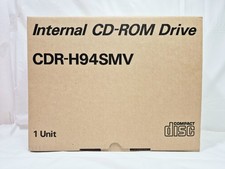
Vintage Sanyo CDR-H94SMV Internal SCSI CD-ROM Drive. 1994 NIB
$70.00

Original Vintage Old Style STANDARD Black CD Jewel Case (Heavy Duty) 90g Lot
$316.95
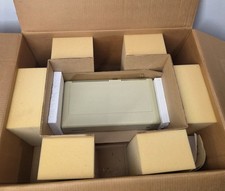
Vintage Apple ProFile External Hard Drive Original Box & Paperwork Untested
$999.00
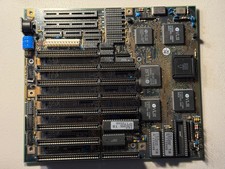
Vintage Siemens 286-16 Motherboard - Works
$140.00
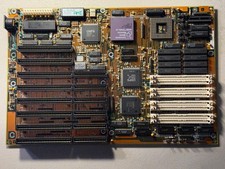
Vintage AMD Am386 DX/DXL-33 Motherboard - Works
$120.00
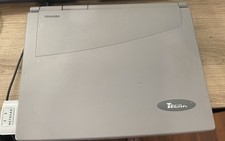
Vintage Toshiba Tecra 780CDM Laptop Computer Windows 98 & WiFi Adapter
$170.00
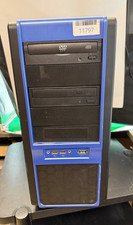
VINTAGE Custom Desktop No [email protected] 4GB Ram 300GB HDD NVIDIA Win XP Pro
$200.00



 Reply With Quote