

 Reply With Quote
anybody any suggestion for possible boot options that could help me further?
thanks a lot!


I try to run the livecd Knoppix 3.9 to make an image of a windowsxp partition on a Dell Latitude d610.
After the startup screen, with the penguin and the hardware detection info it goes blank. In other words: KDE (or the windows system) doesnt display well.
I tried different boot options as "desktop=icewm", screen="1400x1050" without success
I found some info on this machine here:
- http://home.comcast.net/~canez/d610/
- http://www.snookles.com/scott/d610/
The problem is probably the display: 14 inch XSGA+ (1400x1050) display with ATI MOBILITY RADEON X300
Can I set any boot options to make Knoppix run? Is there a way to run Knoppix in text-only mode? I only need partimage & mount to make that image...
All suggestions a appreciated.
anybody any suggestion for possible boot options that could help me further?
thanks a lot!
Knoppix can certainly be run in text mode onlt. See the Cheat Codes wiki article reached by the documentation link at the top of this page. I think the cheat code you want is knoppix 2Originally Posted by batigolix
alt-f2, alt-f3 or so should give you a command line? or it does not even do that?
Try lowering the screen resolution to 1280x768 or 800x600.
I am having the same problem with Knoppix 4 and a Dell Latitude D610 with Intel 915 video. Text mode works fine for me, but when X loads, my screen goes blank. Ctrl-Alt-F1 through Ctrl-Alt-F4 change contexts ok, and I can use the command-line interface ok. Params that do not fix the problem:
fb1400x1050
fb1280x1024
fb1024x768
fb800x600
screen=1400x1050
screen=1280x1024
screen=1024x768
screen=800x600
noapci
noacpi
acpi=off
nodma
hwdetect=off
I have also tried noagp and nodma, as well as updating the BIOS from A03 to A05, disabling LCD stretch in BIOS. This worked under Knoppix 3.8, but not 3.9 or 4.0, and Whax 3.0 has the same problem as Knoppix 4.0...

There's a "workaround" that I've found, which I is quite troublesome itself, but here it is anyway:
Connect an external monitor to your D610 and then press Fn-F8 twice. The display then works.
If you however use Alt-Ctrl-Fx (x: a digit other than 5) to switch to another tty, then pressing Alt-Ctrl-F5 to return to the X server display will bring you to the same blank state you started with. You have to repeat the above to fix this once more.
Please tell me if you have encountered this kind of problem with other linux distributions, or if your distribution works fine. I'm very concerned about what I'm going to install to my laptop.
fb1024x768 with Knoppix DVD 4.0.2 release works fine with my Dell 610.
 Posting Permissions

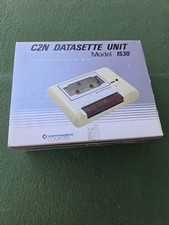
Commodore Computer C2N Datasette Unit 1530 Vintage with Original Box Untested
$30.00

Pi1541 Zero with Epyx Fastload Hat, Case & 16gb SD for Commodore 64 and 128
$79.99

TeensyROM+ TR+ v0.4 Cartridge for C64/128 - w/ Case & 32GB SD Preloaded
$89.50

Commodore 64 Dead Test & Diagnostic Cartridge & Test Harness Set - USA seller
$39.99

Commodore 128 C128 Computer FOR PARTS / REPAIR Untested Missing Key No Cords
$149.99
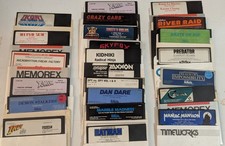
Commodore 64/C64 23 Original Games (Untested /As Is ,no returns )Maniac Mansion
$115.00
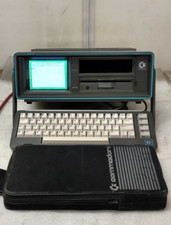
Commodore SX-64 Personal Computer
$600.00

Commodore 64 Serial Cable 6PIN DIN 1541 1571 C64 128 C128 Disk Drive Printer USA
$10.49
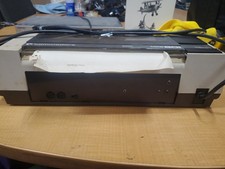
RARE Commodore MPS801 Printer - 1st printer for the 64 - powers on
$70.00

Commodore OS USB | Bootable LIVE + Install | The Ultimate Gaming Linux OS | NEW
$11.99