-
Senior Member
registered user
[[ s there a way I can run as Root when booted from LiveCD ??
IOW - suppose I want to d/l a file and save it to another partition....or edit a text file on another FAT32 partition (all my HDD partitions are FAT/FAT32).
]]
--If you don't need a GUI, boot with boot: ' knoppix 2 ' == This boots the livecd into runlevel 2 do an " ls " on ( /etc/rc2.d ) to see which links get run, compare to /etc/rc5.d which is the default. But that is prolly a little advanced.
--When booting the CD normally, after the GUI comes up you merely have to hit Ctrl-Alt-F1 to get to a root prompt. Root prompts also exist on F2-F6; Alt-F7 gets you back to X. (This behavior is defined in /etc/inittab; see the "getty" lines.)
--Once you are root, try this:
' mkdir /mnt/tmp ' == Create a mount point
' mount /dev/hda1 /mnt/tmp -orw,uid=knoppix ' == Mount drive C so that the "knoppix" userid "owns" it (has all permissions)
--Then switch back ( alt-F7) and start a konsole / rxvt / xterm, and (as the knoppix user) type:
' touch /mnt/tmp/blah ' == Creates an empty file named blah on /mnt/tmp; this will establish that you have write permission to the drive as a regular user.
--See ' man mount ' for more info.
Similar Threads
-
By maxmartin in forum Customising & Remastering
Replies: 1
Last Post: 02-24-2006, 11:48 PM
-
By gadgerama in forum Hardware & Booting
Replies: 3
Last Post: 05-18-2005, 12:11 PM
-
By sammiantha in forum Hdd Install / Debian / Apt
Replies: 9
Last Post: 02-22-2005, 06:53 PM
-
By SunnyB in forum General Support
Replies: 0
Last Post: 03-10-2004, 02:18 AM
-
By billstei in forum Hdd Install / Debian / Apt
Replies: 2
Last Post: 12-30-2002, 12:05 AM
 Posting Permissions
- You may not post new threads
- You may not post replies
- You may not post attachments
- You may not edit your posts
-
Forum Rules

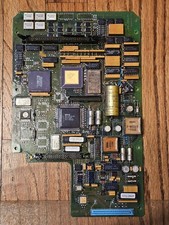
Vintage Retro Military Avionics Control Board Intel 8097 Gold Ceramic ICs Rare 2
$149.95

Vintage Computer Keyboard Northgate OMNIKEY Ultra
$120.00

Lot of 2 Vintage Plextor PX-43CS SCSI CD-ROM Caddy Drives + 4 Caddies Used
$55.99

Vintage Hewlett Packard HP 13181-60074 Circuit Card Assembly / Interface Board.
$135.37
vintage pentium 3 pc turns on no display no post
$150.00

Original Vintage Old Style STANDARD Black CD Jewel Case (Heavy Duty) 90g Lot
$316.95
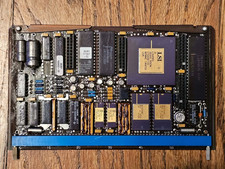
Vintage Avionics Gold CPU Board Intel MD8088 Ceramic LSI MCE Military Aerospace
$179.95
New Old Stock Vintage Fujitsu Lifebook P1630 UMPC Laptop Retro Computer
$249.99

VINTAGE COLLECTIBLE Comp USA Maxtor 20 GB 3.5 Inch EIDE Hard Drive NEW SEALED
$500.00
Vintage HP DVD Writer dvd210i Internal IDE Drive Q2116A BRAND NEW FACTORY SEALED
$58.85



 Reply With Quote