-
Nothing happens - please help!
Hello!
I'm using Kanotix 2005-03 and tried to klick on a few klik-links.
A window namend "klik" is opened in the taskbar, but i cannot see "what's inside".
After a while this window disappears, and there is no klik-application or cmg file on the desktop.
I'm using a proxy to access the internet.
Could this be the reason?
Please help!
Thanks!
-
Senior Member
registered user
Re: Nothing happens - please help!

Originally Posted by
justsmile
I'm using a proxy to access the internet.
Could this be the reason?
Probably? Klik needs to download files from the net so if you need to use a proxy you'll have to set it up with the programs klik uses to download things. I'm surprised it just dissappears without a trace though 
In a console try running
Code:
~/.klik klik://xvier
This should let you see a bit better what is happening. I suspect you'll need to add your proxy to .wgetrc though
-
Re: Nothing happens - please help!
Originally Posted by
bfree
In a console try running
Code:
~/.klik klik://xvier
This should let you see a bit better what is happening.
No. Just black. No command line.
Originally Posted by
bfree
I suspect you'll need to add your proxy to .wgetrc though
How can I save the .wgetrc on a read only system (kanotix booting from cd) ?
I also tried using "set" to set environment variables, but this does not help either.
(see http://users.ugent.be/~bpuype/wget/ at bottom for more details)
Any more suggestions?
-
Senior Member
registered user
Re: Nothing happens - please help!
Originally Posted by
justsmile
Originally Posted by
bfree
In a console try running
Code:
~/.klik klik://xvier
No. Just black. No command line.
Start a new Konsole and type the above into it. This is the equivalent of clicking on a klik link.
Originally Posted by
justsmile
Originally Posted by
bfree
I suspect you'll need to add your proxy to .wgetrc though
How can I save the .wgetrc on a read only system (kanotix booting from cd) ?
Very easily, you home directory is not read-only, it is stored in ram (or wherever you have set it with the home= cheatcode). And as for your link to the wget for windows page ... look for the wget manual in khelp on your own system instead.
 Posting Permissions
- You may not post new threads
- You may not post replies
- You may not post attachments
- You may not edit your posts
-
Forum Rules


🔀 Juniper Networks EX2300-C-12P 12× Gigabit PoE+ • 2× 10G SFP+ Compact Switch ⚡
$119.00

Juniper EX2300 12-Port Gigabit PoE+ Managed Network Switch P/N: EX2300-C-12P
$149.99

Juniper Networks EX2300-48P 48-Port Gigabit PoE Managed Ethernet Switch
$79.99
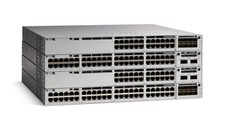
Juniper EX Series EX2300-C-12P - switch - 12 ports - managed
$304.00

Juniper SRX320 8-Port Security Services Gateway Appliance w/ AC Adapter
$59.99

Juniper EX2300-C 12 Port Compact Gigabit Switch EX2300-C-12p
$99.99
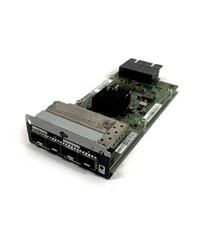
Juniper EX-UM-2X4SFP Quad-Port 10G SFP+Expansion Module 711-026017
$19.98

Juniper EX2300-C-12P POE+ Switch 12 x 1GbE & 2 SFP+ 10G uplinks
$149.99

Juniper Networks EX3400-24T 24-Port Ethernet Switch w/Power Cord
$174.99
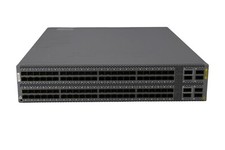
Juniper QFX5100-96S-AFI FP+/SFP PORTS 8QSFP+ PORTS REDUNDANT FANS 2x PS
$249.95



 Reply With Quote