-
Howto install kernel after ISO HDD install?
I've installed Knoppix 3.8.1 to HDD from a downloaded ISO. My modem is an unsupported winmodem, so I must install drivers for it. There is no apparently no kernel image on the ISO.
I must have an installed kernel to install drivers for the modem.
So. I have downloaded kernel-source 2.6.11 and installed with Kpackage. Kpackage reports that the install is succesful. When I try to confirm the install with KDE Control Centre, I get the report "the kernel configuration could not be read due to the following error: No hardware architecture was specified! Perhaps the kernel source code is not installed on this system or the path to the kernel source is entered incorrectly."
If I try to install the modem drivers Kpackage reports "missing or unconfigured kernel source tree" etc etc
Can someone help me out with this?
Thanks
Paul
-
Senior Member
registered user
Re: Howto install kernel after ISO HDD install?

Originally Posted by
riscbroker
I've installed Knoppix 3.8.1 to HDD from a downloaded ISO. My modem is an unsupported winmodem, so I must install drivers for it. There is no apparently no kernel image on the ISO.
I must have an installed kernel to install drivers for the modem.
So. I have downloaded kernel-source 2.6.11 and installed with Kpackage. Kpackage reports that the install is succesful. When I try to confirm the install with KDE Control Centre, I get the report "the kernel configuration could not be read due to the following error: No hardware architecture was specified! Perhaps the kernel source code is not installed on this system or the path to the kernel source is entered incorrectly."
If I try to install the modem drivers Kpackage reports "missing or unconfigured kernel source tree" etc etc
Can someone help me out with this?
Thanks
Paul
Your request for assistance has been posted to the wrong forum. This forum is for creating custom Knoppix CDs & not for Debian or HD install problems which are to be posted to Hdd Install / Debian / Apt forum.. Please see http://www.knoppix.net/forum/viewtopic.php?t=16574
As for acessing the source code & compiling a new kernel, I have not & would not use the KDE Control Centre to do that. Please read the following links to get a better idea of how add drivers by compiling a kernel.
http://www.falkotimme.com/howtos/deb...el2.6_compile/
http://www.debianplanet.org/node.php?id=335
Similar Threads
-
By firnsy in forum Customising & Remastering
Replies: 56
Last Post: 09-11-2009, 01:52 PM
-
By 3str in forum Hardware & Booting
Replies: 2
Last Post: 05-19-2006, 11:22 AM
-
By Gozar in forum Hdd Install / Debian / Apt
Replies: 3
Last Post: 06-13-2004, 08:03 PM
-
By sivaraj in forum Hdd Install / Debian / Apt
Replies: 1
Last Post: 05-13-2004, 06:15 PM
-
By nishtya in forum Hdd Install / Debian / Apt
Replies: 5
Last Post: 04-18-2004, 10:08 PM
 Posting Permissions
- You may not post new threads
- You may not post replies
- You may not post attachments
- You may not edit your posts
-
Forum Rules


Vintage Brother DP-525CJ Word Processor Typewriter PARTS/REPAIR PLEASE SEE VIDE
$265.00
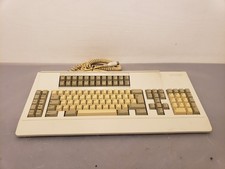
Vintage Memorex Telex 122-Key AT Terminal Keyboard 96550264
$100.00
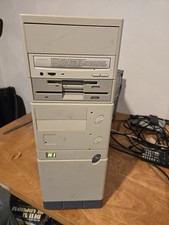
Vintage Retro Cyrix 6x86 133mhz 32mb RAM Floppy Combo
$299.00

Vintage HP 21MX 1000 M-Series Minicomputer Chassis Backplane Parts AS-IS
$228.19
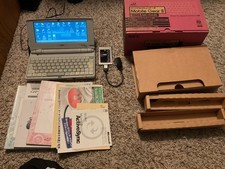
Rare Vintage Nec Mobile Gear II MC R430 Computer Japanese Windows Ce
$299.99

LOT NOS/USED VINTAGE 1000 + PCs TRANSISTORS, DIODES, UNTESTED, SCRAP GOLD
$200.00
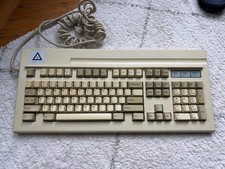
Leading Edge DC-3014 Blue Alps SKCM Keyboard Rare Vintage
$350.00

Vintage 1980 Epyx, Rescue at Rigel Video Game, Box, Manual, Apple II, TRS-80
$100.00
Vintage Educational Laptop Computer By National Encyclopedia Corp W/box & Insert
$99.99

Vintage Belkin Ergonomic Keyboard F8E208-BLK Split-Key PS/2 Wired Black
$39.99



 Reply With Quote