-
What steps to take after boot fails?
I am going to go away this summer to a place with some of my old relatives, and they don't have an internet connection. I have tried Knoppix on their computer, but it doesn't work. The monitor just shows this funny rainbow blob. It is an old computer, it runs Win98. I would like to know the things that I should do to try to figure out the problem myself, becuase I will not have an internet connection. Thanxs
-
Senior Member
registered user
Re: What steps to take after boot fails?

Originally Posted by
adamherb
I am going to go away this summer to a place with some of my old relatives, and they don't have an internet connection. I have tried Knoppix on their computer, but it doesn't work. The monitor just shows this funny rainbow blob. It is an old computer, it runs Win98. I would like to know the things that I should do to try to figure out the problem myself, becuase I will not have an internet connection. Thanxs
You can think of Knoppix as going through 3 different levels as it boots up: 1) boot level, 2) text-mode level, and 3) graphics-mode level. If you can't get to boot level, check your BIOS and the CD. If you can't get to text-mode level, try adjusting the non-GUI-related cheatcodes, e.g. vga=, acpi=, pnpbios=, etc. To get into text-mode level, append a 1, 2, 3, or 4 to your boot command. For example, boot: knoppix 3. If you can't get into graphics-mode level, try adjusting the GUI-related cheatcodes, e.g. xserver=, xmodule=, screen=, etc.
For more control over the boot process, try the debug option:
- knoppix debug
- knoppix debug 1
- knoppix debug -b 1
You may also want to try both the "failsafe" and the "expert" label:
- failsafe
- failsafe 1
- failsafe debug -b 1
- expert
- expert 1
- expert debug -b 1
Good luck and let us know how things go.
Regards,
- Robert
http://www.cwelug.org/
-
If I boot into text mode, and then what should I do. Would I type init 5 to get into the graphics mode. Or from text mode I could install Knoppix to the hard drive, but if the computer can't run it live, will it work with a GUI after the install?
-
Senior Member
registered user
Originally Posted by
adamherb
If I boot into text mode, and then what should I do. Would I type init 5 to get into the graphics mode.
Yes. The object is to first get into text mode. If you can't even do that, I would focus on all the cheatcodes that don't start with an x. If you can get into text mode, then I would focus on cheatcodes that do start with an x.
Originally Posted by
adamherb
Or from text mode I could install Knoppix to the hard drive, but if the computer can't run it live, will it work with a GUI after the install?
I would not install Knoppix to the harddrive. That's not really what it's designed for.
Regards,
- Robert
http://www.cwelug.org/
Similar Threads
-
By Rib in forum Hdd Install / Debian / Apt
Replies: 0
Last Post: 08-07-2004, 12:43 PM
-
By mwagner_00 in forum Customising & Remastering
Replies: 1
Last Post: 03-07-2004, 11:12 PM
-
By robbyappleton in forum General Support
Replies: 22
Last Post: 02-29-2004, 09:08 PM
-
By bhaskar in forum Customising & Remastering
Replies: 1
Last Post: 01-08-2004, 07:12 AM
-
By AndrewDucker in forum General Support
Replies: 4
Last Post: 02-20-2003, 09:35 PM
 Posting Permissions
- You may not post new threads
- You may not post replies
- You may not post attachments
- You may not edit your posts
-
Forum Rules


HP 2x 10GB OPNsense Quad Core i5-8500 8GB RAM 3Port Gigabit Firewall AES-NI SSD
$199.95

OPNsense Firewall 16-Core Atom C3958 16GB DDR4 RAM 64GB SSD 8x 1Gbe QAT AES-NI
$195.00

Zero Trace Pen: All-in-one Tor Network Anonymous Drive + Cryptocurrency Wallet
$147.00

SonicWall TZ280 Firewall 03-SSC-6933 Advanced Edition 3YR NEW SEALED
$999.99

OPNsense pfSense 8-Core Atom C3758 2.2GHz 8GB DDR4 64GB SSD 8x NIC QAT AES VPN
$145.00

OPNsense pfSense 16-Core Atom C3958 16GB ECC RAM 512GB SSD 8-Port QAT AES-NI VPN
$258.00

Fortinet FortiGate 60F FG-60F UTM UTP License Until 2027 Network Security FW VPN
$229.99
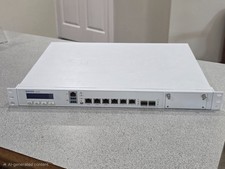
Sophos XG 210 Rev. 3 Firewall Appliance – 8GB RAM / 128GB SSD – Tested & Reset
$149.99

Check Point 1590 Firewall & w builtin WiFI and builtin LTE sim slot
$95.99
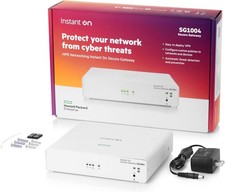
HPE Networking Instant On Secure Gateway Smart-Managed Switch (S0G33A#ABA) - New
$269.99



 Reply With Quote