-
Burning a backup disc using K3b
Hi everyone,
I've been looking through the forums and also checking online elsewhere, but I can't seem to find any answers. Here is my situation:
My laptop (Fujitsu Lifebook, Series C, just about one year old) gave me the blue screen of death yesterday as I was sorting through my files to make a backup DVD. Fatal System Error, system has been shut down. It wouldn't even boot into safe mode. So I went onto my stepdad's computer, burned a Live boot CD of Knoppix (V 3.9) and booted it up using that. I can get to my hard drive just fine and all my files are still there, but I am having problems burning my files onto a backup DVD. I have a CD/DVD burner on my laptop, that's not the problem. The problem is, I only have one-- it's the only CD/DVD drive that I have. When I get everything ready in K3b to burn my backup disc, it says to insert a blank DVD... but won't open the drive. Is it even possible for it to eject the live boot disc in order to burn a different disc, or do I need to install another CD/DVD drive and burn it from that one? Or am I (and my laptop) just being dumb?
Any help with this would be very greatly appreciated.
Thanks in advance,
Guenivere
-
Administrator
Site Admin-
If you have 1 gig of memory then you can load Knoppix into memory with the toram cheat code. A different alternative would be to use a smaller distro that will fit in 50 megs or so and use the toram option with that. And a better option might be to transfer the files to another computer on a local network.
-
I couldn't get it to boot the disc to the RAM... I think I may not be understanding when/where exactly to type in the cheat code? I think I would be safer to try to transfer the files through the network onto my stepdad's computer... but I have no idea how to do that...
-
Senior Member
registered user
a) zip the files to backup to an big archive (backup.zip)
b) connect the backup with a crosslink-cable to second computer
(a windows-pc? if yes, get the ip by
or by right-clicking the network symbol, and click and click and click...
c) on the laptop, adjust your ip to be in the same subnet.
If the desktop is 192.168.0.2, make your laptop 192.168.0.5 or something:
Code:
ifconfig eth0 down
ifconfig eth0 192.168.0.5 up
note: it's ipconfig on win, and ifconfig (InterFace) on linux.
d) on the commandline, start the internet superserver:
e) from the desktop, connect to the laptop via ftp:
g) move to the directory containing the backup
h)
if successful, take a big breath and open a bottle, but I guess there will be some problems:
a) maybe you have to be root to use ifconfig and to start inetd
b) to login via ftp, you have to specify an username, which means to create a user on the linux-system first.
-
Thanks a bunch! I actually switched to Damn Small Linux and burned the backup discs that way, but this helps me a ton too. I really appreciate it!
Similar Threads
-
By jets in forum General Support
Replies: 0
Last Post: 01-15-2008, 07:49 AM
-
By Arbatras in forum General Support
Replies: 2
Last Post: 07-13-2007, 05:44 PM
-
By popjack in forum MS Windows & New to Linux
Replies: 1
Last Post: 12-28-2005, 08:55 PM
-
By airkyd in forum General Support
Replies: 1
Last Post: 03-24-2005, 05:10 PM
-
By juham in forum General Support
Replies: 3
Last Post: 04-17-2004, 09:01 PM
 Posting Permissions
- You may not post new threads
- You may not post replies
- You may not post attachments
- You may not edit your posts
-
Forum Rules


OPNsense pfSense 8-Core Atom C3758 2.2GHz 8GB DDR4 64GB SSD 8x NIC QAT AES VPN
$115.00

Ubuntu Server 26.04.1 LTS Bootable USB Flash Drive – Latest September 2026
$13.99

Start9 Server Pure 32GB 4TB Intel i7 Node StartOS — Box + PSU
$649.00

Microsoft SQL Server 2025 Standard 32 Core Unlimited CAL Retail License Package
$299.00
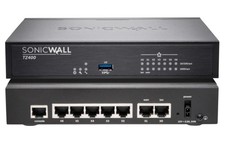
Dell SonicWall TZ400 Network Security Appliance Firewall New
$185.00

All New Ubuntu 26.04 LTS Linux Bootable USB Flash Drive
$15.95
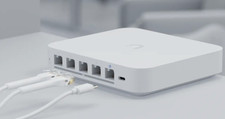
Ubiquiti UniFi Gateway Max UXG-Max
$229.00
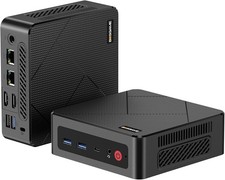
BOSGAME E4 Air Mini PC, AMD Ryzen 5 3500U 8GB DDR4 256GB SATA SSD
$199.00

KTN-STL3 EMC VNX 15-slot Disk Array Expansion, full 15 x 2tb drives 100% health
$360.00

NVIDIA Jetson TK1 + Intel NUC Compute Cluster Tray w/ Netgear 16-Port Switch
$499.99



 Reply With Quote